
Create your organisation structure
An organisation is the top level of the ONESOURCE Fringe Benefits Tax hierarchy and may contain a reporting group or groups and 1 or more reporting entities.
If you are an accounting firm, organisation refers to each client’s returns you are preparing or reviewing. This lets you keep each organisation's structure, employees, and benefits separate.
If you are a business, hospital, charity or other organisation, the term organisation is used to denote your business.
- All data such as employees and cost centres relate to a specific organisation. Benefits are allocated at the reporting entity level.
- The FBT return itself is not generated at the organisation level, but at the reporting entity or reporting group level. The organisation name is typically your organisation's business name, while the reporting group name and stand-alone reporting entity name(s) should represent legal entity or division names.
To Add an Organisation
- SelectAdministration, thenOrganisationson the navigation bar.
- Select the 1st blank row and type the name of the new organization.
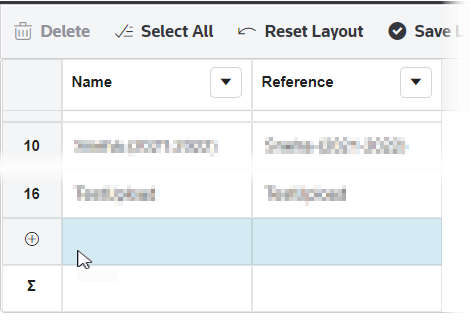
- In theReferencecolumn, add an internal client reference if this is part of your internal procedure.
- To save your data, click anywhere outside the row.
To rename an existing Organisation
- SelectAdministration, thenOrganisationson the navigation bar.
- In the list, double-click the organisation you want to rename. The edit icon
 appears.
 - Enter a new name.
- Enter a value in theReferencecolumn if applicable. Some accounting firms enter their internal client reference number.
- To save your data, click anywhere outside the row.
To Delete an Organisation
To delete an organisation you're no longer using, you must first delete any reporting entities associated with the organization. You can then delete the organisation.
- Go into theReporting Entitylist for the organisation you want to delete.
- If any reporting entities are in a group, they must first be removed from the group.
- Select all the reporting entities in the organisation.
- Select theDeletebutton to delete the reporting entity.
note
At least 1 organisation always remains in the list. The last organisation will be the active organisation and can't be deleted.