
Generate a loan schedule
The Loan workpaper provides the option to define a schedule for repayment of a loan. The schedule can be edited to adjust a repayment, add extra payments, alter repayment dates or delete missed payments. The schedule of transactions is automatically updated.
- To open the Loan Benefits workpaper, selectBenefits, thenLoansfrom the navigation bar.
- Select the loan row.
- Select theSchedulebutton on the workpaper.
- On the Loan Schedule page, enter the values as appropriate. Use the+and-buttons to collapse and expand the sections on this page.
- Select theGenerate Schedulebutton.
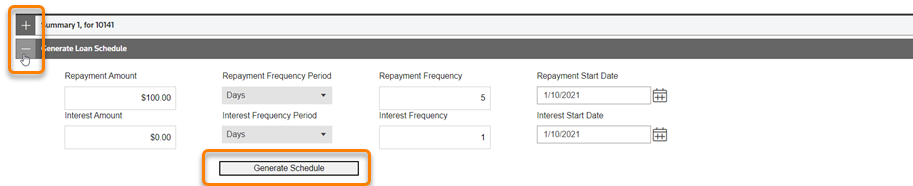
A listing of the repayments is generated, based on the values you entered.
Related Content
-
Loan Workpaper
Format: Article,
8 min read
Article,
8 min read