
Nominate E-Filing Manager with ATO
You can use ONESOURCE E-Filing Manager to lodge with the Australian Tax Office (ATO) by nominating the product as your software provider.
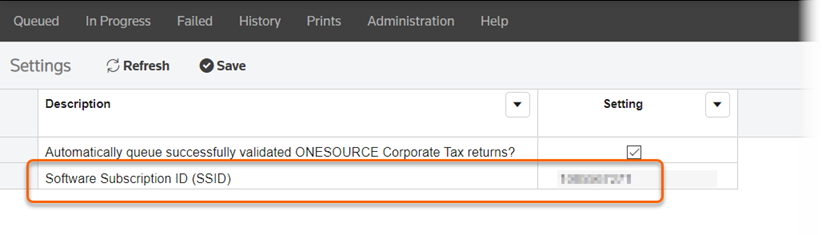
Locate your software subscription ID (SSID)
A software subscription ID is a unique identifier that's used to identify each unique subscription or instance of the software with the ATO.
important
ATO requires ONESOURCE users to nominate 1 software ID per product. If you use multiple ONESOURCE tax products, you'll need to complete the nomination process for each product.
To get your software subscription ID, in E-Filing Manager go to . Note the ID in the Setting
column
.
Nominate your software provider
These steps walk you through myGovID to nominate 1 software provider as an online lodgement provider through ATO Access Manager.
- Sign in to Access Manager.
- SelectMy hosted SBR software services.
- SelectNotify the ATO of your hosted service.
- Identify the SBR software provider from the list. You can search using the Thomson Reuters ABN or Service Provider Name. Once found, select theABNto continue with the nomination process.
- ABN - 64 058 914 668
- Service Provider Name - Thomson Reuters (Professional) Australia Limited
- Enter the software ID in theAdd Software IDsfield and then selectNext.
- And lastly, selectSave.