Roll forward
Content transition requires rolling forward the dataset that is using Classic content. Most clients will roll forward from a prior period tax return to a current period tax provision/return (whichever applies).
The calculations in the current period dataset created via this rollforward will be based on NextGen content.
To roll forward a dataset, follow the normal steps.
important
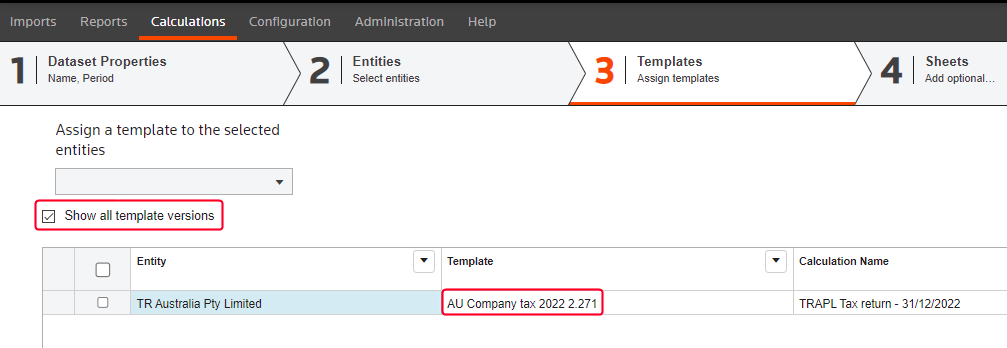
NextGen content templates begin with v2.xx. Classic content templates begin with v1.xx. When you roll forward the dataset, confirm that the assigned template has a version number starting with v2, not v1.
To verify this, select the
3 | Templates
tab in the rollforward wizard. Mark the Show all template versions
checkbox. The full name of the template, including the version number, appears in the Template
column.