Thomson Reuters
CANADA
Products
Products
TOP PRODUCTS
CoCounsel Legal Canada
CoCounsel Essentials
Westlaw Advantage Canada
Westlaw Edge Canada
Westlaw Canada
Practical Law Canada
Practical Compliance
HighQ
Taxnet Pro
DT Professional Suite
Onvio
CATEGORIES
Streamline legal research
Drafting and document automation
Cloud software
Tax compliance software
Maximize legal know-how
Solutions
Solutions
INDUSTRIES
Legal
Tax & accounting
News & media
Books
Books
SHOP BOOKS
All books and eBooks
eBooks & eLooseleafs (ProView)
Éditions Yvon Blais
International Books
SHOP BY PRACTICE AREA
Tax & accounting
Corporate / Commercial
Criminal
Health & Safety
Litigation
Law
See all books & ebooks
Visit the Thomson Reuters Canada book store
Insights
Insights
BLOG
Insight Blog
Thomson Reuters Institute
NEWS
Press releases
CUSTOMER STORIES
Customer stories hub
Help and Support
CoCounsel for legal professionals
Navigation
About
Dropdown for Long or Short Context Experience
About
Dropdown for Long or Short Context Experience
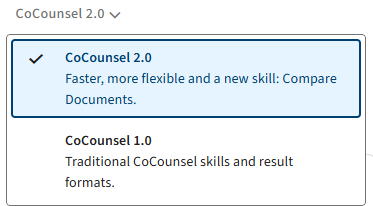
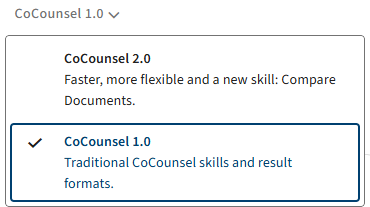
Upon entering a new chat and the landing page in CoCounsel, you will be able to choose between Long and Short Context experiences in CoCounsel.
Long Context is also known as
2.0
which allows footnotes, highlighting, enables the
Compare Documents
skill, and lets you upload documents on
Timeline
, and
Draft Correspondence
skills.
Short Context is also known as
1.0
which lets you cancel questions before running skills, includes the
Contract Policy Compliance
skill, and also lets you to retrieve saved questions, aka
Favorites
.
This article applies to:
Product:
CoCounsel
Audiences:
Legal professionals
Print