
Upload compressed files to a database
Do the following to upload zipped files to store in your database.
- On the Databases screen, select or create a new database folder then selectUpload files.

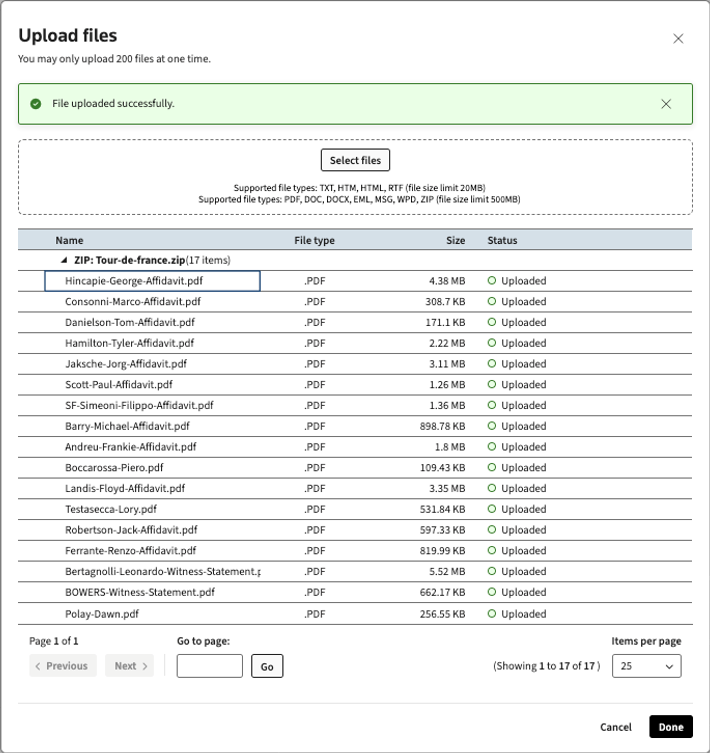
- In the Upload files screen, you can verify the name, file type, size, and status of each extracted file.note
- You can selectPreviousorNextto view all the pages sequentially. Or, you can enter a page number in theGo to pagefield then selectGoto go to that page specifically.
- You can use theItems per pagedropdown to customize how many files show on each page.
- Confirm the files you want, then selectDone.
- The files will process in your database.
note
Zip limits
- You can upload up to 200 files in your zip at a time. If you try to upload more than that, you'll get the following error:You can't upload more than 200 files at once. Please try again.
- You can upload up to 20 MB per file for TXT, HTM, HTML, RTF file types.
- You can upload up to 500 MB per file for PDF, DOC, DOCX, EML, MSG, WPD file types.