
Folders
You can create folders to help organize your research and share it with other Westlaw
Edge
Canada users.Select
the dropdown for
Folders
to view your recent folders. From here, you can choose View all
or
if you would like to go to the folders page instead of one of your recently-saved items. View this folder
You can also select
Folders
to go directly to your folders.You can use the folders page to view content saved under
My folders
or anything that has been shared with you under Shared with me
. Select an item to view it in Westlaw Edge
Canada.tip
Use the filters and
Search within this folder
box to help you find the content you're looking for.Choose New or Options to update and make changes to your saved research folders.
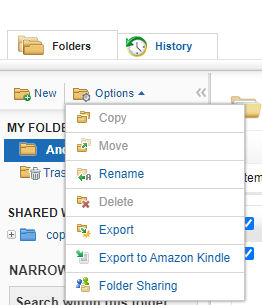
Select the three dots  under actions to add a note to your saved item, copy or move it, pin it to quick access, or delete it.
under actions to add a note to your saved item, copy or move it, pin it to quick access, or delete it. You can select checkboxes next to items that you would like to email, print, download, or send to Dropbox or Kindle as a bulk action.
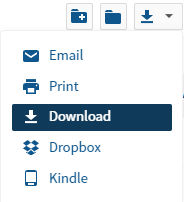
You can select checkboxes for items you want to move or copy, share, delete, email, print, download, or send to Dropbox or Kindle.
- Select the share content icon
 to share your content with other Westlaw Canada users.
 - You can select the move or copy icon
 to move or copy content from one folder to another.
 - Select from the dropdown menu to email, print, download, or send content to Dropbox or Kindle.
- Select the red X
 to delete the content you've select.
- Select the folder with the plus sign
 to create a new folder within your current research folder.
 - You can select the folder
 to copy or move your selected items to a different folder.
 - Select the trash can
 to delete the items you've selected.
If you've added cases related to the same topic, you may be able to use  to see if Westlaw Edge Canada is able to analyze the contents of your folder.
Folder analysis
to review your research. Select the folder analysis icon to see if Westlaw Edge Canada is able to analyze the contents of your folder.Related Content
-
Add a note to a document
Format: Article
-
Set up notifications for alerts and shared content
Format:
Article,
1 min read