
Edit the covering letter for an Information Request in Personal Tax
- Open an active client with a current tax return.
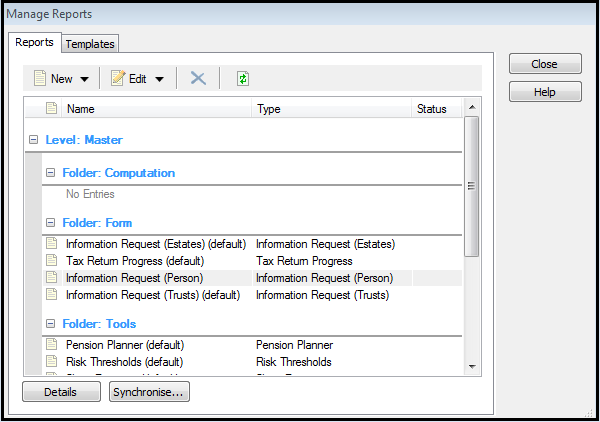
- SelectReports, thenManage Reports.
- Select theReportstab
- In the Folder: Form section, right-clickInformation request (Person) (default)and selectCopy Report tothenPractice reports.This will create a Copy of Information Request (Person) item in the Folder: Practice Reports section. You can have as many of these copies as you need to suit different client's needs.
- Go to the Folder: Practice Reports section and right-click theCopy of Information Request (Person)item and selectEdit Reportfrom the context menu.Example
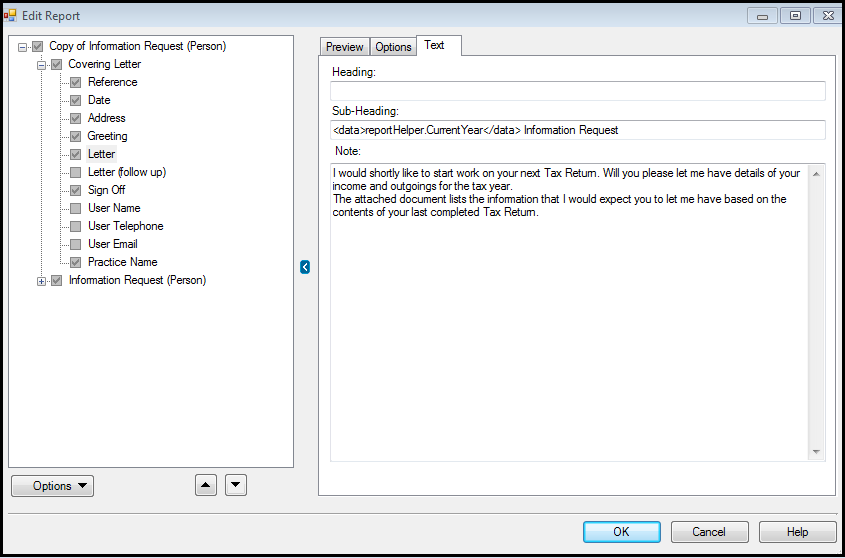
- In the Edit Report dialog, within the Copy of Information Request item, expand theCovering Letterfolder.
- SelectLetter, then select theTexttab.
- Edit the text in theNotebox as required.Example
- SelectOK, thenOKagain.