
CoCounsel Drafting in Word from HighQ
The
CoCounsel Drafting
plug-in allows HighQ users with a CoCounsel subscription to seamlessly open documents in Word to analyse, draft and redraft documents stored in HighQ. It provides efficient AI-assisted drafting to improve document quality and consistency.CoCounsel Drafting also includes:
- Synchronising edited documents to HighQ, with version control.
- Security measures to maintain document confidentiality.
- Audit trail for compliance requirements.
note
This CoCounsel Drafting integration streamlines the steps required to use the CoCounsel Drafting plug-in, while enhancing tracking and security.
You must have access to the
CoCounsel Drafting
plug-in and a CoCounsel license.Enable Open CoCounsel Drafting for a site
CoCounsel Drafting
settings are available in the Admin module:
Open
Settings
in the Files
section: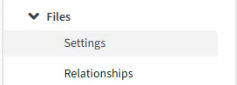
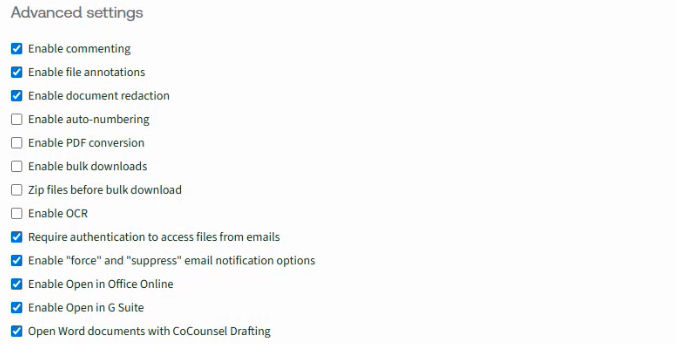
Scroll down to
Advanced settings
and select Open Word documents with CoCounsel Drafting
.
Select
Save
to apply your changes.note
If you do not see this option, ask your HighQ account manager for access to
Open with CoCounsel Drafting
.If this is enabled, all users on the site will see the
CoCounsel Drafting
panel.Opening documents
If the plug-in is installed in Word, CoCounsel Drafting is automatically enabled if you open a document from the Files module.
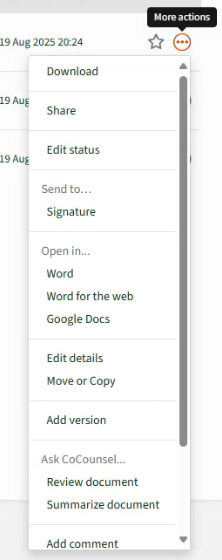
Open from the Files module:
Open the
More actions
context menu for a file and select Word
(or Word for the web
).
Open from the Document Viewer:
Click the name of the document in the Files module to open the document in the
Document Viewer
.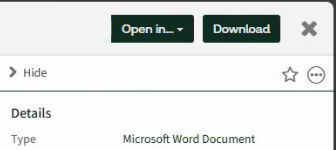
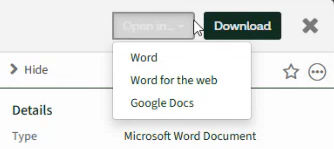
Then select
Open in...
> Word
(or Word for the Web
).
note
Enable Editing
In some cases, select
Enable Editing
to allow changes to the document and open the integration.The document opens in Word with the
CoCounsel Drafting
panel: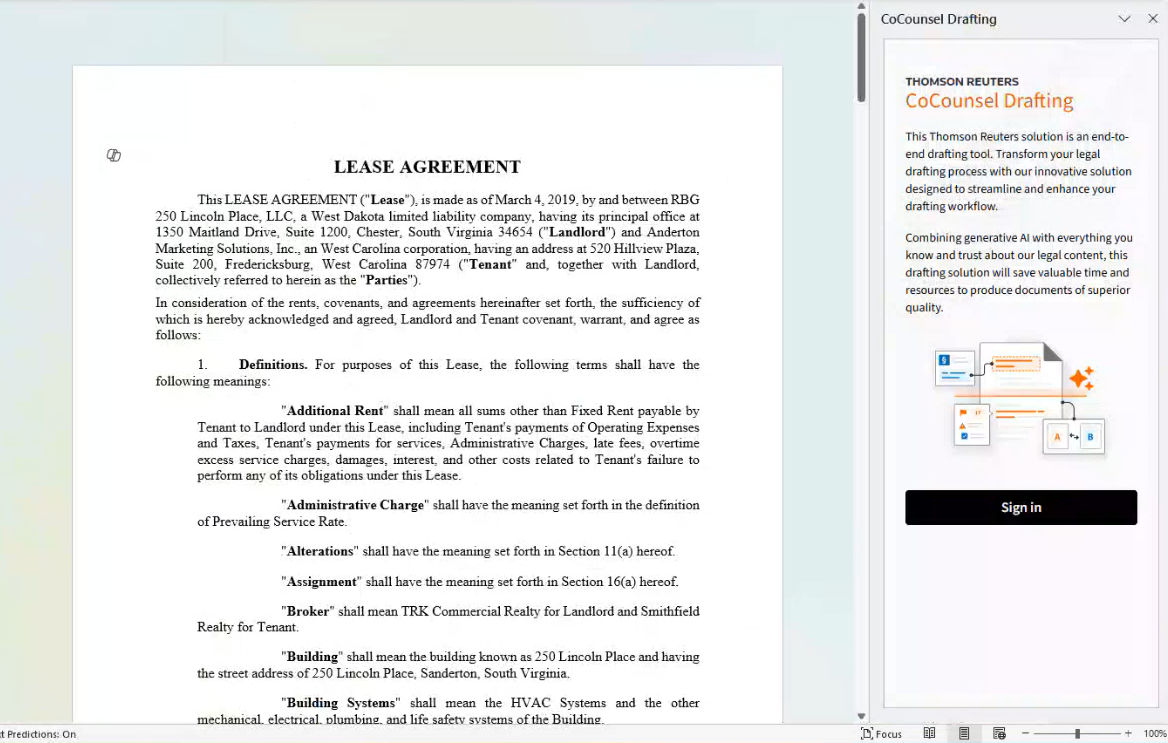
note
If you have not signed in, select
Sign in
to enter your OnePass credentials.CoCounsel Drafting training
Please go to the training resources for further information.