
Suspend and restart a bulk download
If you download many files you may suspend or restart a bulk download in the case of a connection issue or failure.
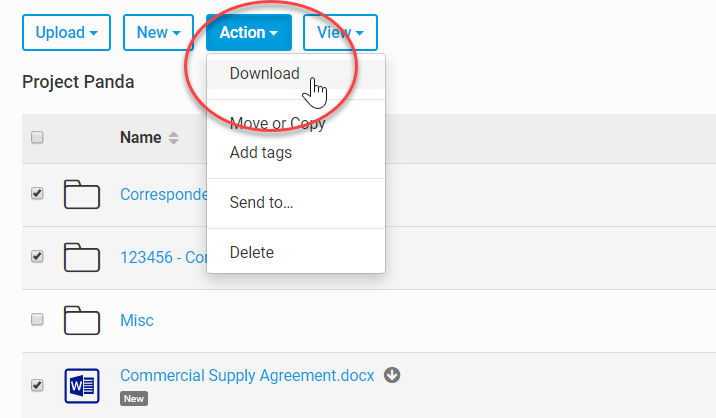
In the Files module select the files or folders that you need to download. Select
Action
, then Download
.
The file download starts. To see the progress, view the
Downloads
option in your browser. If you see that the download is not progressing you can Pause
it. If you do use Pause
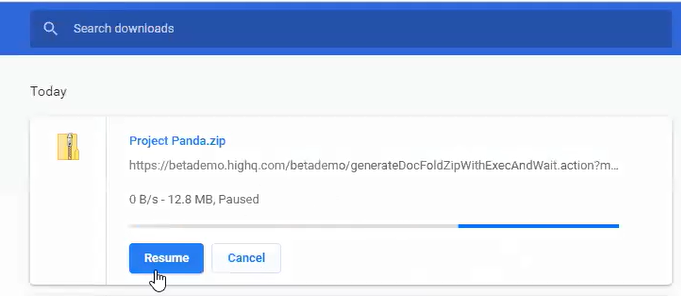
, you can also Resume
the download later.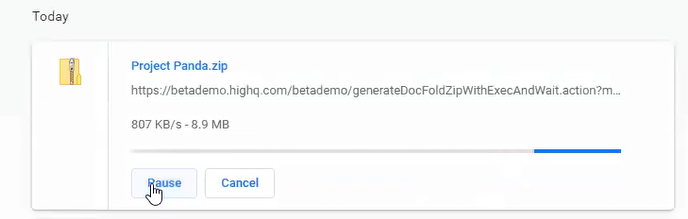
Related Content
-
Download files and folders in bulk
Format: Article,
12 min read
Article,
12 min read