
Disable Chrome's built-in PDF viewer
If you experience issues when you open encrypted PDF files using Google's Chrome browser, please adjust Chrome Site settings to turn off the built-in PDF viewer.
Select
Download PDFs
in ChromeOpen the  from the Chrome toolbar and select
Customise and control
menu from the Chrome toolbar and select Settings
.tip
Alternatively, type
chrome://settings/content/pdfDocuments
into the Chrome browser address bar to quickly open PDF documents
settings, then select Download PDFs
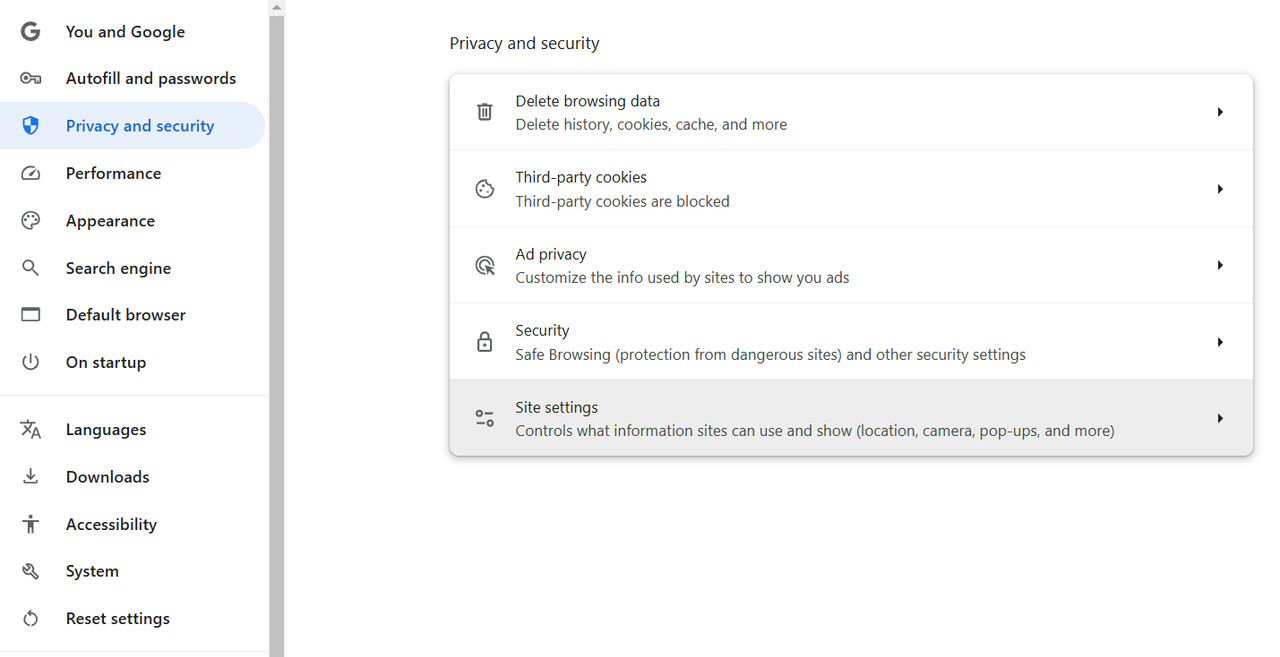
.Select
Privacy and security
, then Site settings
:
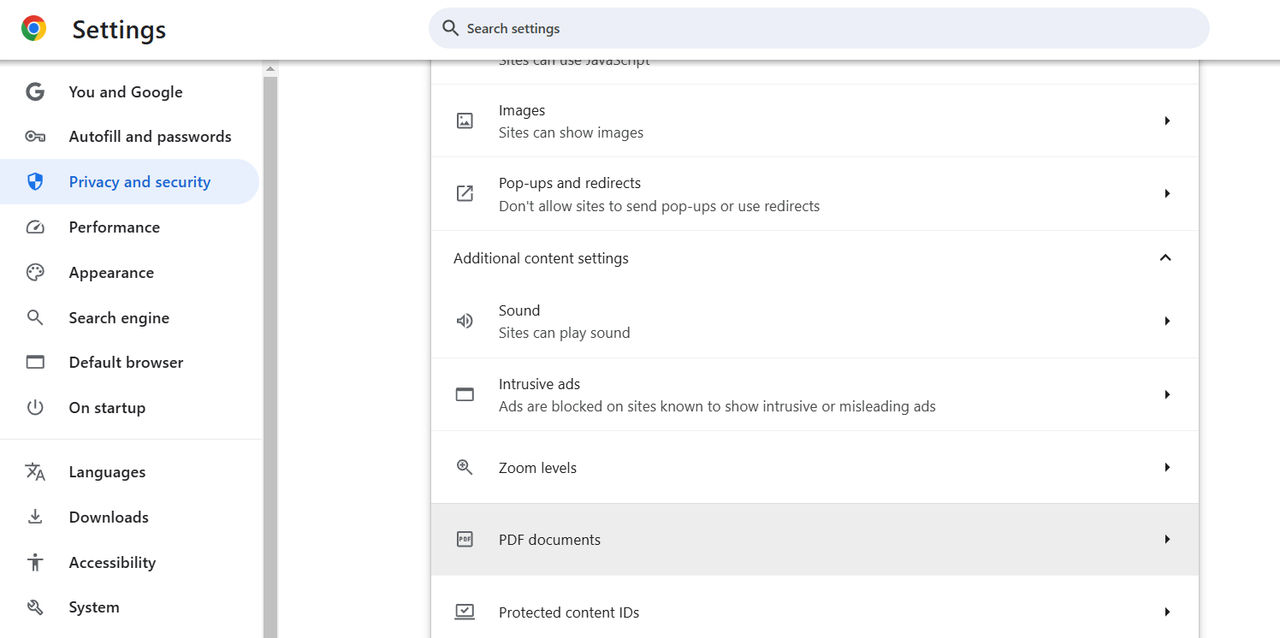
Open
Additional content settings
then PDF documents
:
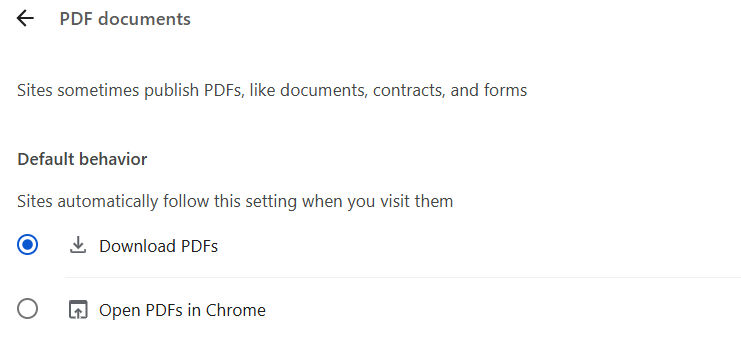
Select
Download PDFs
:
Close the settings tab.
note
Ensure that the latest version of Adobe Acrobat Reader (http://get.adobe.com/reader/) and the FileOpen plugin (http://plugin.fileopen.com/) are installed.
Related Content
-
Using FileOpen to view protected PDFs
Format: Article,
3 min read
Article,
3 min read