
Adding a Dashboard panel for Contract Express templates
As part of the Contract Express Integration, you can now create a dashboard panel on a site home page, which lets users quickly access Contract Express templates that you have selected.
Creating a Contract Express Dashboard panel
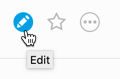
Navigate to the dashboard and select
Edit
.
The dashboard opens in
Edit
mode. Scroll down to the bottom of the screen and click Add panel
. 
The
Add panel
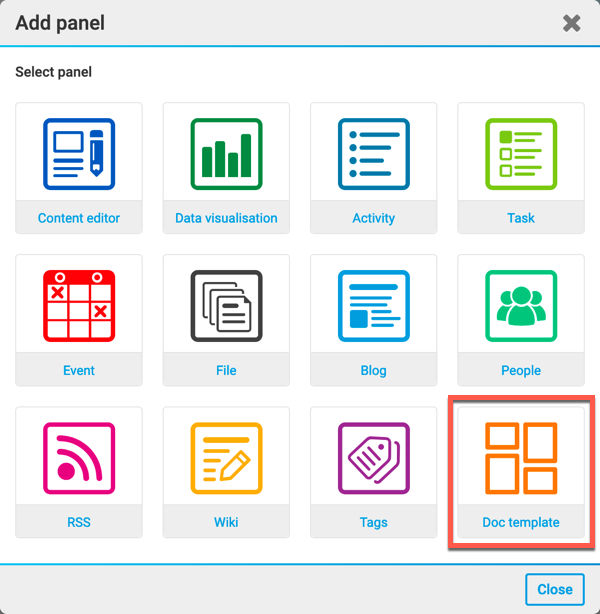
screen opens. In the Add panel
screen, select Doc template
.
The
Add panel
- Doc template
screen opens.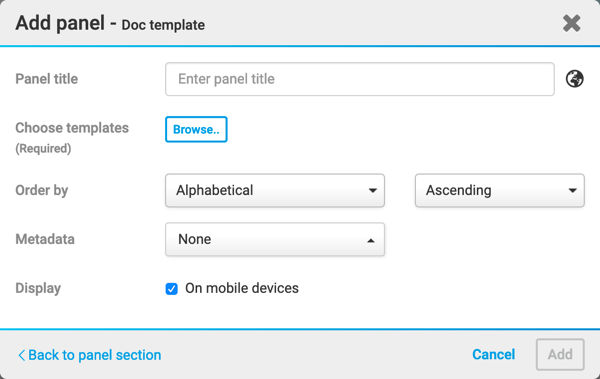
In the
Add panel
- Doc template
screen, you have the following fields:- Panel title- This is where you add the name of the panel, e.g. Contract Express panel.
- Choose templates- Here is where you select the template(s) you want users to be able to create documents from, from the dashboard. SelectBrowseto show theContract Expresstemplates screen.
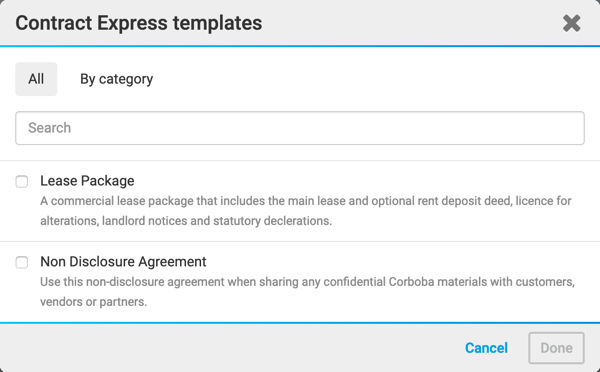
- Within this screen, you can browse existingContract Expresstemplates in the site or browse the template groups by category. Once you have made your selection, selectDone. To cancel the template selection, selectCancel.
- Order by- You can select how the templates are ordered, e.g. Alphabetical, Recently Used, Ascending & Descending etc.
- Metadata- Select the metadata you want to display.
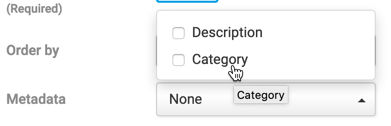 .
.- Display- Here you can choose if you want to display the panel on a mobile device.
Select
Add
to add your panel to the dashboard.You can also change the layout and colour of this panel in the
Dashboard Builder
.Once you have added your panel, scroll back to the top of the page:
- ClickCancelto exit the edit page without saving any changes
- ClickPreviewand then select a device type to open a new window with your current page as it would appear on the chosen device type; this does not save your changes
- ClickSaveto save your changes; all visitors to your site's homepage will see the latest changes
Creating a document from a Contract Express template, from the dashboard panel
Once you have created your panel, you and anyone else on your site with appropriate permissions can create a document using the chosen template.