
Set permissions for Views
You may wish to limit access to views in an iSheet for specific user groups. Custom permissions may be configured for views if permissions are enabled on the iSheet to which they belong. Once permissions are enabled and configured on the iSheet (see iSheet permissions), permissions may be configured on views by navigating to the iSheet admin page (
Admin
> Module settings
> iSheets
), and selecting More actions
> Manage views
.To edit permissions on a view, select
More actions
, then Edit permissions
for a view: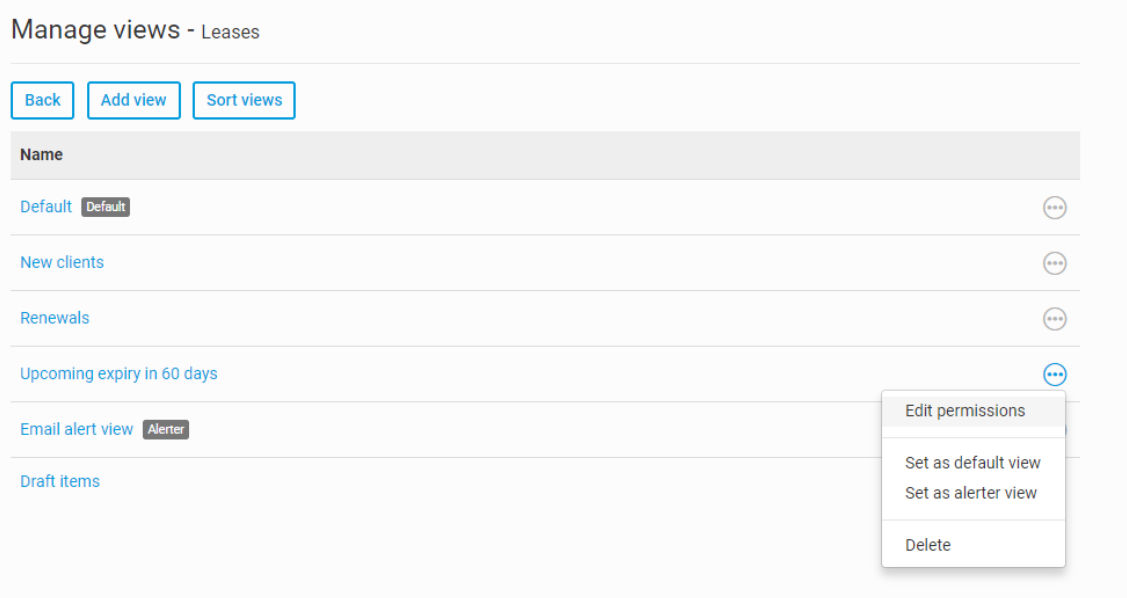
Access to all users
is checked, as all views are available to all users with view access to the iSheet by default: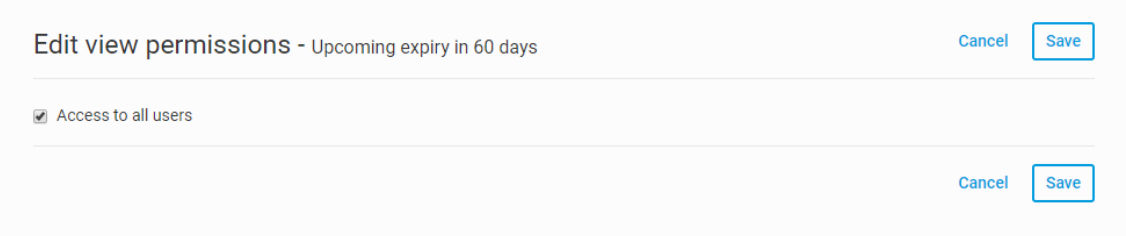
To restrict access to the view, first clear the
Access to all users
checkbox:All groups that have at least view access to the iSheet will appear in the permissions matrix, which shows
View
, Print
, and Export
pemissions.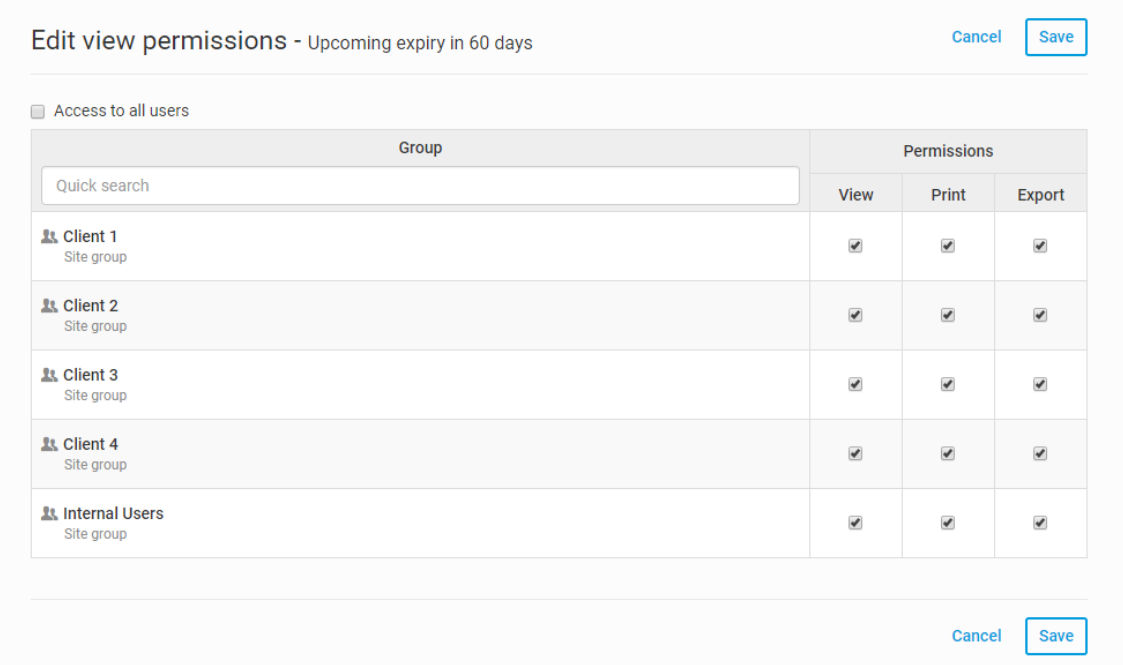
note
Groups that have no access to the iSheet cannot be given access to a view and will not appear in the view permission matrix.
This table is similar to the permission matrix used to configure iSheet and column permissions. For views, permissions available are
View
, Print
and Export
access rights. A group must have at least View
rights to be granted either Print
or Export
rights.Apply any permission restrictions needed by unchecking the appropriate boxes for each group and select
Save
to save the changes.View export permission
If a user is in a group that has
View
and Export
permissions only, they will only have an Export
option on the view's More actions
menu. They can use this to download the items in the view in XLSX (Excel), CSV or XML format. See the article on iSheet exports for more information.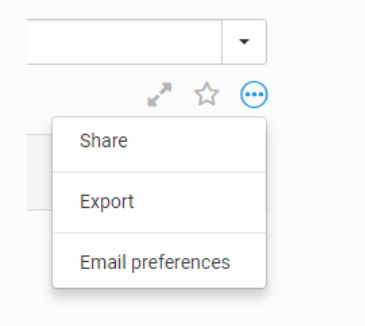
View print permissions
If a user is in a group that has
View
and Print
permissions only, they will only have Print
and Export to PDF
options on the view's More actions
menu.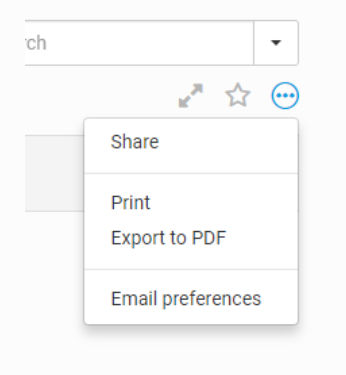
note
iSheet permissions already apply item-level access restrictions, based on the users who created the iSheet item. Such permissions may limit a user to viewing items created by him/herself or to items created by other users in the same group.
If iSheet permissions have limited the items visible to a particular group, that serves as an outer boundary of the items that can appear in any view for that iSheet for such users. View permissions can further restrict which items a group can access.
Related Content
-
Views - display and filter your iSheet data
Format: Article