
Edit and delete Views
To edit or delete a view, a Site admin can navigate to the iSheet admin page (
Admin
> Module settings
> iSheets
) and select Manage views
from the iSheet More actions
menu.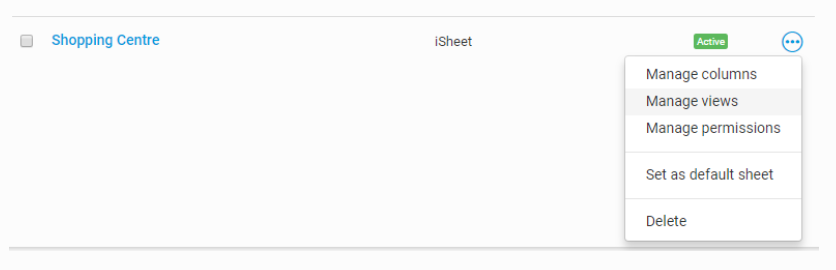
All views created for the iSheet appear on the
Manage views
page.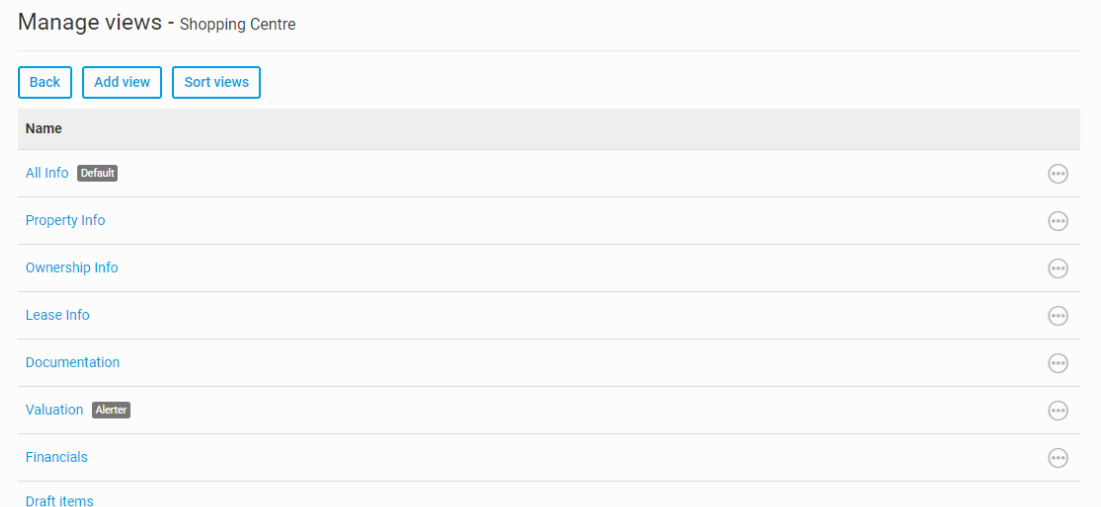
Search for a view
As of March 2023, if your iSheet has many views, you can use the
Search View names and description
field to quickly locate a view with either the name or description.
Mandatory/required columns
As a view can unintentionally hide a mandatory/required column, please ensure the view contains all mandatory/required columns.
In the
Available columns
list, and the Manage views
window, a Required column
note indicates that a view is missing one or more mandatory columns.
note


You can check if a view includes all mandatory columns. Open
Admin
, iSheets
, then select Check mandatory columns
.If necessary, select the iSheet to check. A list of views is displayed.
Select
Show
to see a list of mandatory columns that are missing in the view. Select More actions
then Add mandatory columns
to automatically add all missing mandatory columns to the view.Alternatively, select all views you need to update, then select
Update selected views
in the top-right corner.Edit views
To edit a view, click on its name. The
Edit view
page is the same as the Add view
page, and any settings may be changed. See Adding and configuring views for more information.The system created
Draft items
view may also be edited in certain limited ways. See the Modifying the draft items view section in the Item drafts article for details.Delete views
To delete a view, select
Delete
from the view's More actions
menu.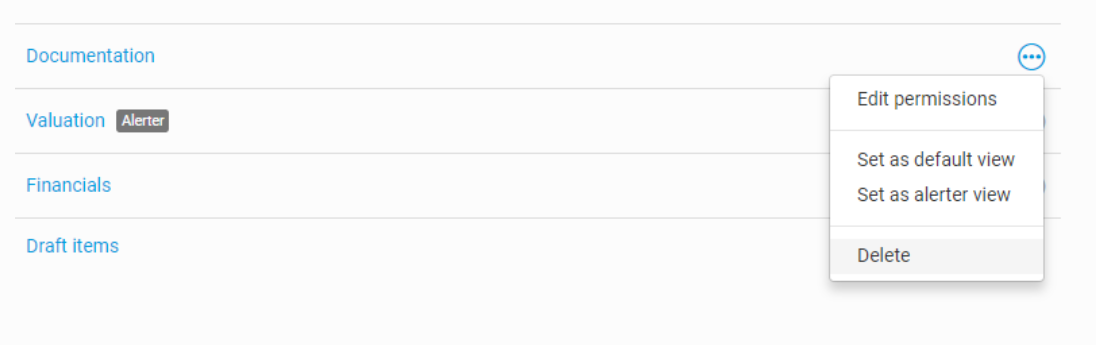
A message will prompt for confirmation.
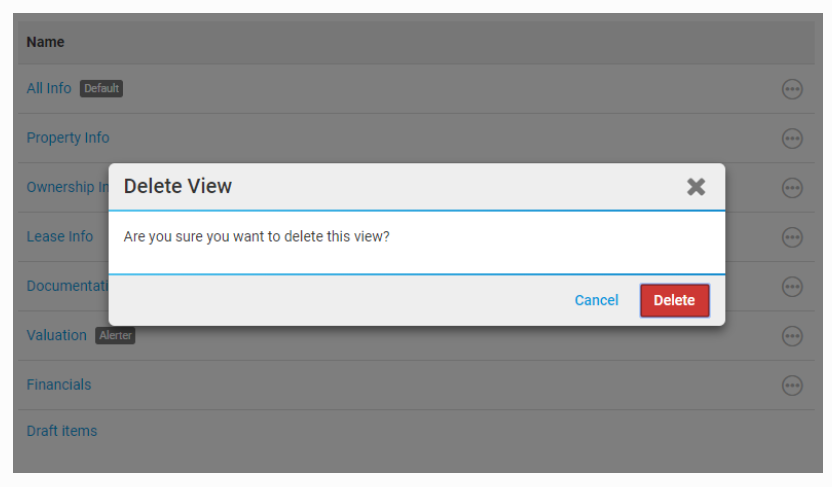
Select
Delete
to delete the view, or Cancel
if you do not wish to proceed with the deletion.Default and Draft items views
The
Delete
option does not appear in the More actions
menu for a default view.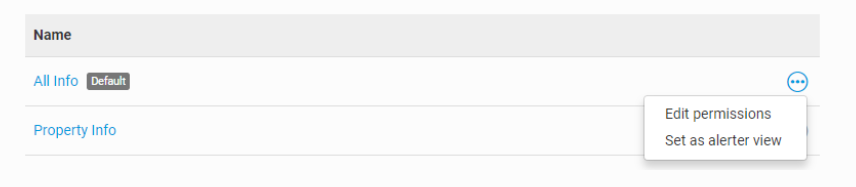
To delete the
Default
view, first designate another view as the default. Then you may return to the More actions
menu to delete it.note
It is not possible to delete every view. There must always be at least one view per iSheet (excluding the Draft items view).
note
The system generated
Draft items
view cannot be designated as the default view, nor can it be deleted or have custom permissions applied.Related Content
-
Views - display and filter your iSheet data
Format: Article