
Comparison toolkit pages
You can add additional pages to the comparison toolkit (that can be added to the navigation for the comparison toolkit module).
Select 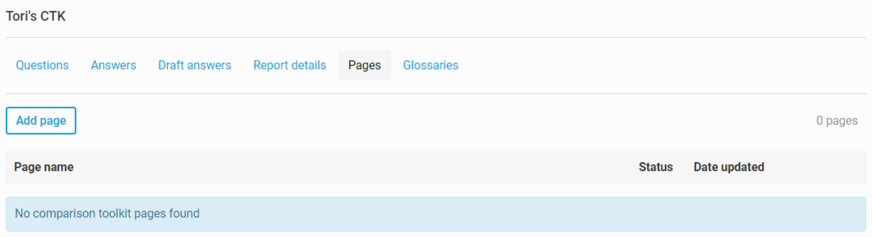
Add page
to add a new page to the comparison toolkit. Once you have added the page(s), you will need to add a few page items.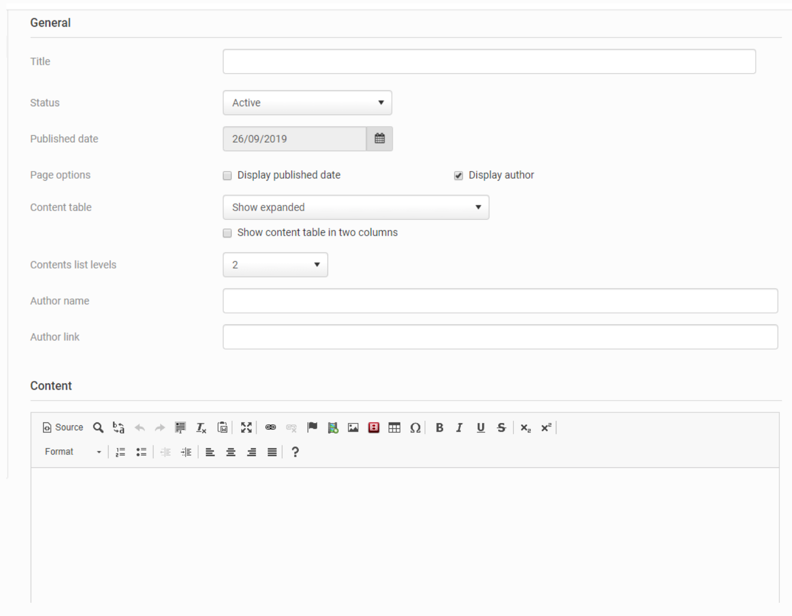
Title
- This is the title of the pageStatus
- The status can either be Active (it can be viewed) or Archived (it cannot be viewed)Published date
- You can select the date that it will be publishedPage Options
- Choose whether to display the published date or to display the authorContent table
- Here, you can determine if the content table is expanded, collapsed or disabled, as well as if it is visible in two columnsContents list levels
- You can choose up to 4 levelsAuthor name and link
- Here, you can add the author name and linkContent
- Here, you can add the content of the page. For this to be more than a simple page with text, you will need to have HTML and CSS knowledge to edit this information at the source level.Related Content
-
Create content modules
Format: Article,
5 min read
Article,
5 min read