
JS & CSS file administration
System administrators can manage any number of CSS, JS or font files that are included in all headers or footers. This includes the login page, form pages, and all other system pages. This allows you to further customise the design and behaviour of Publisher to suit your needs.
Select
My Profile
, then System admin
from the dropdown menu.
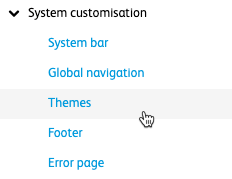
Go to
System customisation
, then Themes
.
The
Themes
screen opens.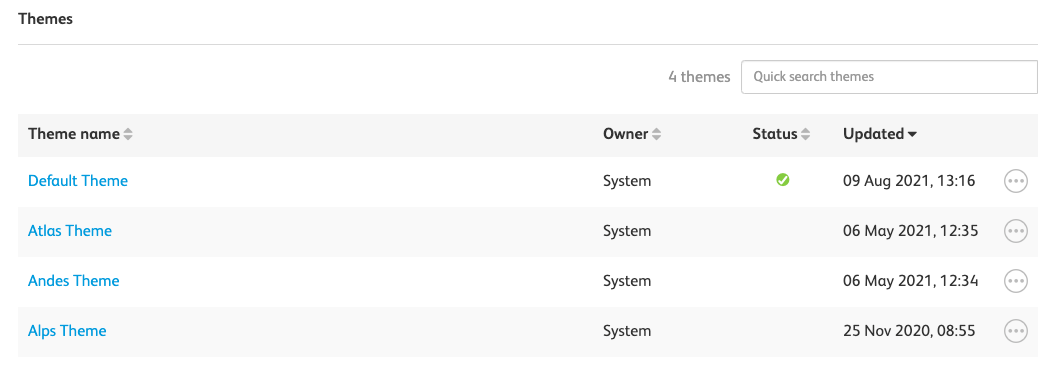
Select the theme you want to manage, then select
Javascript, CSS and Fonts
.
To add a file to be used for JS, CSS and fonts, select
Add file
. The Add file
screen opens.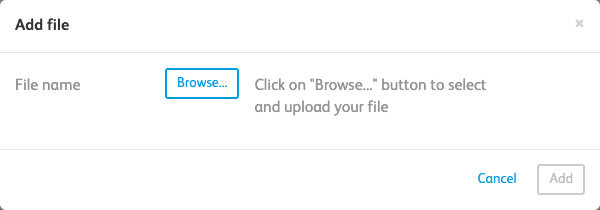
Either
Browse
for the file(s) you want to use, or drag and drop. After you add files, a Location
dropdown list and further options are shown, such as include All system pages
, All form pages
, The login page
.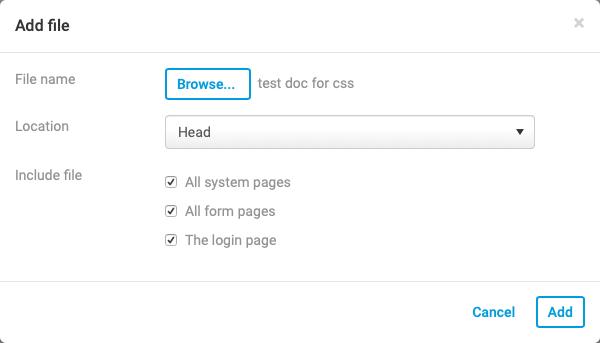
Select the location of the image, from the
Location
dropdown list. Once you have selected your image, select Add
.The file will now be uploaded and viewable.
If you select a file with an invalid file extension, you will see the following error message in the
Add file
window: You are trying to add a document with an invalid extension [ pdf ]. If you need to add this to the list of supported extensions, please email [errors.publisher@tech.highq.com] with the details.
Once you have added your files, they will be uploaded and active.