
Add a new site template
To add a new site template, select
Manage templates
from the Site
dropdown list.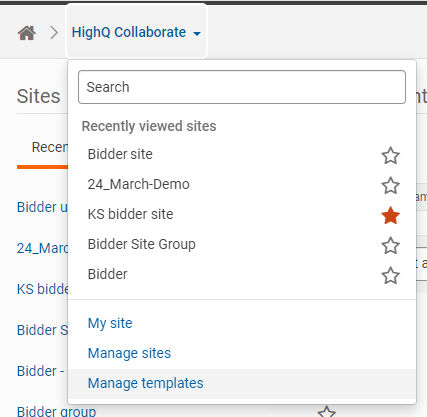
The
Manage templates
screen opens, showing a table of templates.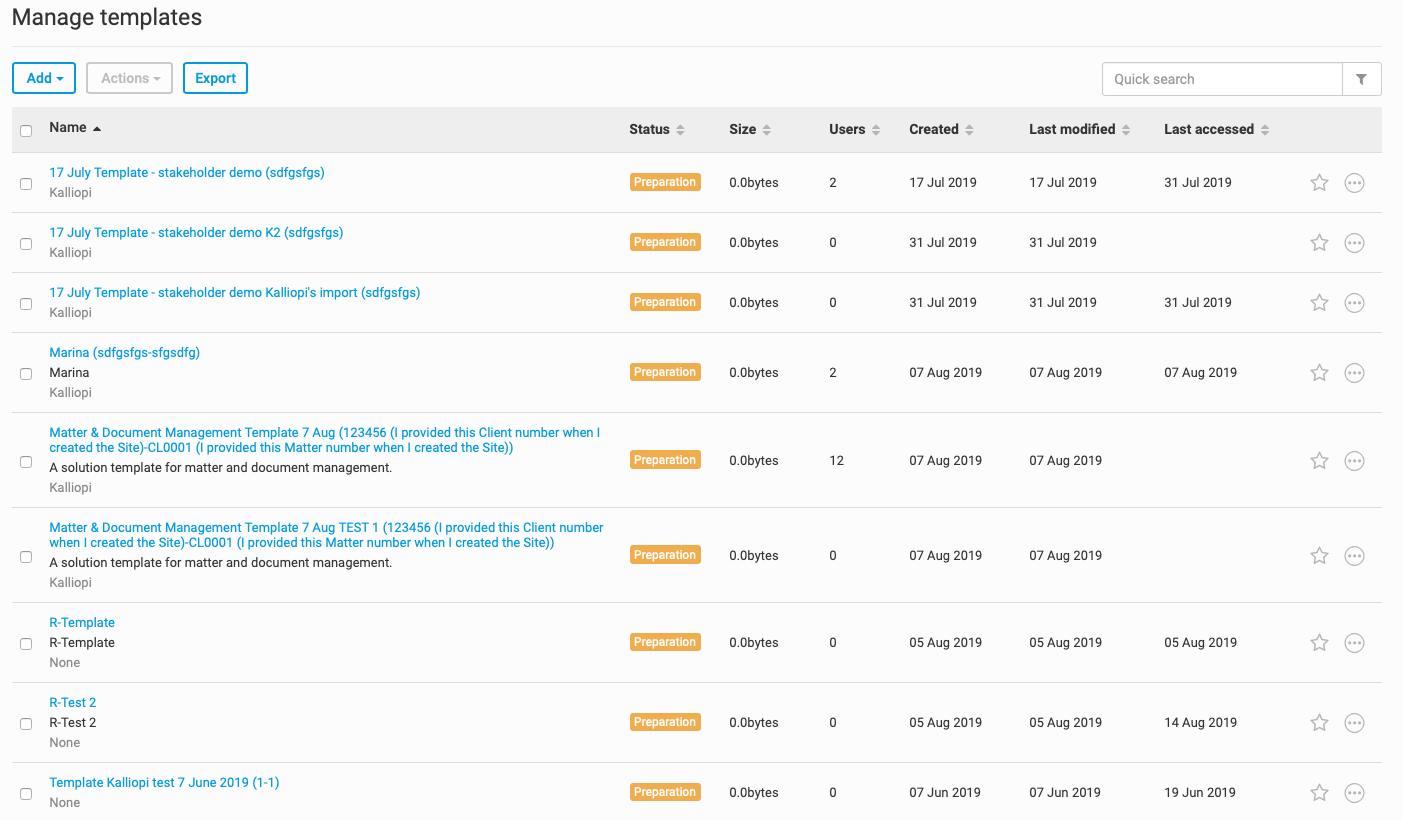
In the Manage templates screen, you can do the following:
- Addbrand new site templates
- Importexisting site templates.
- Exportexisting site templates
- Set theStatusof a site template
- Set thePurposeof a site template
- Exportthe template list
Adding a new site template
To add a new site template, select
Add
, then Template
.
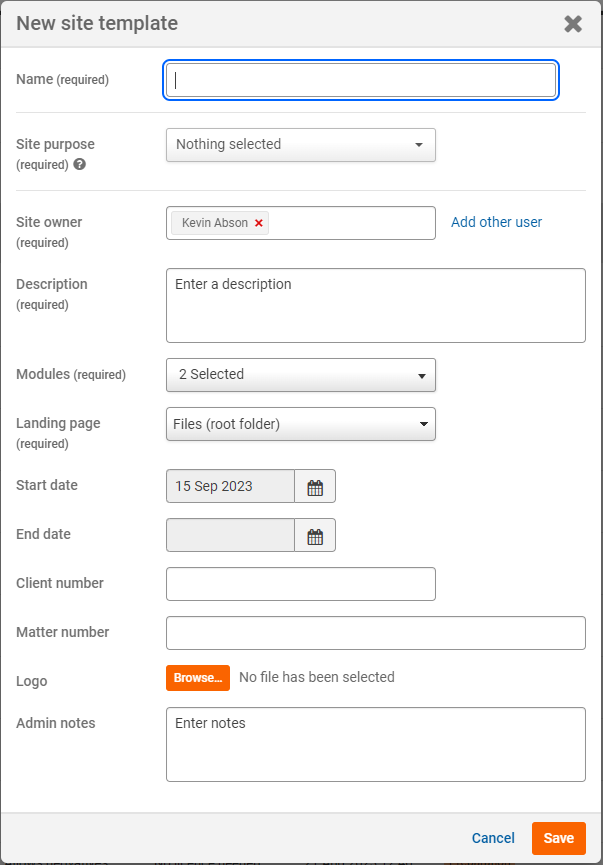
The
New site template
screen opens, which has the following fields.- Name- The name of the new site template
- Site purpose- Add a site purpose to templates to help find and organise your site templates
- Site owner- Add a site owner. By default, this is the user that creates the template
- Description- This is a description of the site template. Consider writing a description that will help you find and organise your site templates
- Modules- This dropdown contains a selection of modules that you can select which will be a part of the new site template when you create a site from this template
- Landing page- Select which page you want the site template to load first
- Start date- The start date can be used to track when a site template was first used (this is for reference only)
- End date- The end date can be used to track when a site template is considered to be no longer in use (this is for reference only)
- Client number- If you always intend to use the site template for the same client, consider entering the client's number
- Matter number- If you always intend to use the site template for the same matter, consider entering the matter number
- Logo- Consider adding a logo if you want to brand this site template for use with the same client
- Admin notes- Add any notes for admin users
Once you have filled in the details of the site template, select
Save
. This new template is added to the list of templates on the
Manage templates
window.