
Add a task to a file from the files module
When a task is created using the Tasks module, it can be associated with one or more files found in the Files module. This also means that when a file is added to the Files module, tasks can be associated with that file if the Tasks module has been enabled on that site.
To add a task via the files module, navigate to the
Add Files
screen via Files
module, then Add
, Files
, and thenTasks
.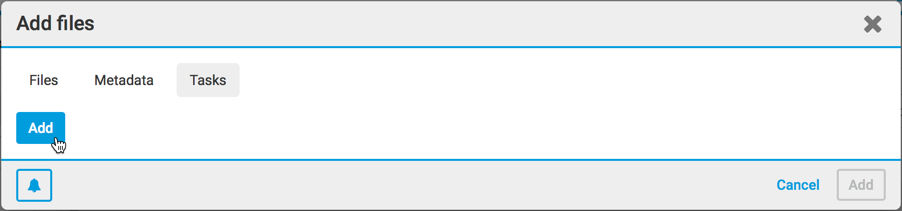
Select
Add
to display the Add task
screen.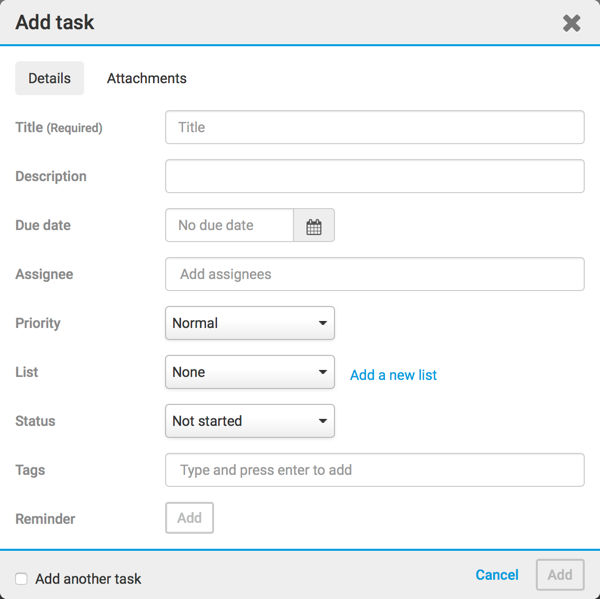
Where you can add your new task.
For an existing file, a task can also be added to it with
Add task
in the file actions menu.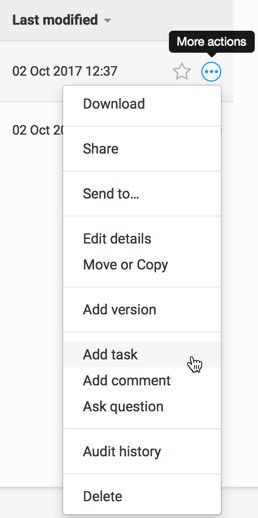
Select
Add task
to display the Add task
screen.note
Tasks created from the Tasks module or the Files module are identical in every other way.