
SAAI Catalogs
The
SAAI Catalogs
screen is located inside the SAAI
menu. The top of this screen contains the following options: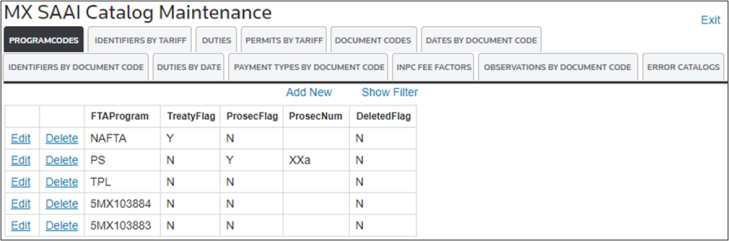
Each tab represents a part of the process, which can be used to define the rules and default values for the SAAI module.
Program Codes
The
Program Codes
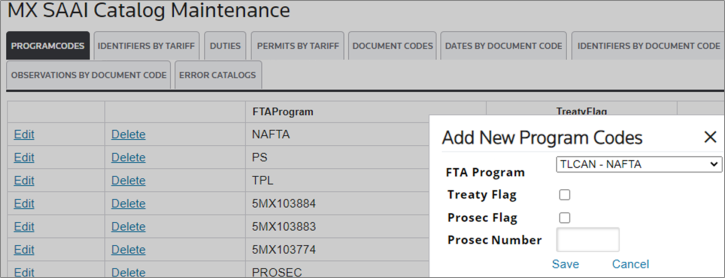
tab can be used to define program codes used by pedimento maintenance. Clicking the Add New
button to the top right of the tab’s grid will open the Add New Program Codes
modal, which can be used to create new program codes. Enter all required information and then click Save
.
Identifiers by Tariff
The
Identifiers by Tariff
tab can be used to define the default (most used) identifiers and complements by tariff. This information is added automatically to the pedimento creation when the Tariff is used by an item.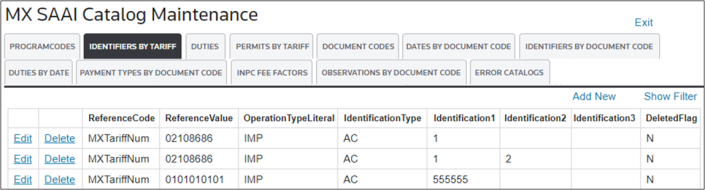
Duties
The
Duties
tab can be used to define additional duties (besides those managed by HTS level) to be considered in the Calculate Duties
part of the pedimento process.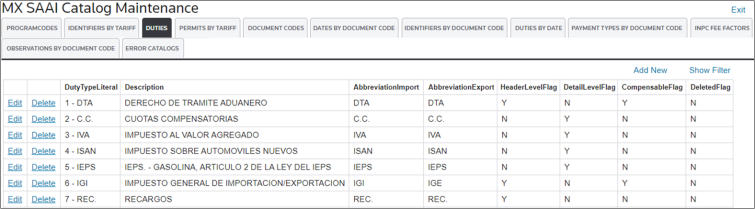
Permits by Tariff
The
Permits by Tariff
tab can be used to define permit numbers for specific HTS and operations (Import or Export) to be automatically assigned when creating pedimentos matching the specified criteria.
Document Codes
The
Document Codes
tab can be used to define the behavior for each pedimento code such as regimen, fixed assets, automotive industry, etc. All of this information is used to automatically fill the corresponding fields in the pedimento creation when adding pedimentos matching the specified criteria.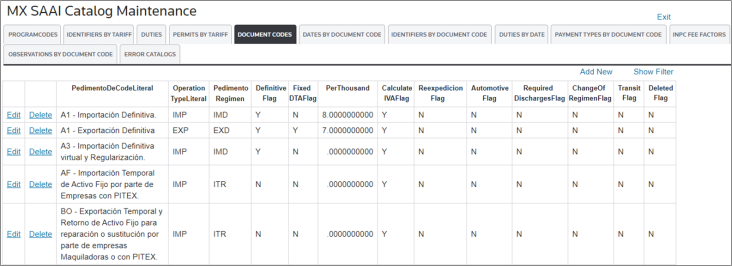
Dates by Pedimento Code
The
Dates by Pedimento Code
tab can be used to define the default dates used by each pedimento code and Import/Export operation. This information will automatically fill into the corresponding fields when a pedimento is created that matches the specified criteria.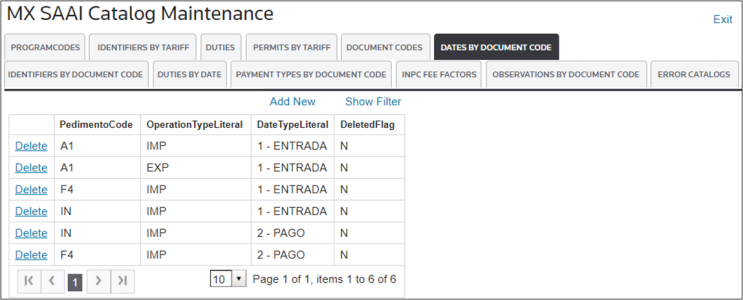
Identifier by Document Code
The
Identifier by Document
Code tab is another tab that can be used to define default identifiers and complements by pedimento code. This information will automatically fill into the corresponding fields when a pedimento is created that matches the specified criteria.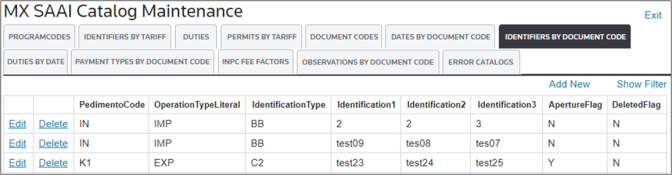
Duties by Date
The
Duties by Date
tab is another tab that can be used to define default duties values by date range. This information will automatically fill into the corresponding fields when a pedimento is created that matches the specified criteria.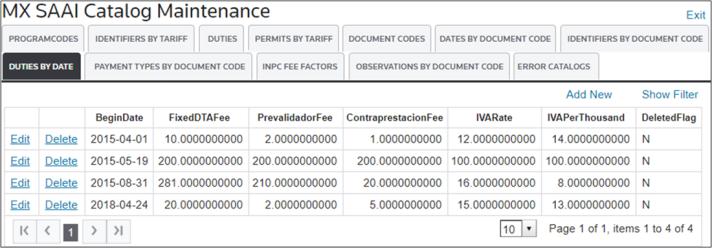
Payment Types by Document Code
The
Payment Types by Document Code
tab can be used to define default payment methods for each duty and pedimento code. This information will automatically fill into the corresponding fields when a pedimento is created that matches the specified criteria.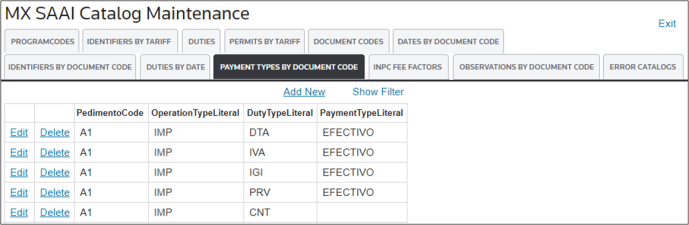
INPC Fee Factors
The
INPC Fee Factors
tab can be used to define default INPC fee rates and factors by month and year. This information will automatically fill into the corresponding fields when a pedimento is created that matches the specified criteria.
Observations by Document Code
The
Observations by Document Code
tab can be used to define default observations/comments by pedimento code and Import/Export operation. This information will automatically fill into the corresponding fields when a pedimento is created that matches the specified criteria.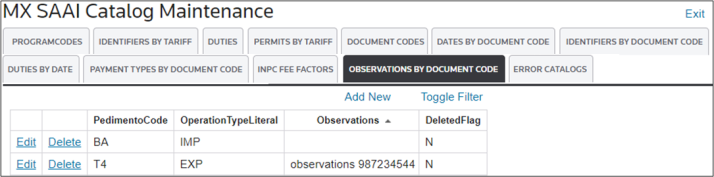
Related Content
-
IMMEX
Format: Article