
Search terms audit
Overview of the report
This report gives the user the ability to report on search terms used by organisations, users or both.
Running the report
Navigate to
System administration
> Audits & reports
> Content
> Search terms audit
to display the Search terms audit
screen.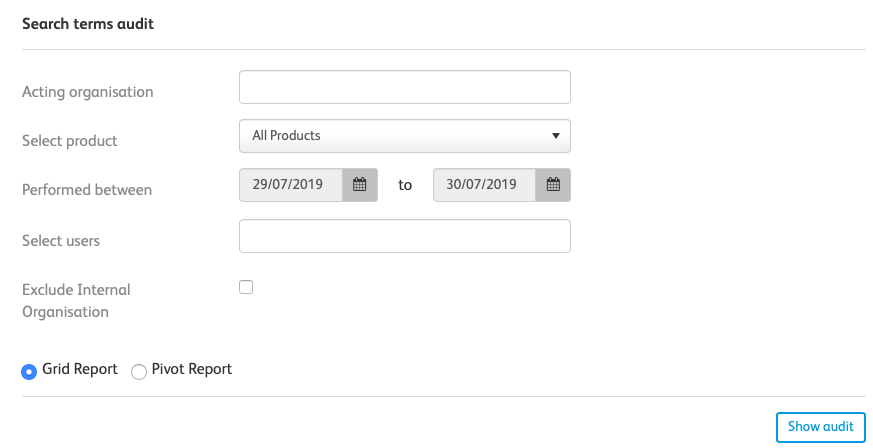
Within the
Search terms audit
sceen, you have access to the following fields:- Acting organisation- Within this field, you can specify an organisation you want the report to be filtered by. (If this field is left blank, the results will be shown for all organisations)
- Select product- Here, you can select each of the Modules that users have access to within the system (E.g. Publications, Events, Videos, Comparison Toolkits etc.)
- Performed between- Here, you can specify the date range of the action that you want to investigate
- Select users- Here, you can specify a user that you want this report to be based on (if left blank, the report will include all users)
- Exclude internal organisation- Here, you can specify if you want to exclude internal organisations (a group) from the results
- Grid report / Pivot report- You have to choose which style of report you want to be displayed
Select
Show audit
to show your final audit.Related Content
-
Audits and reports
Format: Article,
2 min read
Article,
2 min read