
Tasks module overview
The Tasks module enables you to create, assign and manage work. The three main task views - list, card and timeline - are designed to facilitate different project management methods and working styles. The Tasks module integrates seamlessly with the iSheets, Workflow and Data Visualisation modules, allowing you to manage all matters and client requirements.
We have comprehensive task documentation to help you make the most of the tasks module:
note
As of December 2025, Task linking automatically updates iSheet records based on linked task statuses, improving data accuracy and reducing manual work in project tracking.
Key features
- Manage tasks in the Kanban-style #view for agile task management
- Group, search, sort and filter tasks in list view
- Visualise a project in timeline view
- Set up workflow rules to automatically assign and manage your tasks
- Track progress and KPIs usingdashboardsanddata visualisation
- Break tasks into smaller work items using sub-tasks
- Customise your tasks with iSheet integration
- Automatically notify team members of work assigned or overdue
- Create templates of your tasks and reuse them across sites
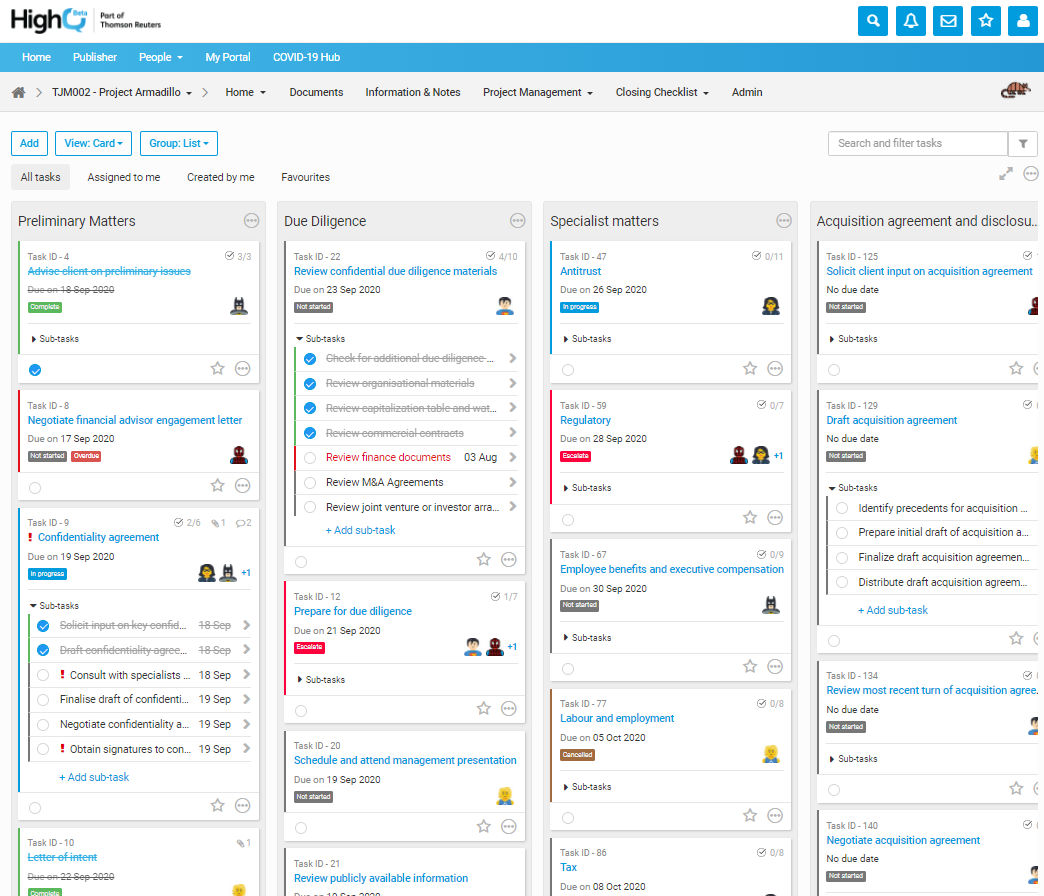
The Tasks module can be accessed by clicking the Tasks tab in the navigation bar (unless the module has been renamed for the site in question).
note
The Tasks module is available only if it is enabled by a site administrator and if the user has at least view access to the module.