
DPS Settings: General Configurations and Search Options
You use the
DPS Settings
screen to manage how screenings are performed. The
DPS Settings
screen can be used to perform the following activities:- Viewing and changing regulation lists being screened against
- Viewing all companies associated with these settings
- Customizing which types of results will be assigned a given score value
- Managing Escalation settings
You can access this screen by selecting
DPS Settings
from the DPS
menu.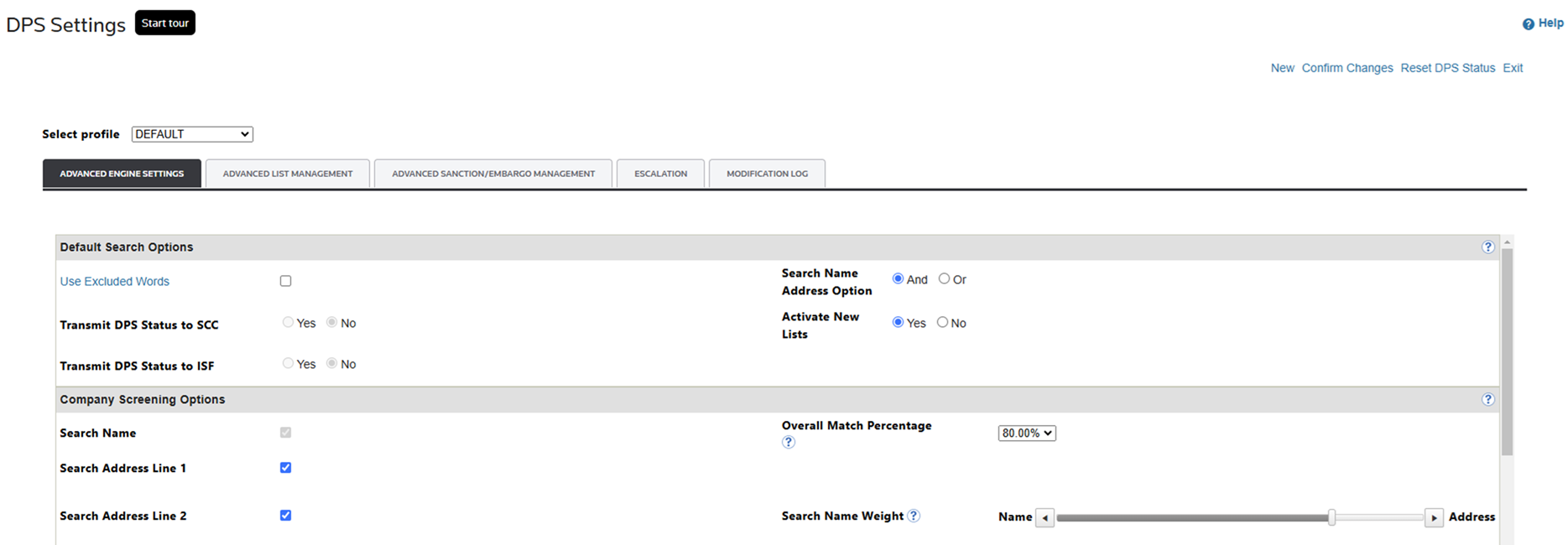
Advanced Engine Settings
The
Advanced Engine Settings
tab is divided into two sections:- Default Search Options
- Company Screening Options
These tabs are covered in more detail in the sections below.
Default Search Options
The
Default Search Options
settings help you manage search operators. In 21.3, some settings are added specific to the Advanced Search Engine.Search Options |
Description |
|---|---|
Use Excluded Words |
To exclude all words from the Excluded Words list in a search, click this checkbox. To disregard the Excluded Words list and search with all active words, clear this checkbox. For more information on how to add and edit excluded words, refer to the Excluded Words section of the help. |
SEARCH NAME ADDRESS OPTION |
|
ACTIVATE NEW LISTS |
|
Transfer to SCC/ISF |
If you have been configured to integrate DPS companies with the same companies in ONESOURCE Supply Chain Compliance or ONESOURCE Importer Security Filing, the Yes button will be selected. |

When using the engine:

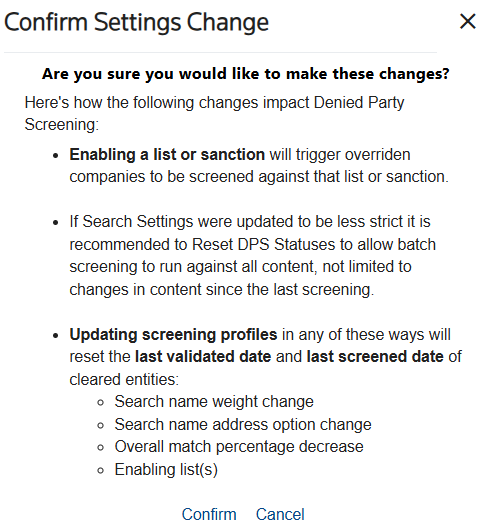
Modifications made on this screen will automatically trigger a re-screening process for all previously marked as “Clear” entities. The following changes will prompt this process:
- Adjustments made to the "Search Name Weight".
- Changes to the "Search Name Address".
- Reduction in the "Overall Match" score.
- Activation of a specific list by the user.
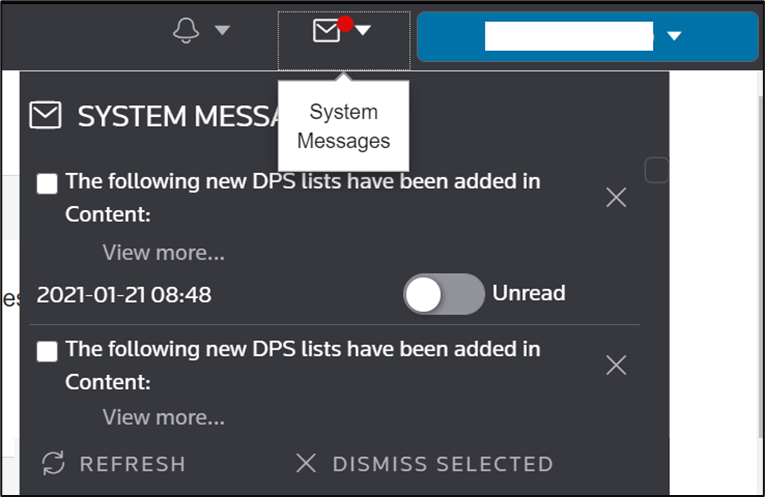
Besides that, if “Activate New List” is set to “Y”, you will receive a system message every time a new DPS list has been added to ONESOURCE Global Trade Content.
Company Screening Options
The
Company Screening Options
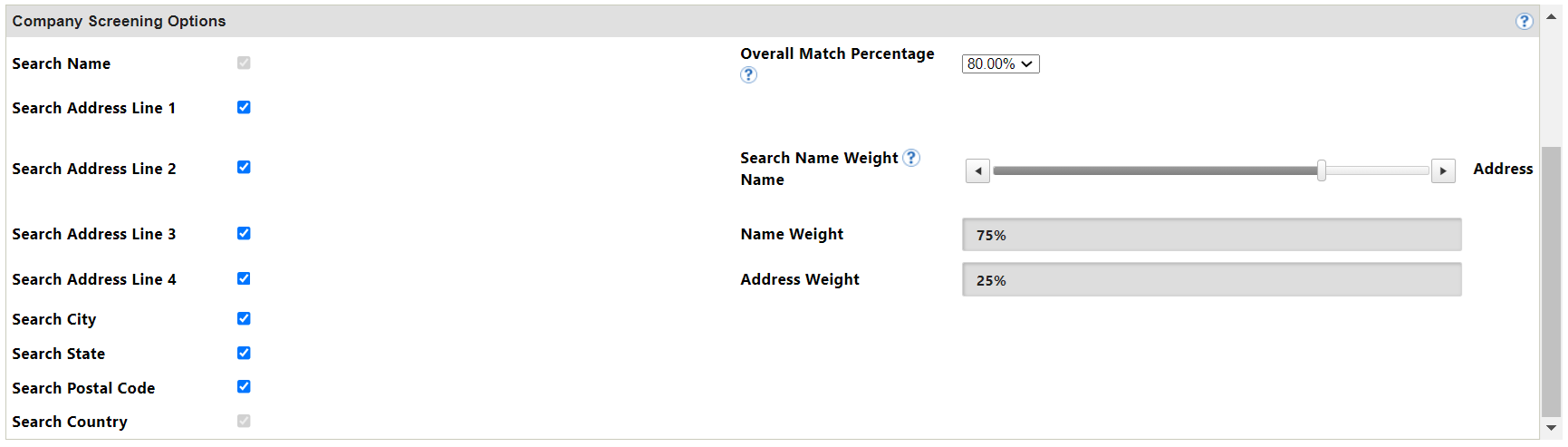
section allows you to disable unused company address fields during screenings. You can also use this section to adjust the percentage match necessary to return a hit.Company Screening Options |
Description |
|---|---|
Company Address Fields |
|
Search Name Weight |
Utilized by the Advanced Screening Engine, this setting applies when the Search Name Address Option is AND and allows the customer to weight how the final hit score is calculated. For example, 50% Name 50% address will equally weight the Name Score with the Address Score for the final score. |
Search Percentages |
|

When using the advanced engine:
Related Content
-
DPS Quick Screening: Performing Manual Searches
Format: Article,
13 min read
Article,
13 min read