Intermediate
After creating your client list and sending the necessary invitations, documents, requests, etc., you're ready to further develop your TaxCaddy skills. In the Intermediate section, you can now learn more about saving time and working efficiently in TaxCaddy. You can search and filter clients and DRLs before sending them to your client, and much more.
With long-term clients, their records are bound to change from when first entered. You can select
Edit Client
to edit client data to keep your records up to date.
You can select
Add Filter Categories
to use filters to narrow down your firm's client list. You can specify search criteria and only display clients you want to see.
When your firm's client list grows too large, you can search for specific clients by name, email, Tax Client ID, etc.
You can arrange the currently displayed clients in ascending or descending order by first or last name. Select the up or down arrow next to the name to sort by that feature.
There may come a time when a former client no longer requires your services. You can select
Disconnect
to remove clients not affiliated with your firm.
Whether done one at a time or in bulk, you can select
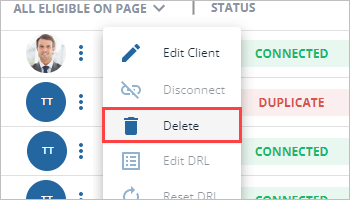
Delete
to delete profiles of former clients that are no longer connected with your firm.
After creating a client's DRL, you may want to add or remove requests to make sure all necessary requirements are met. You can select
Edit DRL
to edit it.
You may need access to client information when working offline. You can select
Export the client list to Excel
on the toolbar to generate an Excel file of your firm's client list.
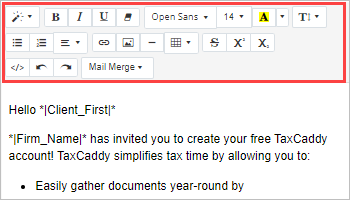
TaxCaddy offers invitation templates ready to send, however, you can tailor your invites to specifically fit your firm's needs. You can use the text and format options on the toolbar at the top of the invitation to make the changes you want.
TaxCaddy includes predefined categories that you and your clients can use when moving and uploading documents. On the
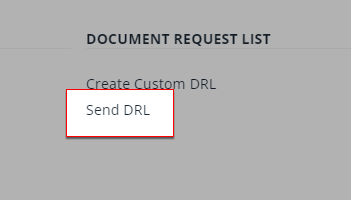
Document Request List
window, the list of predefined categories will show for each tax year.
You can select
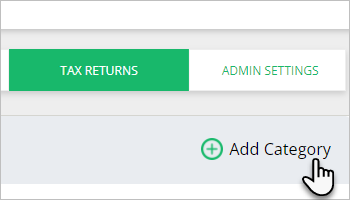
Add Category
to add custom categories that you and your clients can upload and move documents to in TaxCaddy.
Add tax return categories
The default tax return categories may not fulfill all of your firm's needs. You can add categories that best suit your firm's needs.
You can add clients who you don't plan on inviting to TaxCaddy can as
Offline
clients.
Refer to the following to learn to add and self-manage Offline client profiles.