Delete your account

Show all hidden content
When you delete your TaxCaddy account, all of your documents, tax returns, tax payments, and invoices will be removed permanently. After you delete your account, you will have a 72-hour grace period to sign back in to cancel your account deletion. As a taxpayer user, deleting your account also deletes the spouse user connected to your account. During the grace period, your spouse can still sign in and download any necessary documents. However, your account deletion won’t be canceled when your spouse or an Admin user logs in.
note
Taxpayer's account and documents won’t be deleted if a connected spouse user deletes their own account.
TaxCaddy.com on PC, Mac, or tablet
Follow these steps to delete and restore your account:
  1. Log in to TaxCaddy.com.
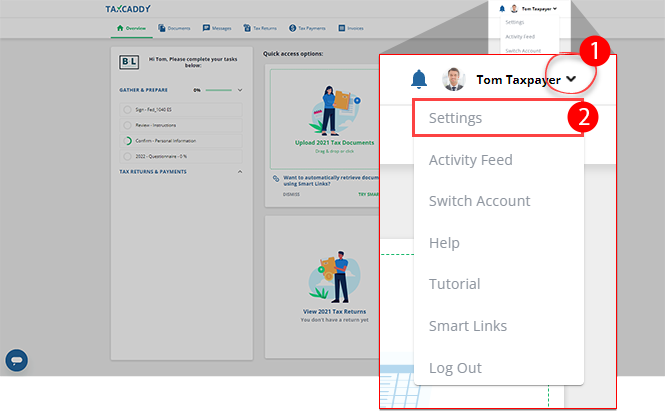
  2. Select the
    User Menu
    , then select
    Settings
    .
    Select Settings
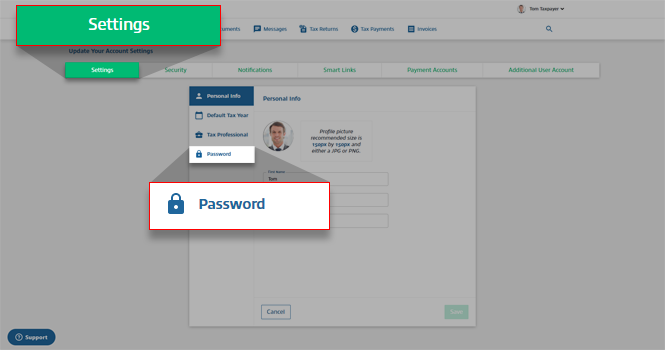
  3. On the
    Settings
    tab, select
    Password
    .
    Select Settings then Password
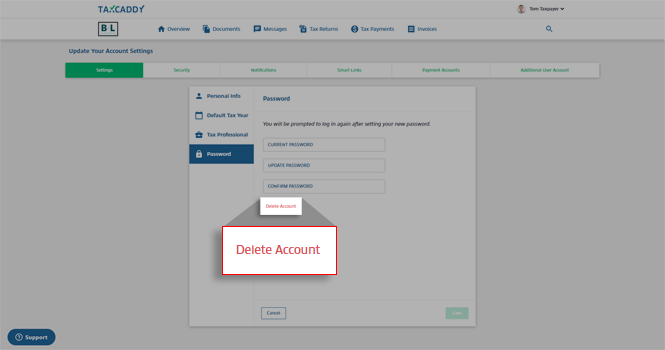
  4. Select
    Delete Account
    .
    Select Delete Account
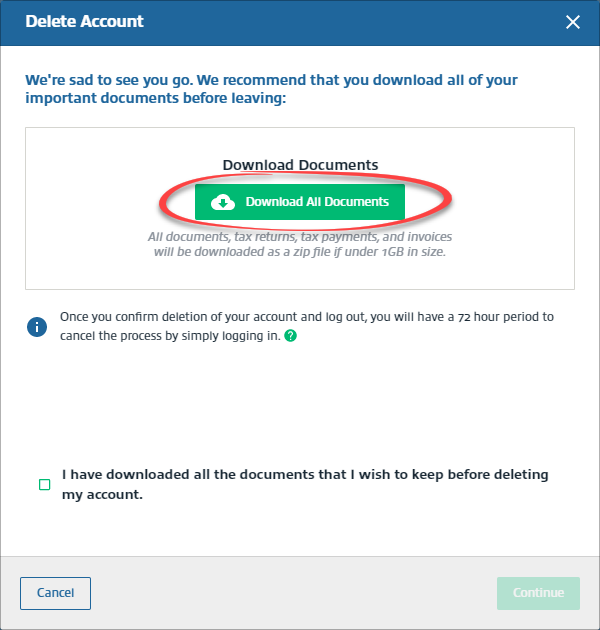
  5. On the
    Delete Account
    window, select
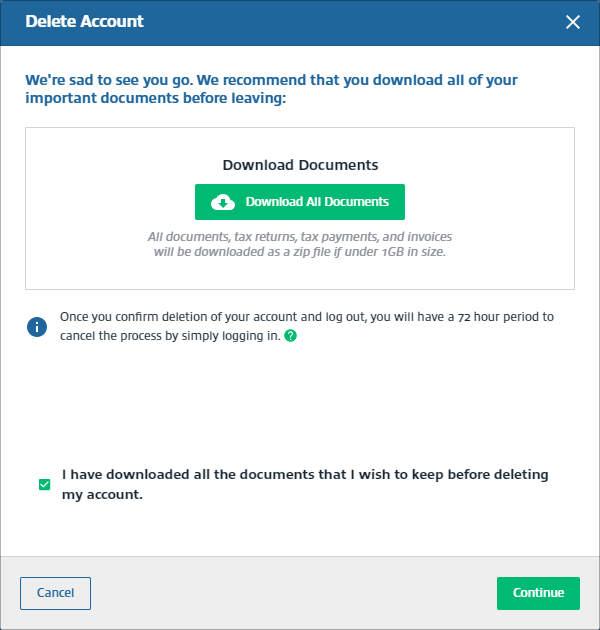
    Download All Documents
    to download all of your documents, tax returns, tax payments, and invoices. A ZIP file will begin downloading all of your document.
    note
    If the size of all of your documents exceed 1GB, you will need to download them individually from the documents, tax returns, tax payments, and invoices screen.
    Select Download All Documents
  6. Select the checkbox for
    I have downloaded all the documents that I wish to keep before deleting my account
    .
    Select I have downloaded all the documents that I wish to keep before deleting my account.
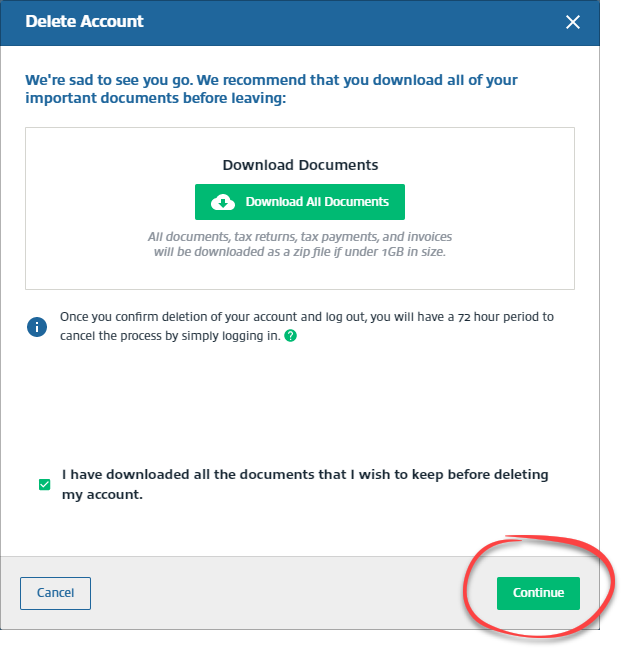
  7. Select
    Continue
    .
    Select Continue
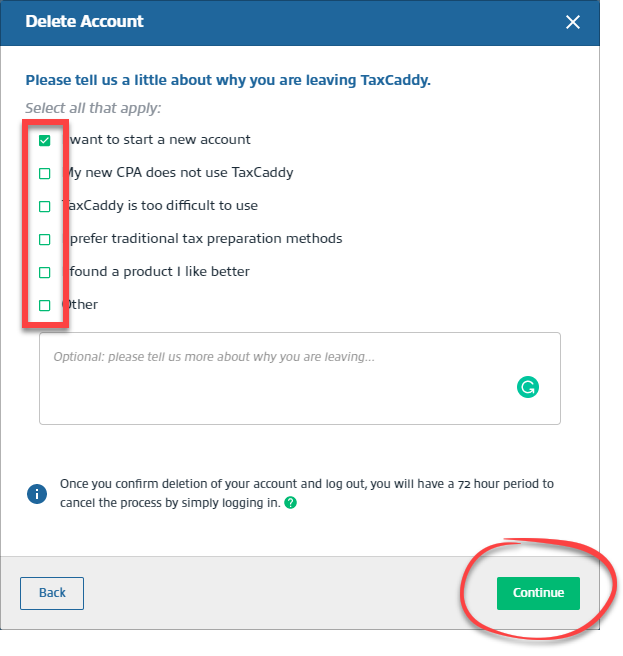
  8. Select a checkbox for deleting your account, then select
    Continue
    . The
    Continue
    button will only turn on after you've selected a reason.
    Select applicable reason for deleting your account
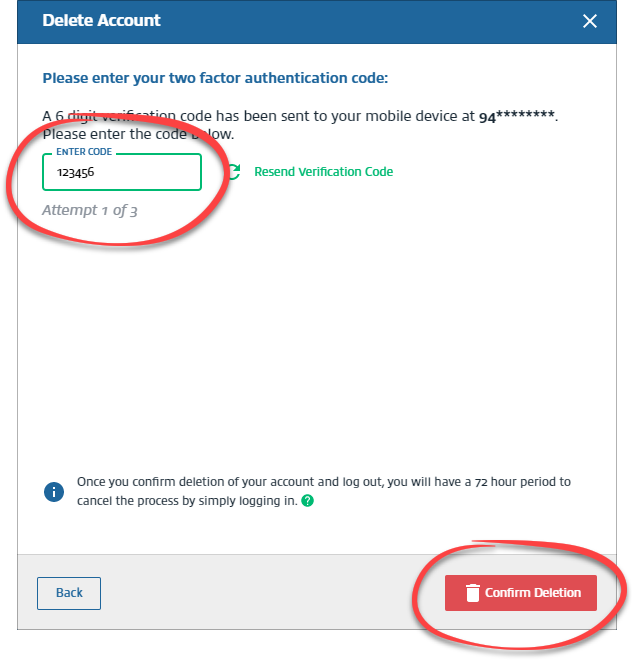
  9. In the
    Enter Code
    field, enter the Two-Factor Authentication code sent to your phone. Then, select
    Confirm Deletion
    . Enter the correct code within 3 attempts.
    Enter the two factor code, then select Confirm Deletion
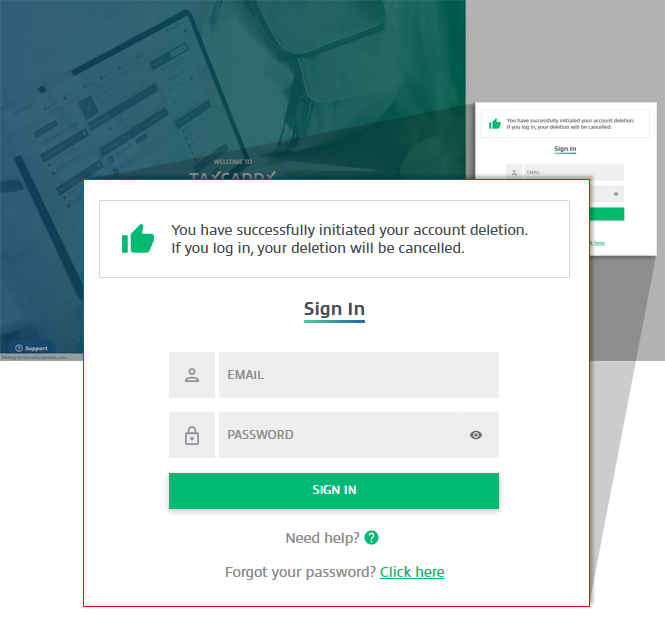
  10. You can cancel your account deletion by signing back into your TaxCaddy account within the 72 hours grace period.
    Notification that a user has successfully initiated account deletion
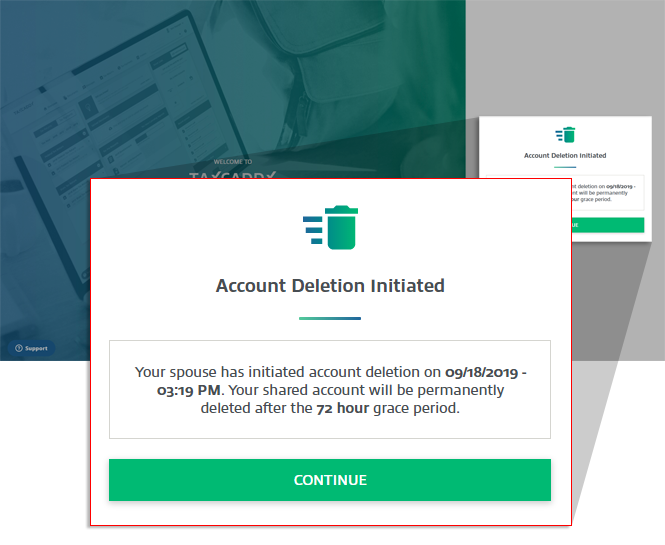
    Account deletion won’t be canceled when your spouse or an Admin user log in. However, spouse and Admin user can still sign in and download documents during the grace period.
    Notification of the 72 hour grace period for account deletion
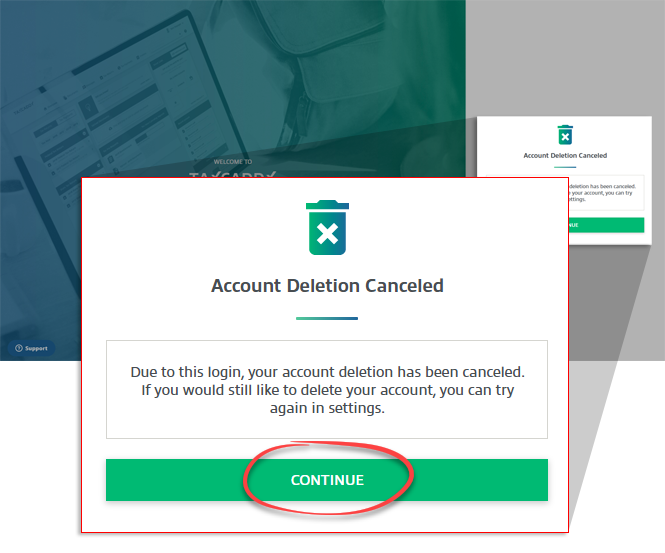
  11. Your account deletion will be canceled after you log in. Select
    CONTINUE
    to proceed to your account.
    Select CONTINUE
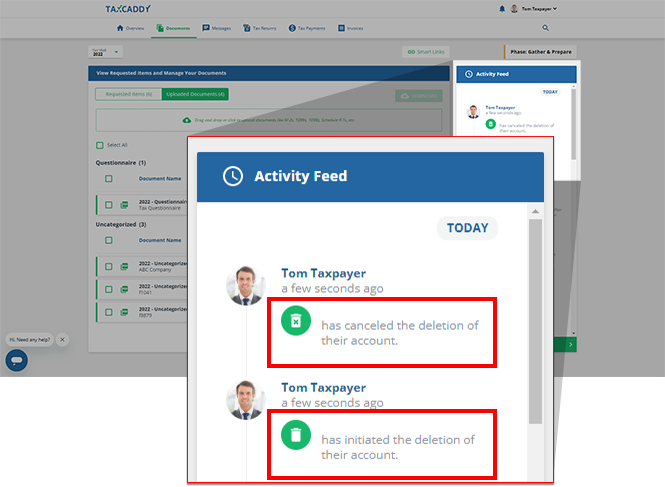
    Your
    Activity Feed
    will be updated.
    Account deletion logged in the Activity Log
iOS mobile app
TaxCaddy accounts can't be deleted from the TaxCaddy mobile app. You can delete your TaxCaddy account by logging into TaxCaddy through your PC, Mac, or tablet. After deleting your account, you will have a 72-hour grace period to sign back in to cancel your account deletion. Select
CONTINUE
to proceed to your account.
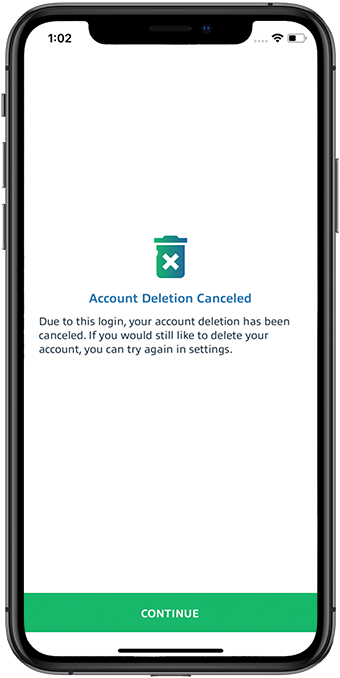
Notification that Account Deletion was cancelled on iOS
Account deletion won’t be canceled when your spouse or an Admin user log in. However, spouse and Admin user can still sign in and download documents during the grace period.
Spouse User
:
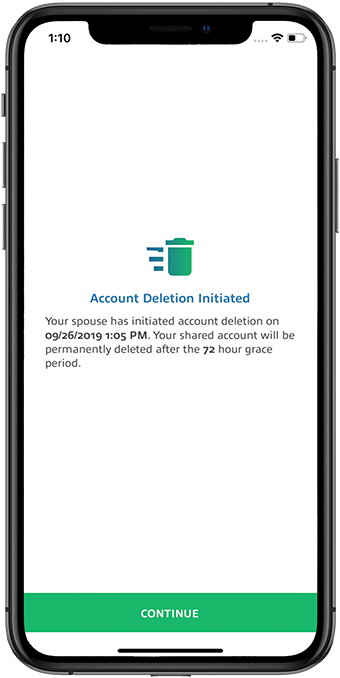
Notification that Spousal account was deleted
Admin User
:
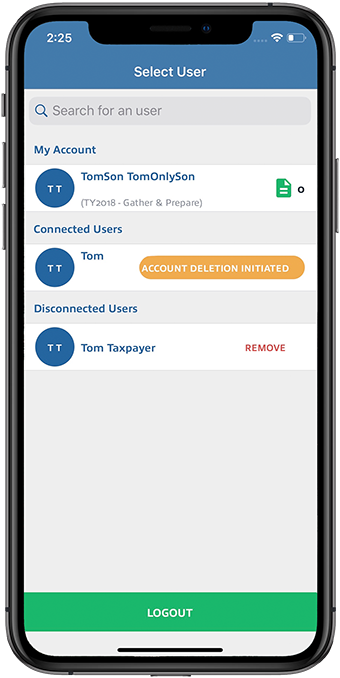
Notification that an Admin account deletion was initiated
Android mobile app
TaxCaddy accounts can't be deleted from the TaxCaddy mobile app. You can delete your TaxCaddy account by logging into TaxCaddy through your PC, Mac, or tablet. After deleting your account, you will have a 72-hour grace period to sign back in to cancel your account deletion. Select
CONTINUE
to proceed to your account.
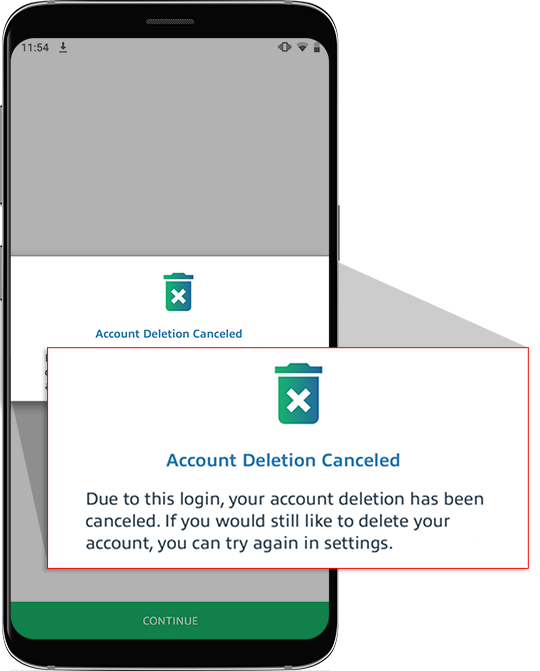
Notification that Account Deletion was cancelled on Android
Account deletion won’t be canceled when your spouse or an Admin user log in. However, spouse and Admin user can still sign in and download documents during the grace period.
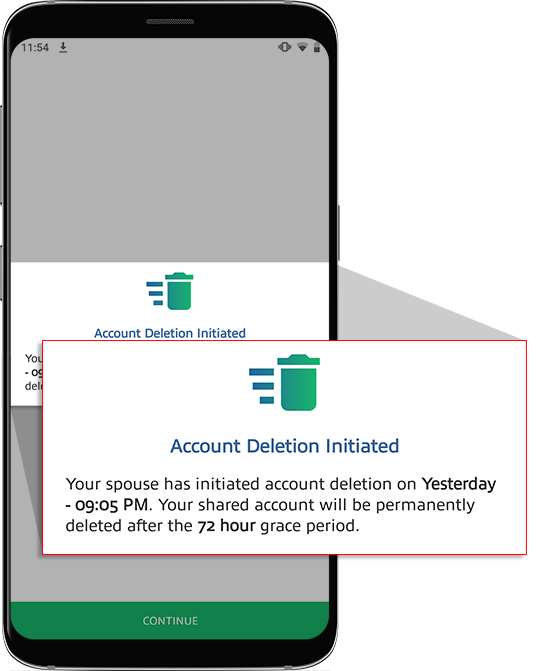
Spouse User
:
Notification that Spousal account deletion was initiated
note
After you delete your TaxCaddy account and the grace period is over, you can create a new account with the same email address.

error-icon

Triva isn't available right now.

Check out the support page for our phone number and hours

error-close