
Add a new user in Pagero Bankgiro Link
To add a new user in Pagero Bankgiro Link, the administrator can follow these steps.
- Sign into the Pagero Bankgiro Link account as an administrator.
- Go to theUserssection within the main menu.
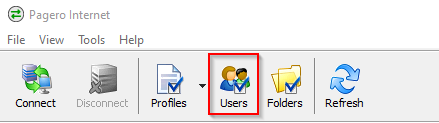
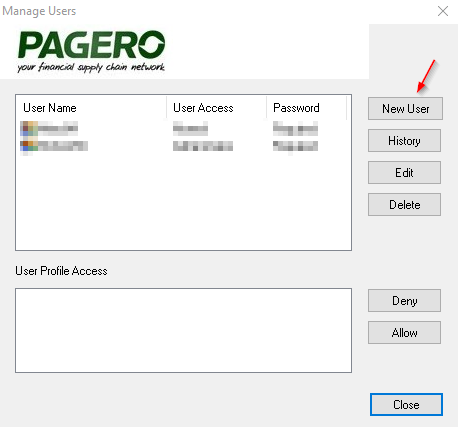
- Select theNew Useroption to open a new window for user setup.
- In the new window, enter all required information for the new user, including a unique username, a secure password, and the appropriate authorization level.
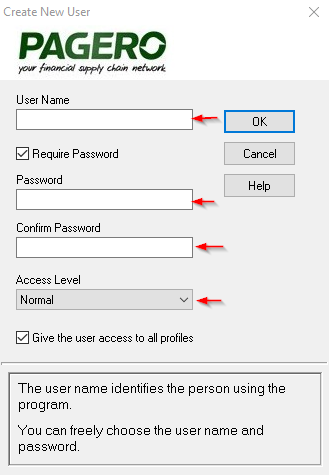
- SelectOKto confirm and submit the new user's information.
- After submission, the new user can sign in using the provided username and password with full access according to their authorization level.noteIf the new user needs to download the program, select the proper version to download:
Related Content
-
Duration for holding unauthorized sent files at Bankgirot
Format: Article,
1 min read
Article,
1 min read
-
Duration for holding unauthorized sent files at Bankgirot
Format:
Article,
1 min read