
Form admin roles
Publisher feature two 'form admin' roles: the Form admin, and Form administrator roles. These roles gives the new administrator users the ability to administrate the form functionality (working similarly to the Campaigns Admin Role). This includes being able to:
- Access to edit the form
- Access to add and amend stylesheets
- Access to add or amend actions of the form
- Access to view responses
The key differences between the two roles, are that:
Form administrators
:- Have all rights to all forms
- Can edit the stylesheets behind them.
- Cannot create a new form or clone an existing form.
Form admins
:- Only have rights to the forms they have even given access to
- Cannot change the owner of the forms
- Can add or remove fields, but cannot change fields that already exist
- Can change the stylesheet of that form only
- Can see responses of the forms they have access to
Form administrator
To add a user as a form administrator, select
System admin
from your Profile
dropdown list.
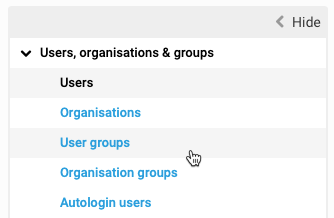
Select
Users, organisations and groups
, then User groups
.
The
User groups
page is displayed, showing a grid containing a list of group with No. of orgs
, number of Users
, and the Created date
.Within the
User groups
page, select the Form administrator
group:
The
Form administrator
page is displayed: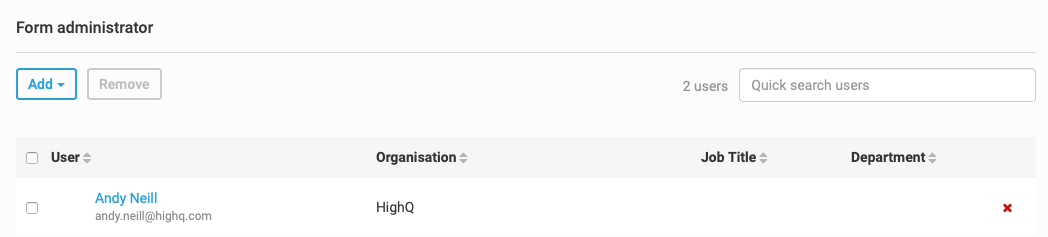
Select
Add
and enter a name to search for the user you want to add as a form administrator: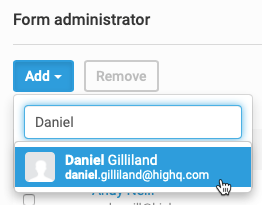
Select the user to add them as a form administrator. To remove a user from the form administrator role, either, select that user and select
Remove
, or click the red x next to their name.Form admin
To add a user as a form admin, you can use the
Admin
tab when you add a new form.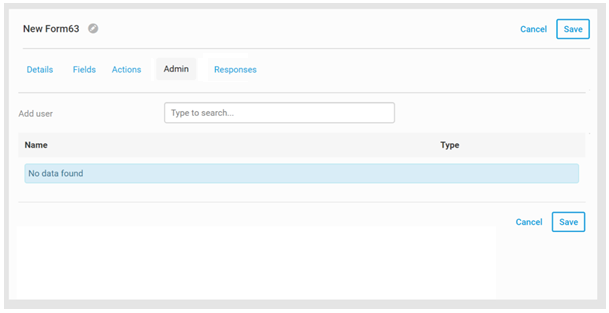
In here, you can
Search
for and Add
users to become Form admins
. Select Save
to save your changes.User permissions
With this new role, we have added a new
Forms
tab within the user's permissions: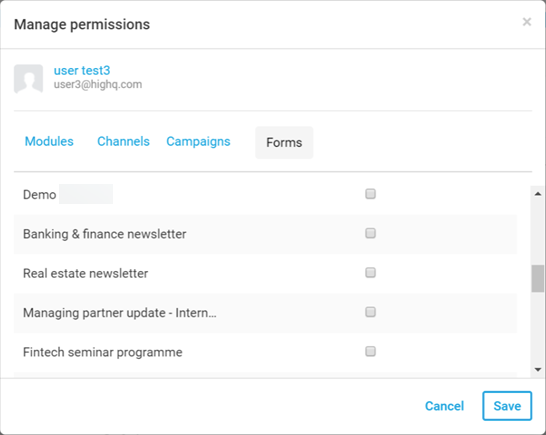
Which displays a list of all forms that the users has form admin rights for. Select which forms you want that user to have admin rights over and select
Save
to save your changes.This enables you to really control who has access over specific forms. E.g. You can allow HR users to have access to forms that collect sensitive data etc.
Related Content
-
Roles in Publisher
Format: Article,
3 min read
Article,
3 min read