
Organisation report
Overview of the report
This report enables the user to view a report on the whole organisation, including all metadata.
Running the report
Navigate to
System administration
> Audits & reports
> Organisation report
to view the Organisation report
screen.
Within the
Organisation report
screen, there are no fields to enter data in or choose from. For this report you just select Download to excel
to receive information on:- Organisation Name
- If the Organisation is Internal
- The number of users
- Number of active users
- If Autologin is enabled for this organisation
- What they Autologin URL is for this organisation
- What the Organisation URL is
- What the Organisations key contacts are
- What the homepage for the organisation is (this can be different channels for different organisations)
- What the organisations GUID (unique identifier is)
- What the overall status of the Organisation is
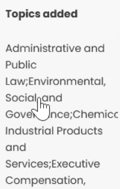
As of our August release, the delimiter of this report can now be changed to either Comma, Colon, Semi Colon or Pipe. To change this, please contact HighQ support. Once this has been changed to your preference, when you run a report, the information will be separated via the method chosen, e.g. semi colon.
Related Content
-
Audits and reports
Format: Article,
2 min read
Article,
2 min read