
Account Balance
Account Balance lets you view past transactions and the current balance remaining in the account. You can purchase additional units securely using an online portal or by contacting your SurePrep sales representative.
To view the account balance, go to
Admin
, Billing
, then Account Balance
.
You can also select
Units Remaining
to get a quick overview of your account balance. Additionally, you can select
View Billing Information
to access the Account Balance
page.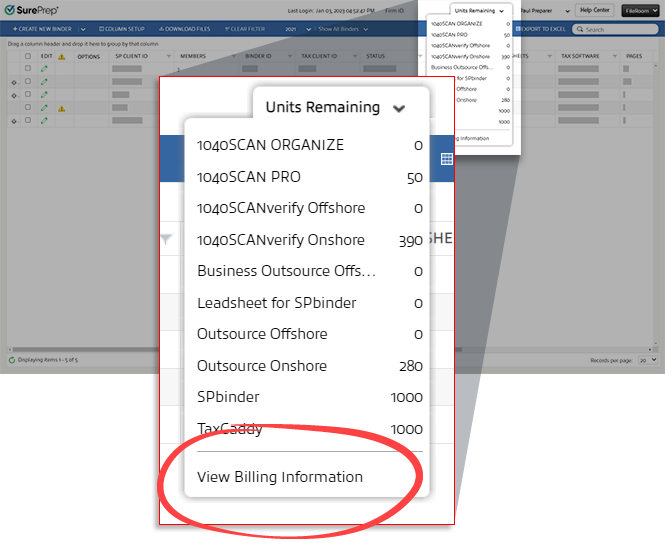
View Transactions and Balance
To view transactions and balance statements, you need to specify the dates when the transactions occurred.
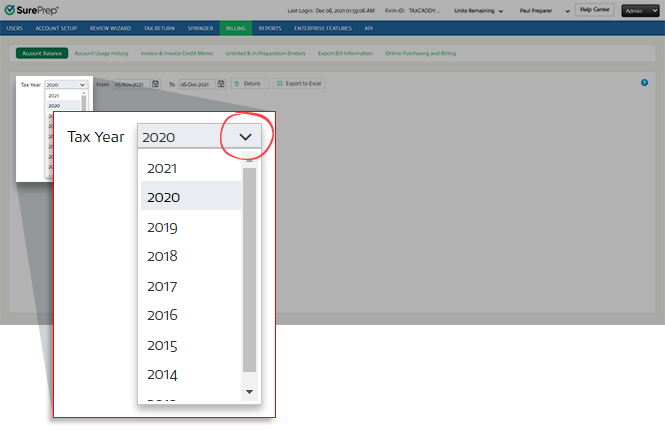
- Select theTax Yearpicklist, and select the tax year.
- Select the dates when the transactions occurred. Select theDate
 icon next to FromandTo. Select the date from the dropdown calendar for each icon. You may also enter dates manually in the text fields.
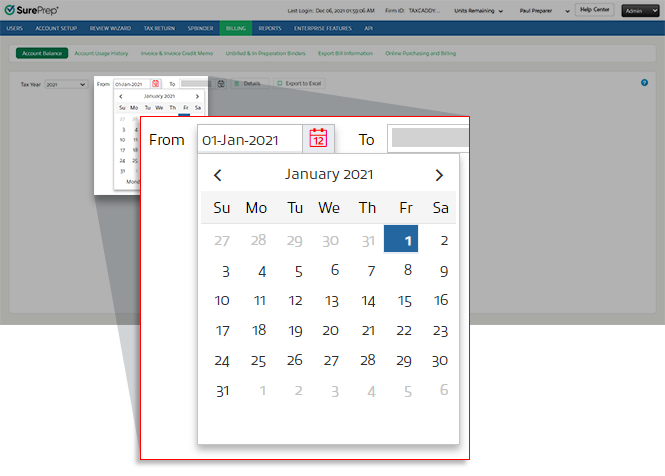 noteTo change the current month on the calendar, select the month and year displayed on top of the calendar (for example, May 2021). This will display a list of months. Select the month you need. When the months appear, you select the tax year on top of the calendar once again to select a different year.
- After you select the dates, select theDetails
 button to see details for all the service types and their corresponding units.
 The service types are organized according to the following categories:Total Credit Purchase: displays the units and the total amount purchased for each service.Usages: displays the used units and total purchase amount for each service.Remaining Balance: displays the remaining units and total purchase amount for each service.Overages: displays the usage over the total credit purchased amount for each service.
 Only services purchased by your firm will be listed on theServicescolumn.
 noteTo purchase TaxCaddy units, contact your SurePrep sales representative. Ability to purchase TaxCaddy units is currently not available through Online Purchase.TaxCaddy (Arrear Units): Shows TaxCaddy units credited to you for each 1040SCAN units purchased.
 The total amount for each category is at the bottom of the grid.
Export to Excel
Before you export details, select the date range you want from the
From
and To
options.Select  to download the Excel file.
Export to Excel
to download the Excel file.
Once downloaded, you can open the Excel file to view the report.

Purchase units
You can increase your SurePrep account balance by purchasing additional units through a Sales Representative or Online Purchase.
Sales Representative Purchase
To purchase additional units, you may contact SurePrep Support or your Sales Representative to assist you. You can call SurePrep Support at 800.805.8582 or send an email to SurePrep.Support@thomsonreuters.com
Online Purchase
Users with permissions enabled can also purchase additional units online. To purchase additional units, go to
FileRoom
, Admin
, Billing
, then Online Purchasing and Billing
.