
Export Bill information
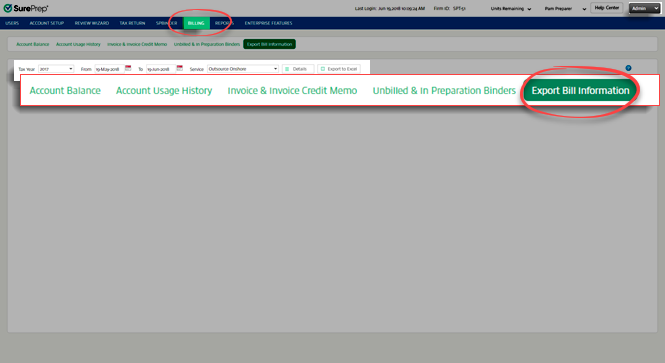
Export billing information by going to
Admin
, Billing
, then Export Bill Information
.
View Bill information
- Select theTax Yearpicklist, and select the binder’s tax year.

- Select the date range. Select the calendar icon
 next to FromandTo. Select the date from the dropdown calendar for each icon. You may also enter dates manually in the text fields.
 noteTo change the current month on the calendar, select the month and year displayed on top of the calendar. This will display a list of months. Select on the month you need. To change the current year, select on top of the calendar once again to select a different year.
 - Select theServicepicklist, and select the service used for that binder.

- After you select the tax year, date range, and service selectDetails
 .
.
Export to Excel
Before you export the invoice details, select the date range from the
From
and To
options. Select Export to Excel
.note
Fees exported to the Excel file only reflect the fees currently in the specified date range. Any additional services performed in that date range will invalidate the exported Excel file as outdated.