Online Purchasing and Billing
Online Purchasing and Billing
tab lets you purchase additional units online for selective Service types that are available for online purchases. Purchasing services online lets you buy SurePrep services at your convenience when needed. You may still contact your client success managers if you need additional assistance. To purchase online, you'll need to have the user permissions enabled by your firm administrator. note
Contact your sales representative if you are not able to purchase units online.
Permissions
Users you'll need to have the proper group permissions to access the
Online Purchasing and Billing
portal.Go to
FileRoom
, Admin
, User Group Management
then assign the user group Online Purchase
permission.
Purchase Units
Follow these steps to purchase units online:
- Go toFileRoom,Admin,Billing, thenOnline Purchasing and Billing.

- SelectPurchase Units.

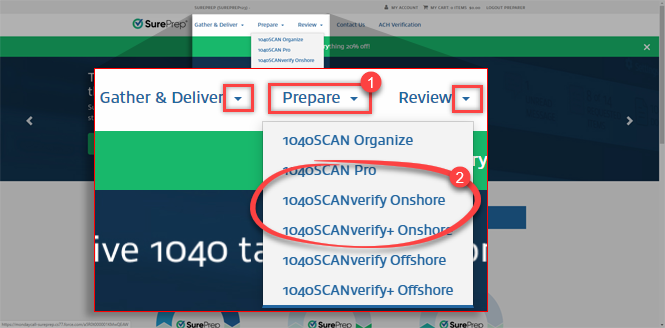
- On the navigation menu on top, select the service type you would like to purchase. SelectGather & Deliver,Prepare, orReviewto see available services under each section.
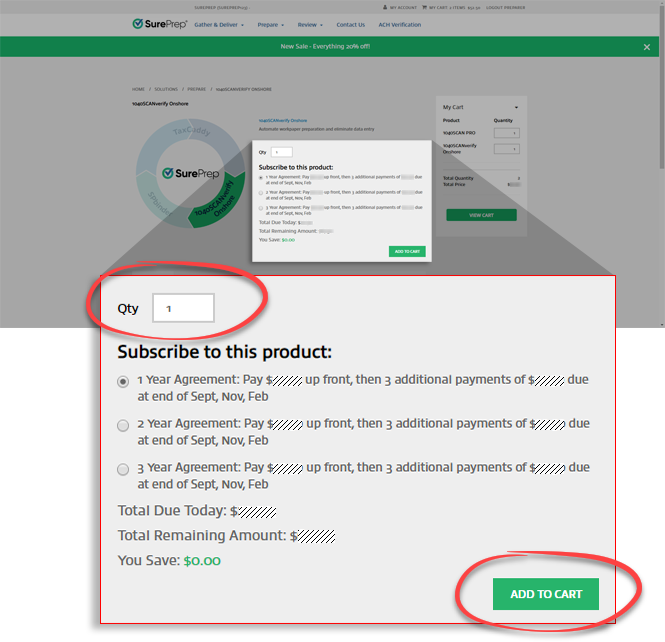
- Select the number of units you would like to purchase then selectADD TO CART. You can continue adding additional services to your cart if necessary.
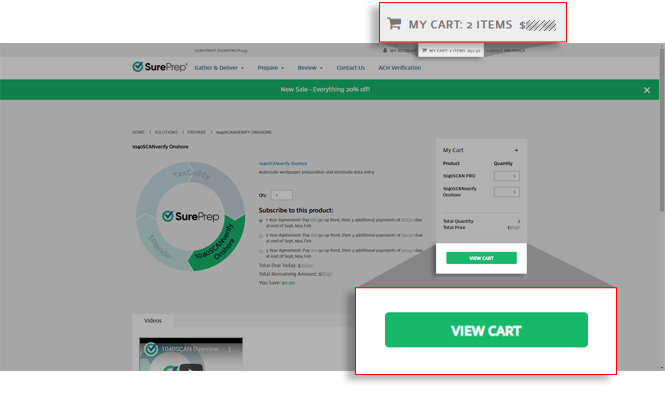
- Once you are ready to purchase, selectVIEW CART. Alternatively, you can selectMY CART.
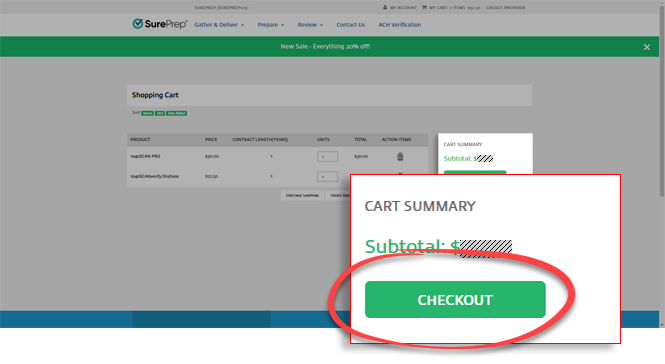
- TheShopping Cartpage shows you a summary of everything in your cart. You can also make modifications, remove items, and create favorites.

- SelectCHECKOUT.
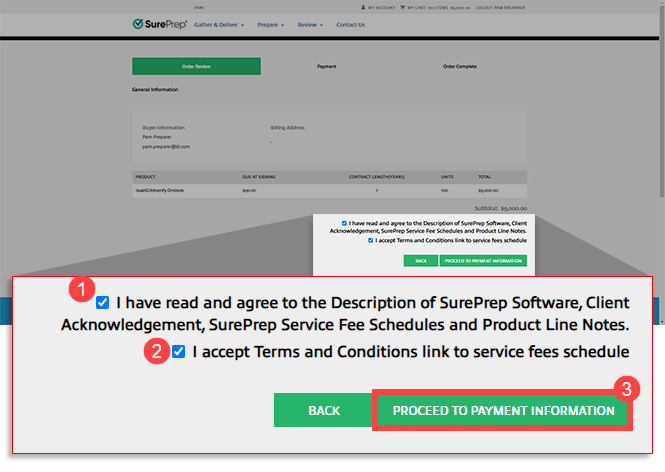
- Review your order. If you are satisfied, then select the two checkboxes to acknowledge the terms and conditions. Next, selectPROCEED TO PAYMENT INFORMATION.
- On thePaymentstep, select your preferred payment type. You can select ACH (Bank Transfer), Credit Card, or Check. After you have entered the required payment information, selectSubmit Payment/Process Payment.
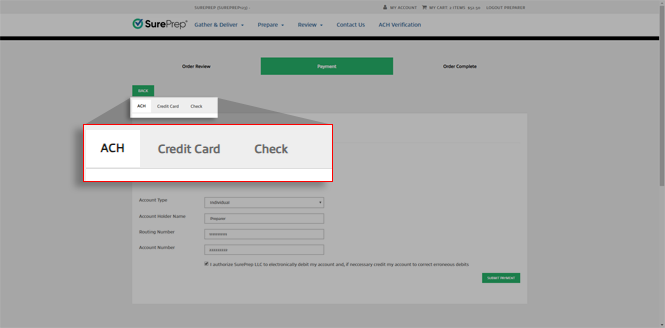 noteIf you selected check, then your purchase won’t be activated until the verification of your payment.
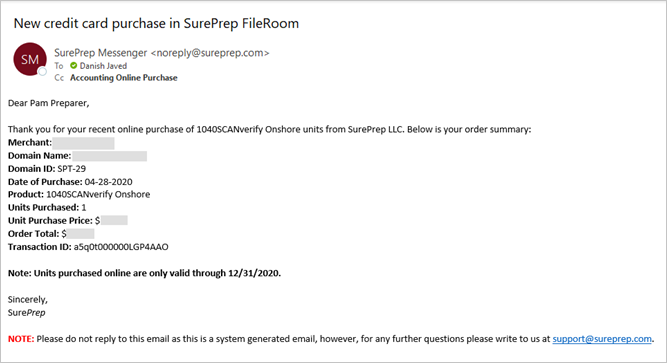
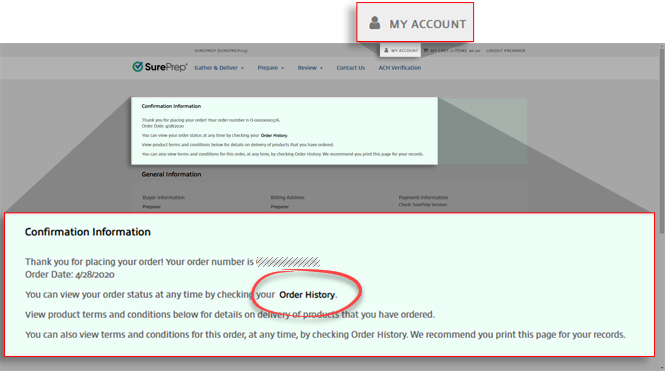
 - Once the purchase is successful, you will get aConfirmation Informationscreen and an email notification. Purchased units appear in your FileRoom. You can view them under units remaining.
 Email confirmation