
Administrators: Select a method to upgrade your API application
Review your application inventory and select an upgrade path for each API application.
There's 2 options to upgrade an existing Apigee-based application to a Thomson Reuters application.
- Select option 1 to preserve your existing application identity and change only how it authenticates.
- Select option 2 for a clean cutover with a parallel application you can validate before you decommission the original.
tip
Start with a test application before you upgrade your full application inventory.
Upgrade checklist
Step | Option 1: Upgrade in place | Option 2: Create a new application and migrate |
|---|---|---|
Prepare | Update your application to support Thomson Reuters Application token generation. | Create a Thomson Reuters Application with the same API products, scopes, and settings as your Apigee application. |
Validate | Verify the application end to end in a lower environment or with a test application. | Switch your token generation configuration to the new application and verify it end to end. |
Complete | Select Upgrade to Thomson Reuters Application . This action can't be reverted. | Decommission the existing Apigee application after the switch is verified. |
- Option 1: Upgrade your existing application to a Thomson Reuters application.
- Before you upgrade, update your application to support the token generation transfer for Thomson Reuters applications.
- Verify the application end to end. Use a lower environment or a Thomson Reuters Application test application before you upgrade production.
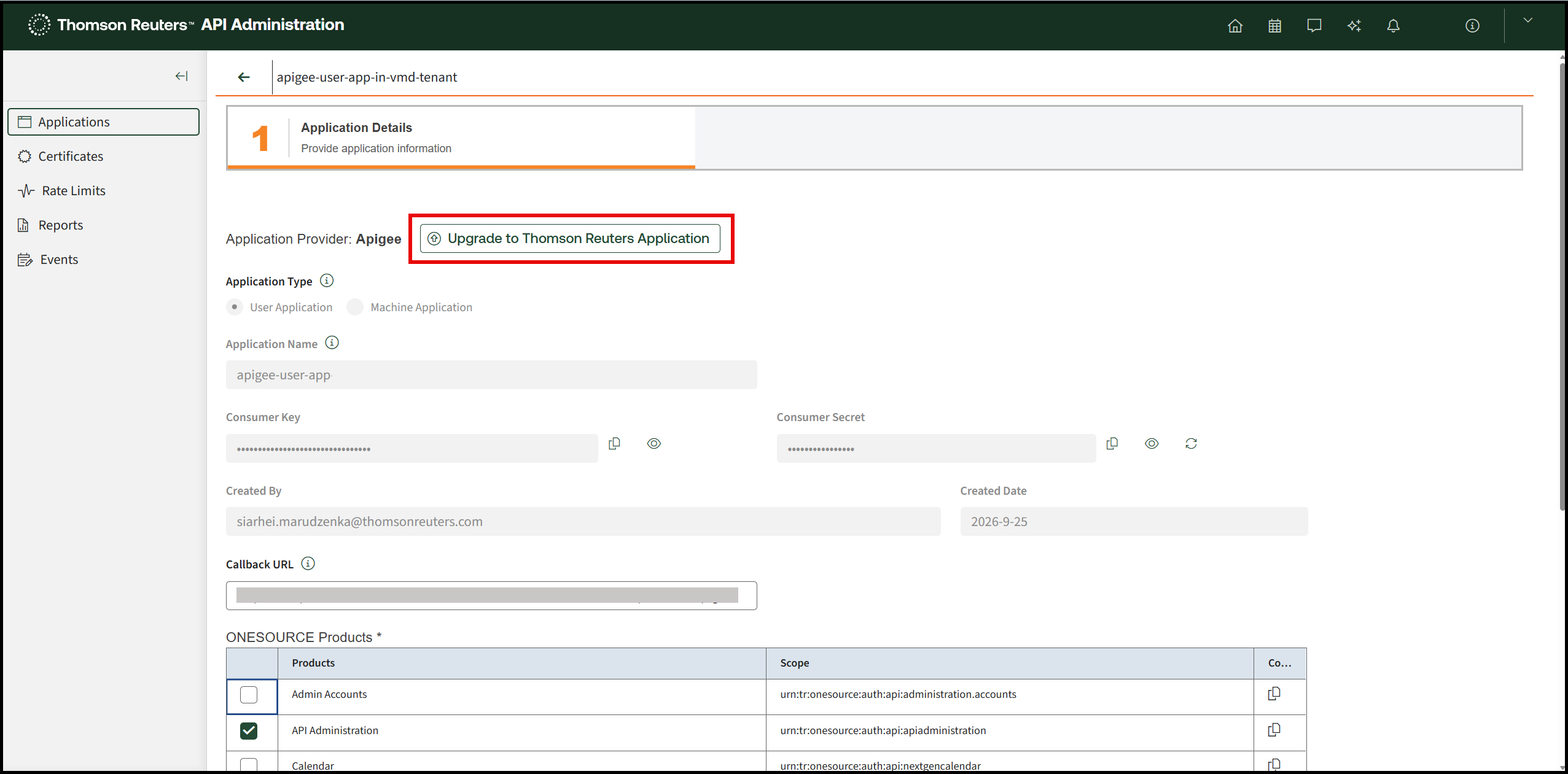
- To complete the upgrade, open the application and selectUpgrade to Thomson Reuters Applicationon theApplication Detailspage. This step can't be reverted, so complete your validation first.
- Switch your application to Thomson Reuters application token generation. Make any configuration changes you need.
- Option 2: Create a new Thomson Reuters application and migrate.
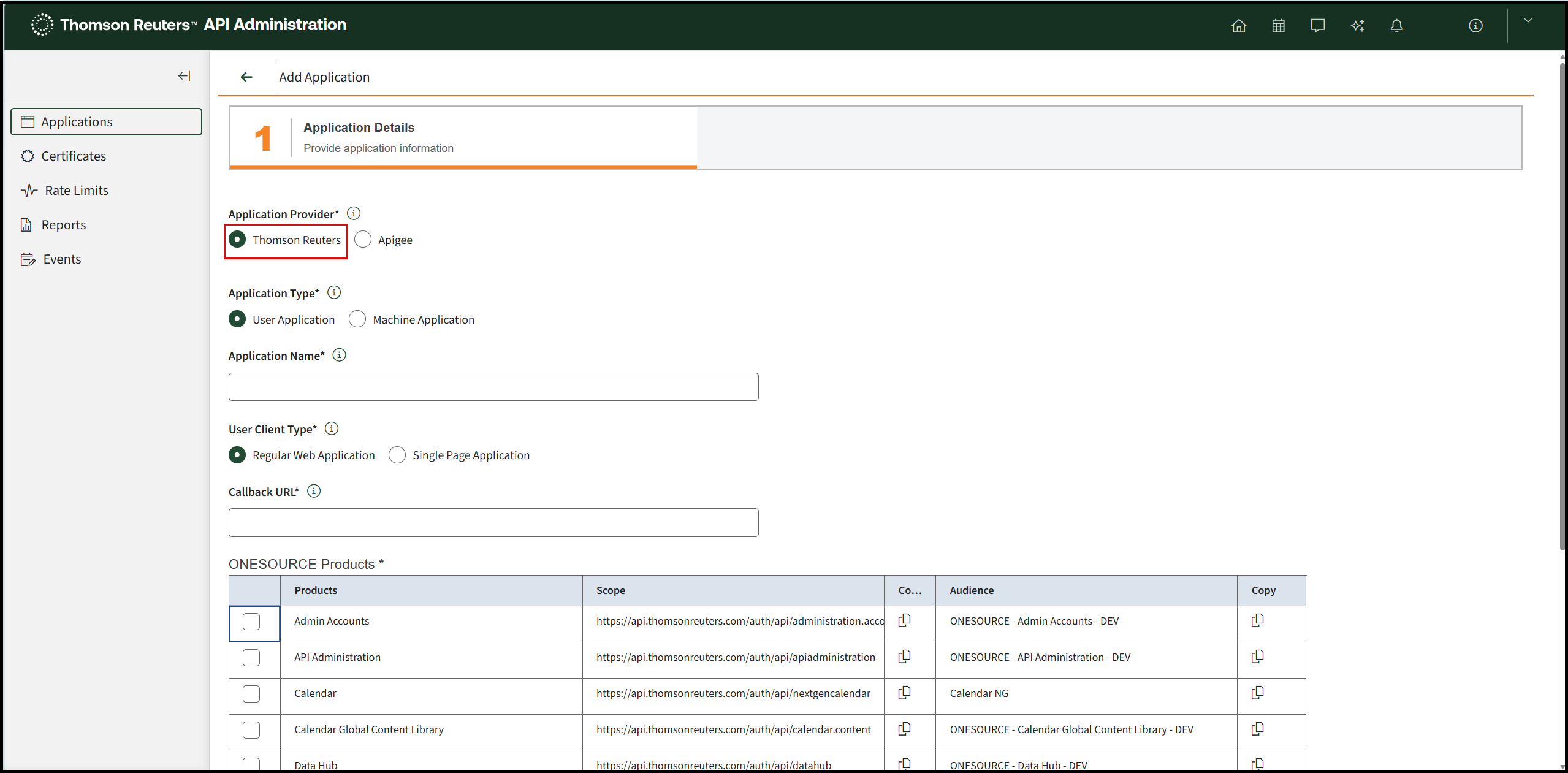
- Create a new Thomson Reuters application. Match the configuration of your existing Apigee application, including API products, scopes, and other settings.
- In ONESOURCE API Administration, selectAdd Applicationand chooseThomson Reutersas the Application Provider.
- Switch your token generation logic to point to the new Thomson Reuters application.
- After you verify the switch, decommission the existing Apigee application.importantYou can't revert an application after you upgrade it to a Thomson Reuters Account.
Related Content
-
Migrate API applications to Thomson Reuters Account
Format: Article