
Sign into Bank Feeds
If yourfirm'slicenses require an additional sign in to access Bank Feeds, the application opens the
CS Professional Suite Sign In
screen when you access Bank Feeds features in either of the following locations:- Bank Feeds Dashboard
The sign-in information you use depends on the applications your firm uses. To determine which credentials to use here, select the
<application name> Security Help
link that follows the sign-in fields.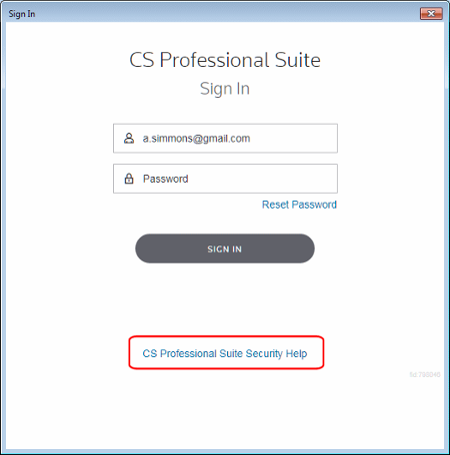
- <Onvio>– Use your Onvio account sign in.
- <CS Professional Suite>– Use your Thomson Reuters ID and password.
As a safety measure, you may be required to enter additional information to access Bank Feeds. The following table lists the account information you'll need to use.
Installation location | Licensed for Onvio | Licensed for NetFirm CS | Sign-in information for opening Accounting CS | Sign-in information for accessing Bank Feeds |
|---|---|---|---|---|
Desktop | Yes | Yes | NetStaff CS | Onvio |
Desktop | Yes | No | Onvio | No additional authorization required |
Desktop | No | Yes | NetStaff CS | Thomson Reuters ID and password |
Desktop | No | No | Thomson Reuters ID and password | No additional authorization required |
Virtual Office CS | Yes | Yes | NetStaff CS | Onvio |
Virtual Office CS | No | Yes | NetStaff CS | Thomson Reuters ID and password |

