
Enter time with Employee Self-Service
My Time Entry
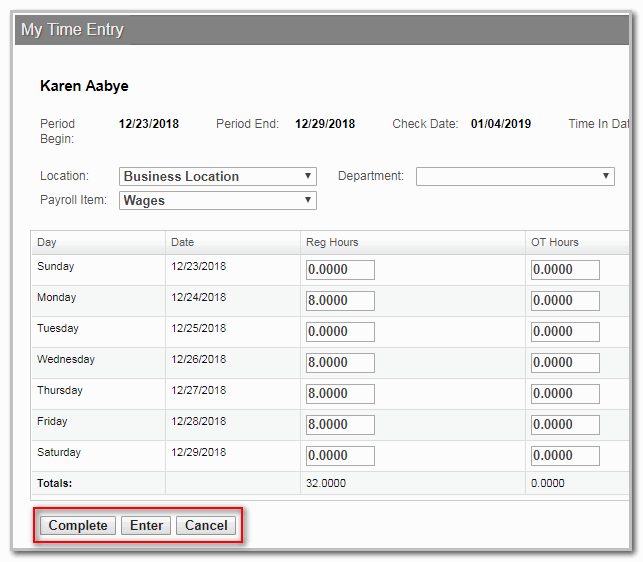
provides you access to a secure timesheet, which you can use to enter the hours you worked during each pay period. Do the following to enter your time:- Sign into your portal.
- Go to the Payroll section and selectMy Time Entry.
- You may get 1 of the following statuses:
- New: A new timesheet is available.
- In Progress: Some hours were entered and saved but the time entry is incomplete.
- Complete: Time entry is complete.
- Enter the hours worked for the period.
- SelectCompletewhen you're done entering time. SelectEnterto save your work and revisit it later.
After you select
Complete
, the timesheet is sent to the supervisor or manager at the client’s office, who will review and approve the time. The supervisor or manager can edit time sheets in their NetClient CS portal and can select Approve Time
to approve them.
