
Set print defaults for form filing instructions at client level
By default, forms with the Paper filing method are automatically set up to print the filing instructions along with the form. You can change the default settings at client level.
note
Filing instructions are unavailable for the employee copies of Forms W-2 and 1099.
- SelectSetup, thenClients.
- Select the client in the list, thenEdit.
- Select thePayroll Taxestab.
- In the Filing Instruction column of the Forms section, make your default choices:
- Filing copy: Prints the filing instructions when you print/process the filing copy of the form.
- Client copy: Prints the filing instructions when you print/process the client copy of the form.
- All: Prints the filing instructions when you print/process either the filing copy or the client copy or both copies of the form.
- None: No filing instructions will print for the form.
Example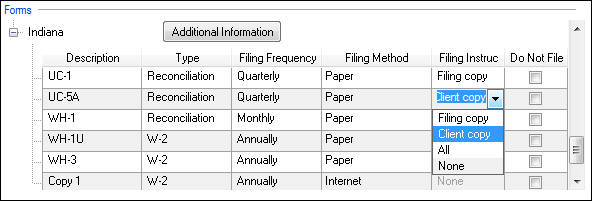
- SelectEnter.
Related Content
-
Set print defaults for form filing instructions at the firm level
Format: Article
-
Print filing instructions for payroll tax forms
Format:
Article

