
Opening a new practice aid
You can select a link to another practice aids document within the same title and then open an instance of that document:
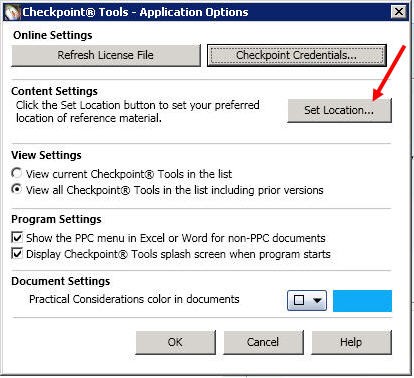
- To select a link to another practice aid, select Options in the Tools section at the top of the screen.
- Click Set Location.
- The following screen opens, with the default selected for "Open references to practice aids as PPC's Practice Aids documents."
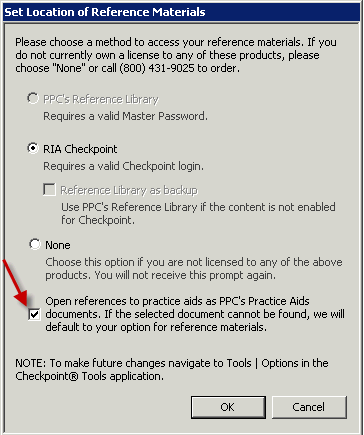 noteThis default remains selected until you deselect it.A document with links to another practice aids document exists within the same title. Selecting a link to a practice aids document will launch an instance of the selected document. The original practice aid document remains open with all current functionality available. The instance of the document selected from the link will open with all current functionality available.Closing the instance of the linked document will return the user to the point of origin. Existing links to sections or to FASB links will continue to use the current content setting selected by the user. If the practice aid to which the link refers does not exist, the user will receive the following message: "<Practice aid document name> is not available."
 - Click OK to return to the point of origin.