
Internal: Product access inquiry
To address Checkpoint access inquiries, research CUAS (Checkpoint User Administration System). CUAS assigns users individually to various products. If a customer calls with a question about product access, follow these steps.
To find the account in CUAS using
Search
: - SelectAccountto enter a Unit number or a firm name.

- SelectUserto search via user information (username, email address, etc.).
- Once you locate the account, select theOrderstab and find the product code.
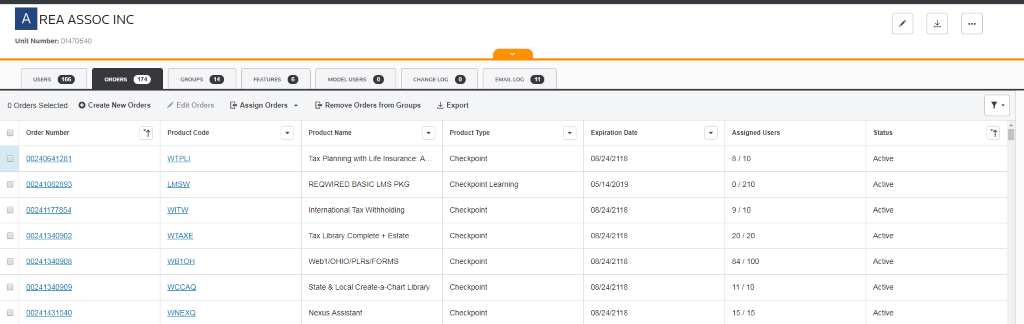
- Confirm the product isActivein the status column.
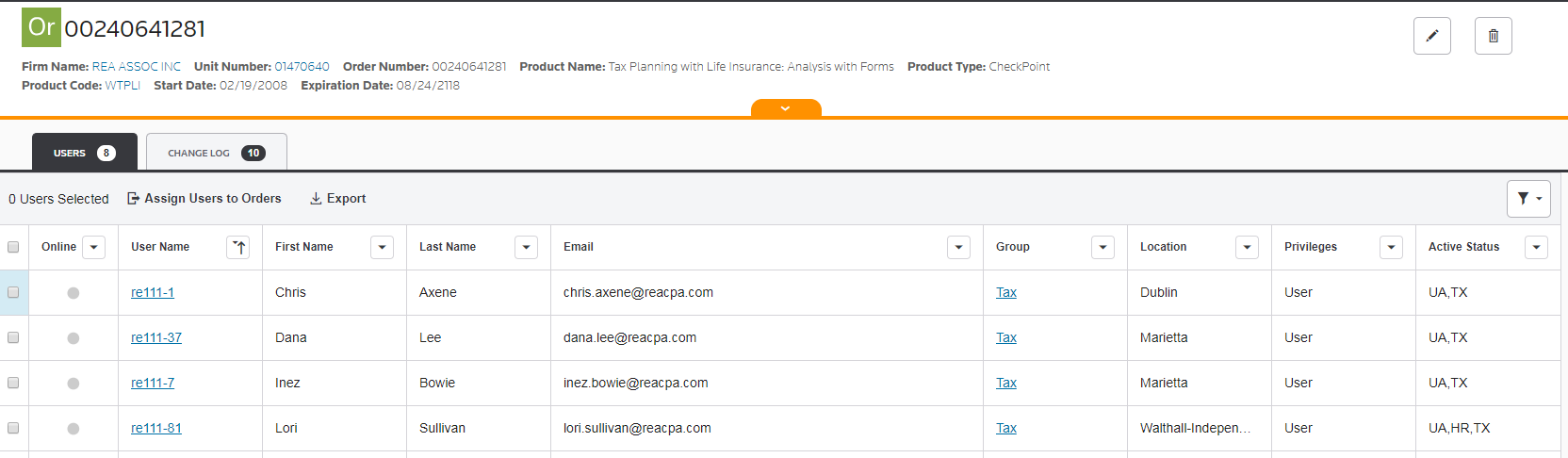
tip
- Users can't request product assignments, nor can they request to activate or deactivate products. Administrators, however, can request user assignments and product activation/deactivation, and they can also make these modifications themselves.
- Administrators access CUAS using their Checkpoint Login credentials.
- Before verifying access in CUAS, confirm the product's active status in Unison.
- If a customer signs in to Checkpoint and receives a "your account has not been activated" error, this means CUAS created the user profile but has not assigned it to any active product codes.