
Create a custom playbook from a contract
Generate a custom playbook by importing an existing contract into CoCounsel for Microsoft Word. Automatically extract clauses and add negotiation guidance to standardize future contract reviews.
Follow these steps to create a playbook from an existing contract.
- Open your existing contract in Word, then select theCoCounseladd-in to open the menu.
- Make sure you have selectedTransactionalas the practice area.
- Select theAll featuresicon
 , then select Playbooks & Clauses.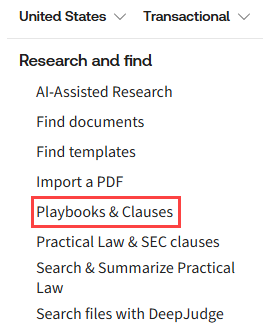
- SelectImport, thenImport contract.
- Choose how to import your document.
- Use the open document
- Upload a file
- Review the generated playbook. The playbook will appear in the panel and is private by default.
- Review playbook details. CoCounsel names the playbook and provides a summary description, identifying the parties involved.
- Examine identified clauses.
- Select theEditicon for a clause.
- Review the preferred clause example extracted by CoCounsel.noteYou can selectShow sourceto view the source of the extracted clause.
- Add additional details to the playbook.
- Negotiation Guidance
- Escalation Guidance
- External messaging
- Scenarios
- SelectSaveafter completing clause edits.
- SelectAdd clauseto add more clauses if needed.

