
CoCounsel Core Monthly Release Notes May 2025
We're excited to share the latest CoCounsel updates with you. Our monthly Release Notes provide an overview of new product launches and enhancements we’ve released this past month in pursuit of continuously improving your experience.
Product Updates
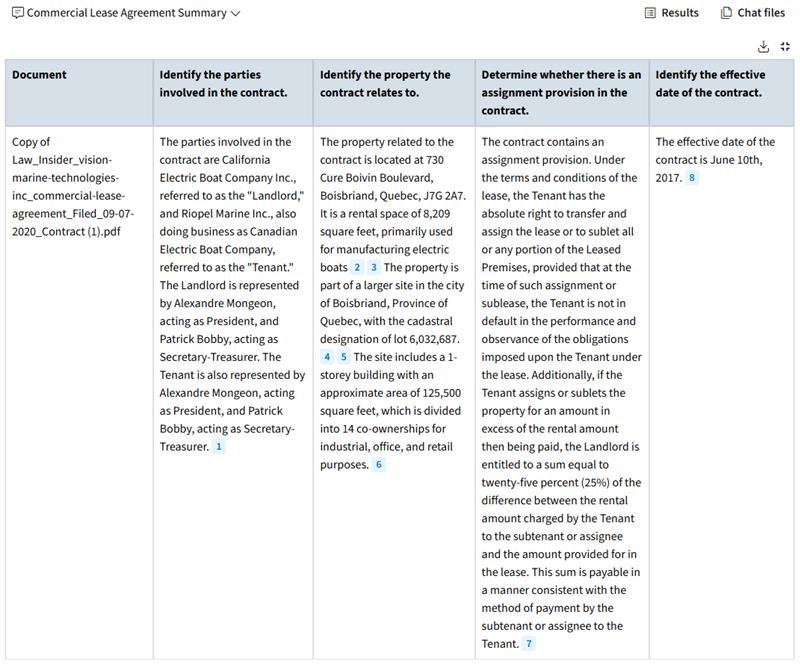
New Feature: Expanded Table Views for Skills
You are now able to
expand tables
within skill responses into a full-page view
, improving readability and navigation of larger table responses.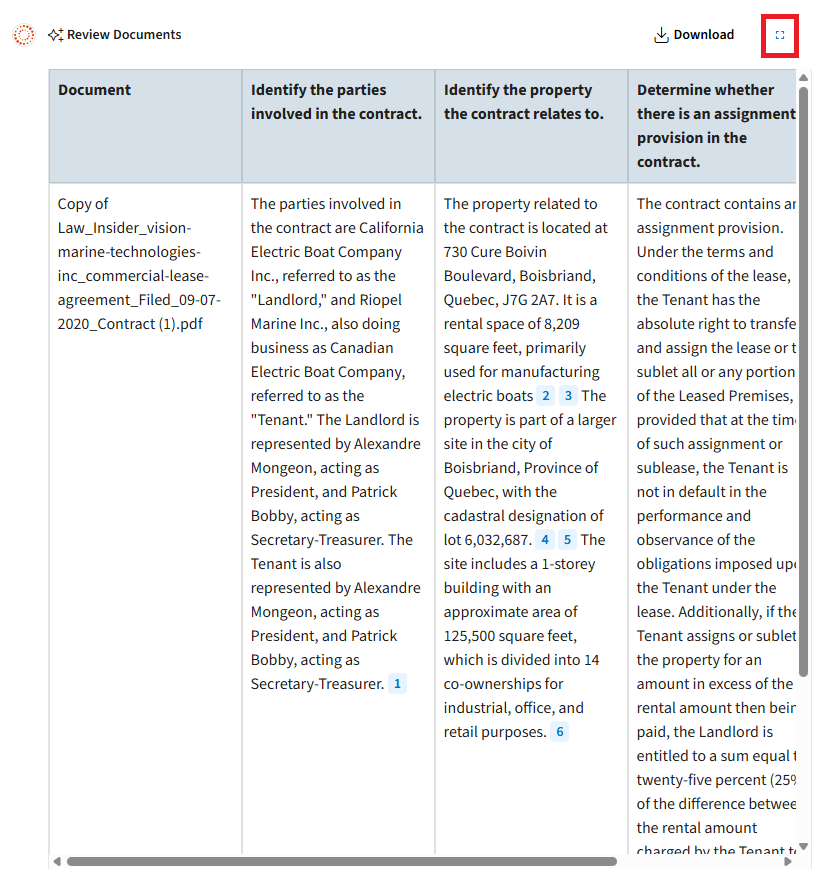
Administrator Capabilities Launch (International)
CoCounsel customers in the United Kingdom, Canada, and Australia now have access to
Administrator Capabilities
that enable customer administrators to manage platform integrations, permissions, and other administrative tasks to ensure compliance, optimize user engagement, and enhance organizational productivity.- CoCounsel Usage Analyticsis a comprehensive usage dashboard for CoCounsel Administrators to track user engagement, identify active and inactive users, and monitor how different features are being used to drive adoption, understand training needs, and communicate ROI.
- CoCounsel User Permissionsis an access management tool for CoCounsel Administrators to manage granular user-level permissions to CoCounsel Skills and other CoCounsel capabilities. These capabilities areaccessiblefrom the section within the CoCounsel Application.
Compare Documents and Draft Improvements
- TheCompare Documentsskill now allows you toupload longer documentsand an increased number of files without running into a page limit restriction error.
- It is important to note that the Compare Documents skill output is designed to produce a predefined table. Customizing the table format is not currently supported.
- The level of detail you will get from Compare Documents depends on the amount of information that is uploaded. For example, a large data set will result in a more high-level comparison.
- TheDraftskill also now allows you toupload longer documents. It’s important to note that Draft and Compare Documents are still subject to the200-document upload limit, but those documents will not have page limitations.
Summarize Enhancements: Page-by-Page Summarization
You can now obtain
page-by-page summaries
of documents using the Summarize skill in CoCounsel 2.0, including valuable enhancements over the popular comprehensive option in CoCounsel 1.0. In your prompt, simply include a request for a page-by-page summary by using words such as “page by page” or “each page”. To avoid summarizing pages of footnotes or indices, include an instruction such as “do not summarize pages of footnotes, indices, or references.”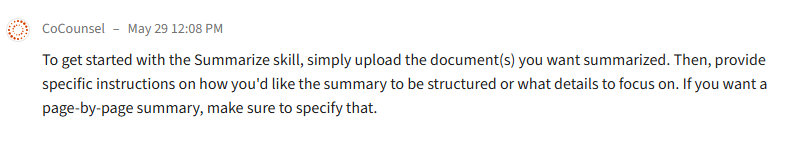
Timeline Enhancements
The Timeline skill is now leveraging the latest cutting-edge technology, resulting in notable enhancements to
performance
, including faster loading times, the ability to handle lengthier documents and multiple file uploads simultaneously. With this transition also comes enhanced accuracy
for improved instruction following, increased recall with detailed and accurate event descriptions, better chronological ordering of events, and smarter filtering of irrelevant events keeps timelines focused and pertinent to the case.Syncly Enhancements
We have improved the ability to browse Document Management Systems (DMS) when uploading documents from a DMS to CoCounsel via the Syncly integration. With the new browse experience, you can quickly navigate to
recent
and favorite
files, matters, and folders to find documents and upload to CoCounsel. The updates vary based on the DMS you use. For more information, refer to Syncly's release notes.Additional Resources
Our Help and Support articles provide robust resources on how to optimize CoCounsel. We encourage you to check out these articles, as they provide detailed information with video walkthroughs and step-by-step guidance. You can access Help and Support articles.
You can also access video tutorials.
Support
If you encounter any issues or have suggestions, please contact us at: CoCounselSupport@thomsonreuters.com

