
Invite new users
Follow these steps to invite new users, either individually or in small groups.
- Go to .
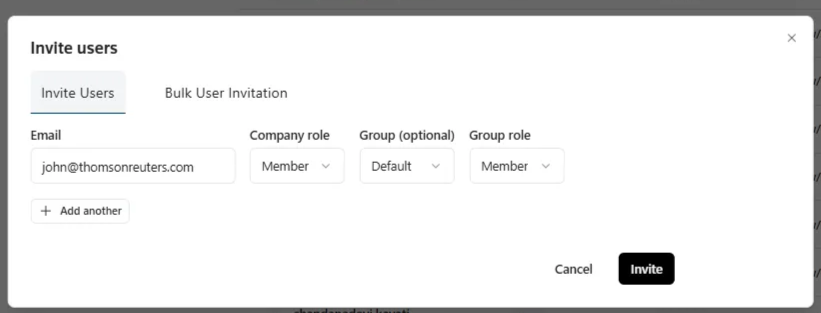
- SelectInvite users.noteOnly administrators can invite new users.
- Enter the new user’s email address. The email domain should match your company’s domain. If it doesn't, invite the user directly.
- Select the following for the user:
- Role
- MemberorAdmin
- Group(optional)noteIf no group is selected, the user will be in the default group.
- Select+ Add anotherto invite multiple users at once.
- To send the invitations, selectInvite.
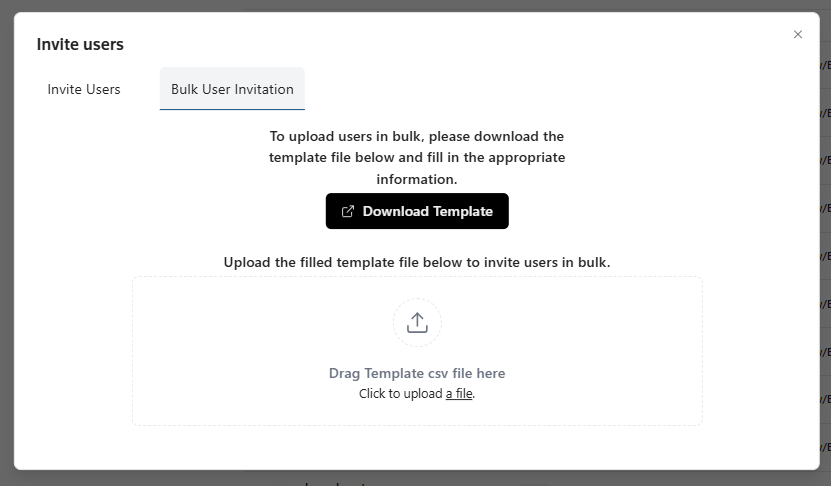
Invite users in bulk
- SelectBulk User Invitation, thenDownload Template.
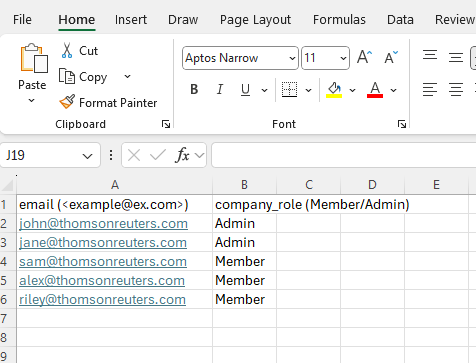
- Enter the user information into the template, and save it to your computer.
- Upload the saved template.