
Conversations: Applied research
Review the following example to understand the basic workflow for interacting with CoCounsel. This includes asking questions, uploading relevant documents, and generating a professional output. We recommend following along by inputting the examples questions and prompts into Conversations.
Step 1: Ask a question
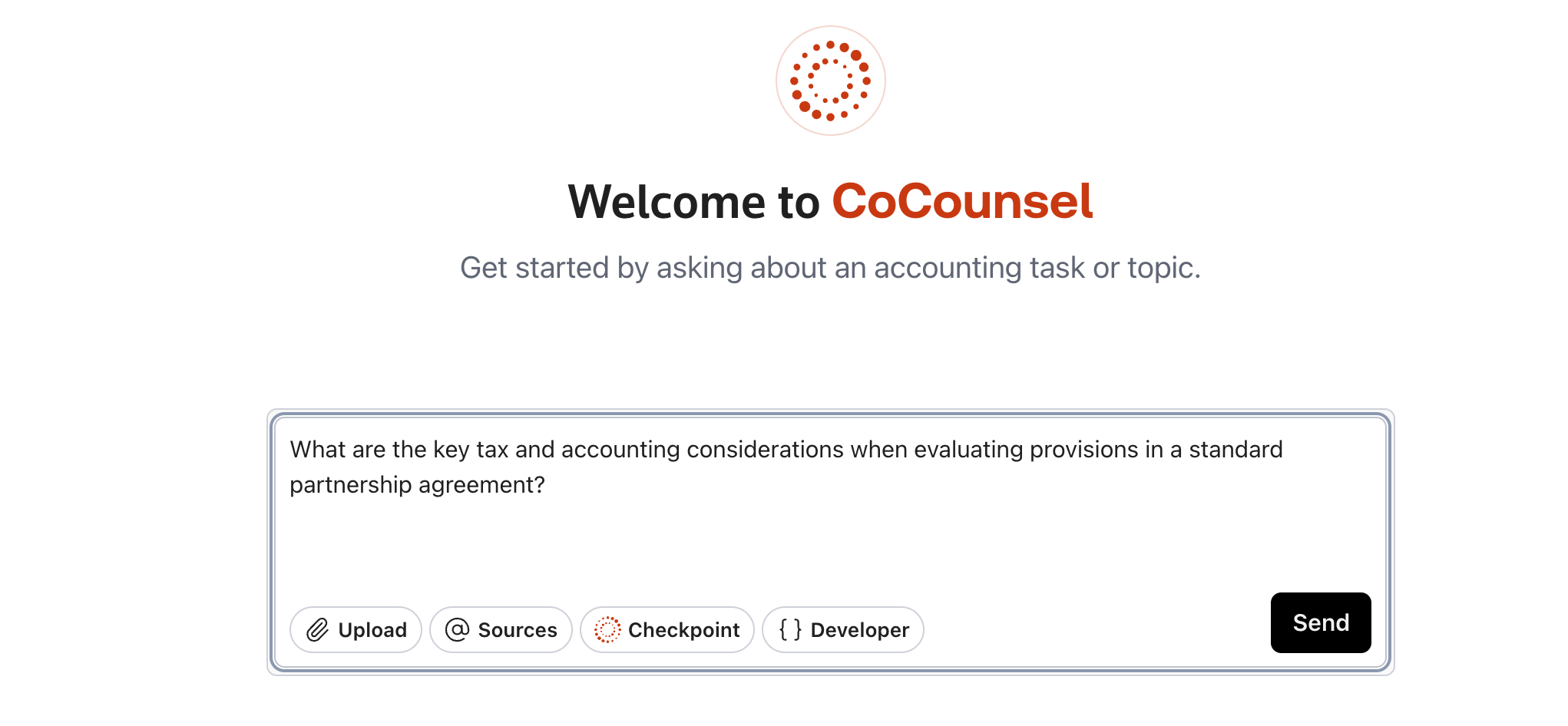
Begin your conversation by typing a question into CoCounsel:
Example question:
What are the key tax and accounting considerations when evaluating provisions in a standard partnership agreement?
Step 2: Upload a document
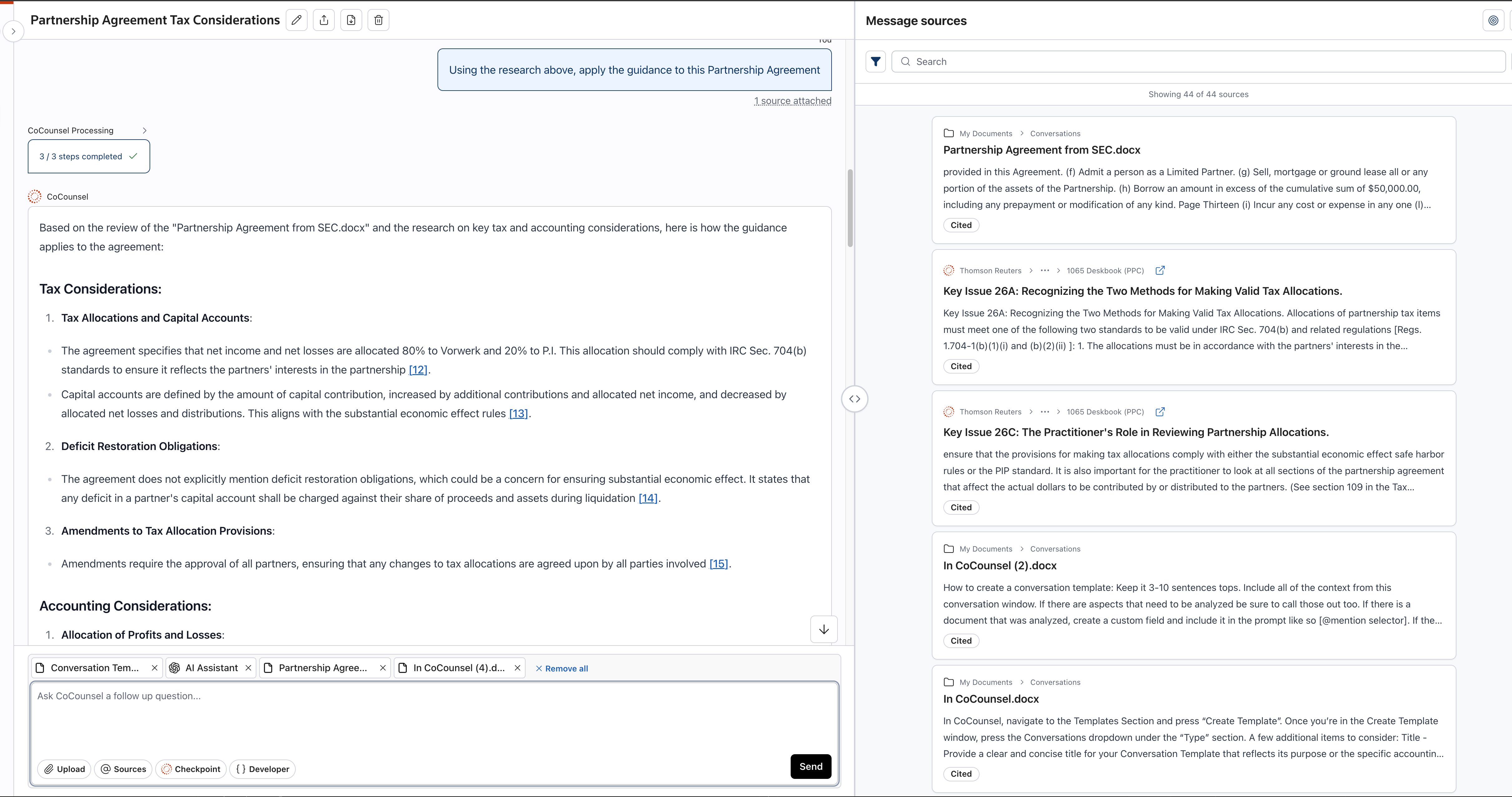
Next, drag and drop a supporting document for CoCounsel to analyze. For this example, we can use a standard lease agreement, which can be downloaded from SEC.gov or by selecting the following link:
You can reference the document in your follow-up questions or prompts. If you have a personal document you'd like to use in this example, feel free to upload in this step.
Example prompt:
Using the previous research, apply the guidance to this Partnership Agreement.
Step 3: Ask CoCounsel to draft a memo or email
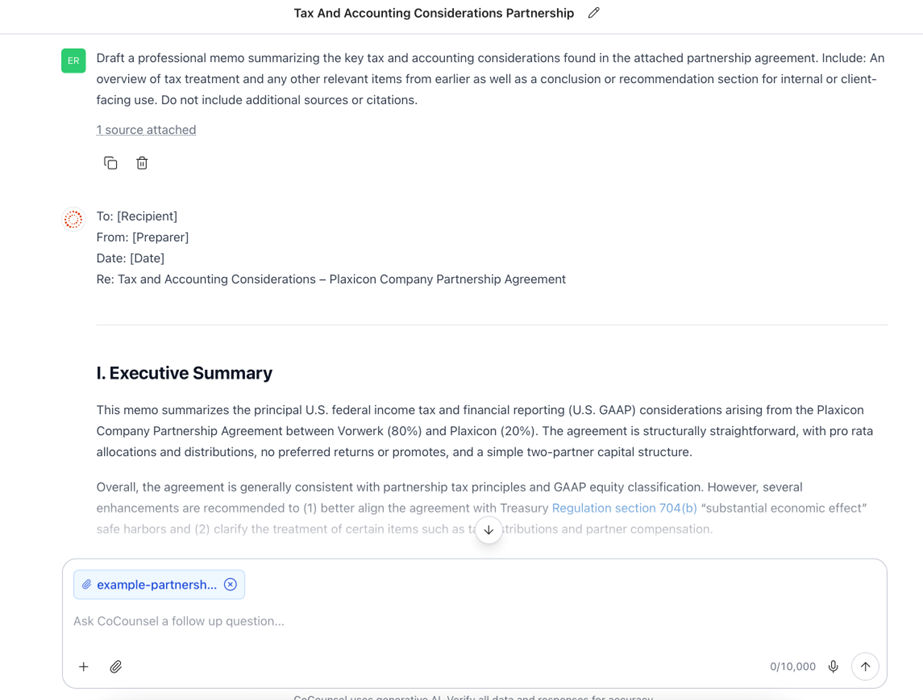
Once CoCounsel has reviewed your question and the partnership agreement you've uploaded, you can instruct it to generate a professional memo or email.
Example prompt:
Draft a professional memo summarizing the key tax and accounting considerations found in the attached partnership agreement. Include an overview of tax treatment and any other relevant items from earlier as well as a conclusion or recommendation section for internal or client-facing use. Do not include additional sources or citations.
Conclusion
By completing this workflow, your team will better understand how to use CoCounsel to support your accounting and tax research and documentation processes. Feel free to experiment with other documents and questions to extend your use cases.