
Differences between conversations and workspaces and when to use them
Refer to the following for key differences between conversations and workspaces and how to decide when to use them CoCounsel. Both tools serve different purposes, and knowing their strengths will help maximize efficiency. This breakdown covers key differences, common use cases, and when to use each tool.
Key differences between workspaces and conversations
Feature | Conversations | Workspaces |
|---|---|---|
Allows Document Upload | Yes | Yes |
Exports to Excel | No - Users can export to PDF, Word, or copy the contents to clipboard. | Yes |
Supports Templates | Yes - Useful for standardizing common prompts and use cases | Yes - Useful for reusable workflows |
Handles Multi-Document Analysis | Yes - Supports referencing multiple documents for research | Yes - Optimized for extracting structured data from single or multiple documents |
Saves Work for Reuse | Yes - Retains Conversations in the Conversations Tab | Yes - Retains Workspaces in Workspaces Tab |
Contextual Iteration | Yes - Builds on prior questions and responses, allowing refinement | No - Each analysis starts fresh with selected documents |
Supports Collaboration | Limited - Share Conversation Links | Yes - Share workspace links for review and collaboration |
Checkpoint Access | Yes - Leverages Checkpoint, firm documents, and external authoritative sources for comprehensive research | No - Only leverages the documents selected |
Use conversations
Conversations bring together all of CoCounsel’s capabilities, so you can integrate authoritative research from Checkpoint, internal firm documents, client documents, and the broader knowledge base. With AI-driven analysis, verification windows, and customizable templates, conversations are ideal for applied research use cases.
They also serve as a space for drafting memos, emails, and reports based on the information gathered.
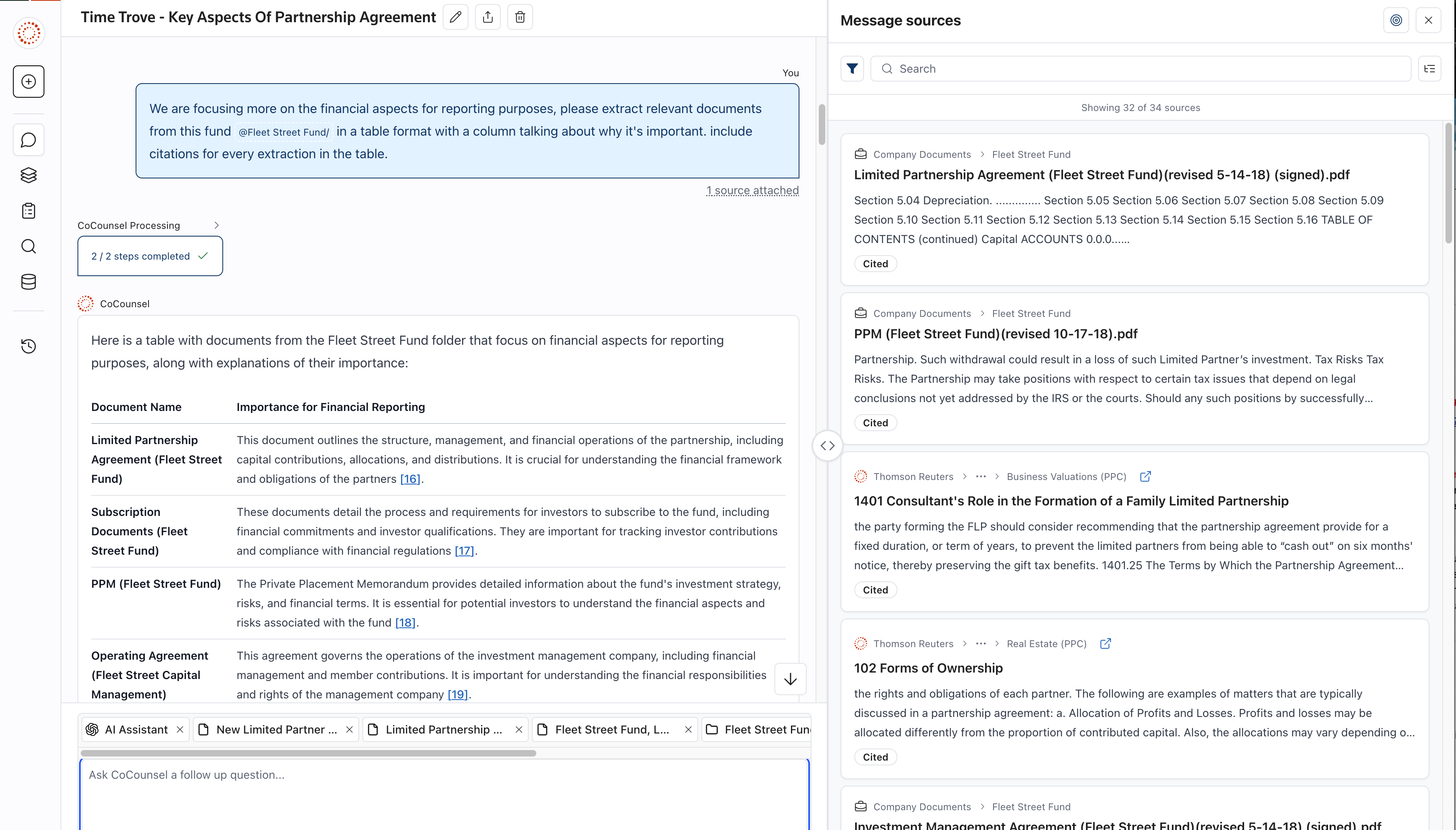
Conversations in your daily workflows
Conversations provide a flexible environment where you can explore complex topics, refine your research, and incorporate authoritative sources without losing context. This makes them especially valuable for workflows that involve a mix of firm knowledge, external research, and AI-powered interpretation.
Use workspaces
Workspaces help organize and interpret documents by breaking them down into structured insights that are easy to review. Rather than extracting data for the sake of collection, workspaces focus on making information easier to digest. Workspaces are especially useful for organizing multiple documents, identifying key provisions, and standardizing document review processes.
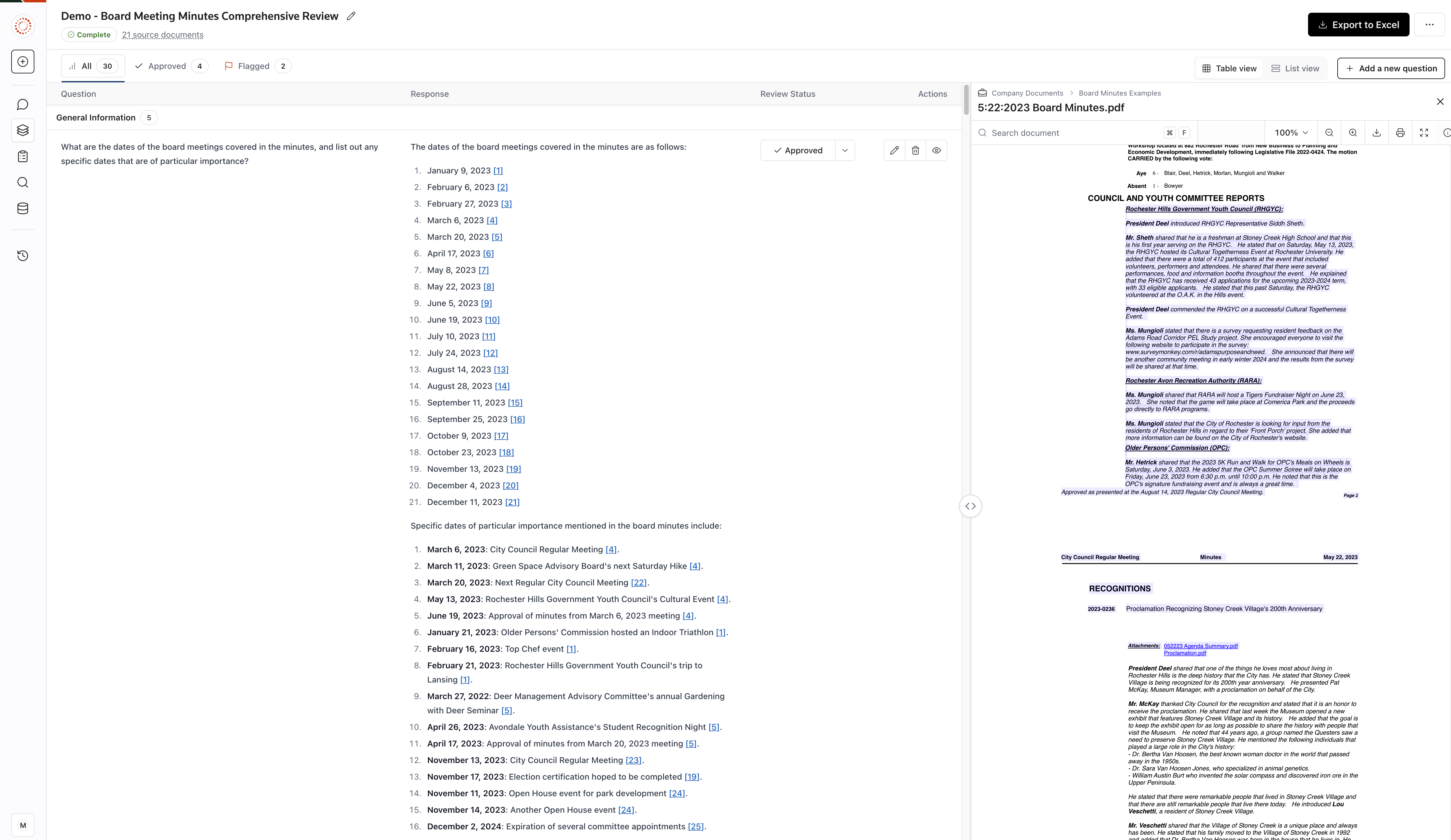
Example Use Cases for Workspaces
Workspaces are useful for structuring and organizing key insights from both single and multiple documents. Some common scenarios include:
- Reviewing multiple documents and extracting uniform information at scale.Board minutes, debt/lease amendments and other various data sources.
- Extracting relevant sections from one or more financial statements or tax documents to prepare for analysis.You can highlight key figures, policies, or disclosures for easier review.
- Reviewing a single workpaper or report to identify key provisions.Workspaces help distill critical details into a structured format, making it easier to focus on important financial or compliance-related sections.
- Standardizing audit and tax review processes using pre-built templates.Firms can ensure consistency by applying predefined workflows to both individual and multiple document reviews.
- Breaking down lengthy financial documents into key takeaways.Users can categorize and organize critical points for easier reference and future analysis.
Workspaces in your workflow
Workspaces provide a structured way to manage documents, ensuring that key details are clearly presented and easily accessible. They are particularly useful for document-heavy tasks where efficiency and organization are critical.