
Use @ mentions, document uploads, specify output format, and iterative follow-ups
In CoCounsel, it's crucial to specify sources and desired response formats to achieve precise and actionable results. By uploading documents or using the @ button to reference files, CoCounsel can focus on specific documents. To incorporate information from the
@Research Library or other sources
, clearly state what should be included in the final response. Additionally, define your preferred output format—such as tables, lists, or memos—to improve clarity and usability.Best practices
- Define your preferred format: Specify whether you want a table, memo, list, or comparison report to ensure the output meets your needs.
- Be explicit about your sources: If you need regulatory context, instruct CoCounsel to pull from@Research Library, including Checkpoint content, IRS, and SEC sources.
- Request comparisons when needed: When reviewing a document, specify if CoCounsel should compare it to regulatory standards or other documents for a comprehensive analysis.
Combining clear source instructions and well-defined output formats ensures CoCounsel delivers precise, structured, and actionable responses.
Less effective prompt:
"What are the tax liabilities for this document @BROWNJ_AZ_2023_PreparerCopyTaxReturn.pdf"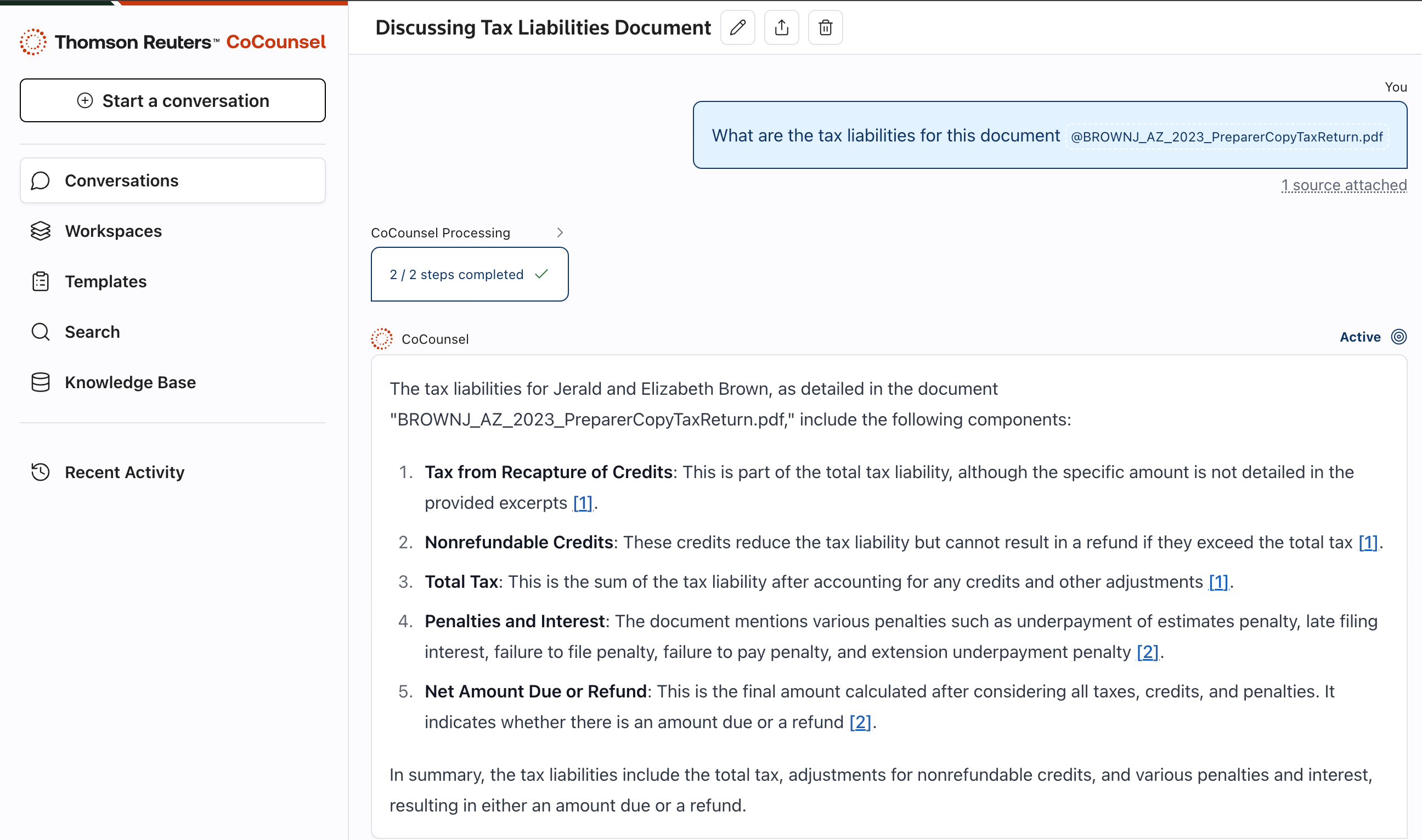
Better prompt (using both @ mention and @Research Library):
"Using @BROWNJ_AZ_2023_PreparerCopyTaxReturn.pdf and the authoritative sources in @Research Library, identify the key tax liabilities, compare them to IRS corporate tax obligations, and summarize key differences in a table."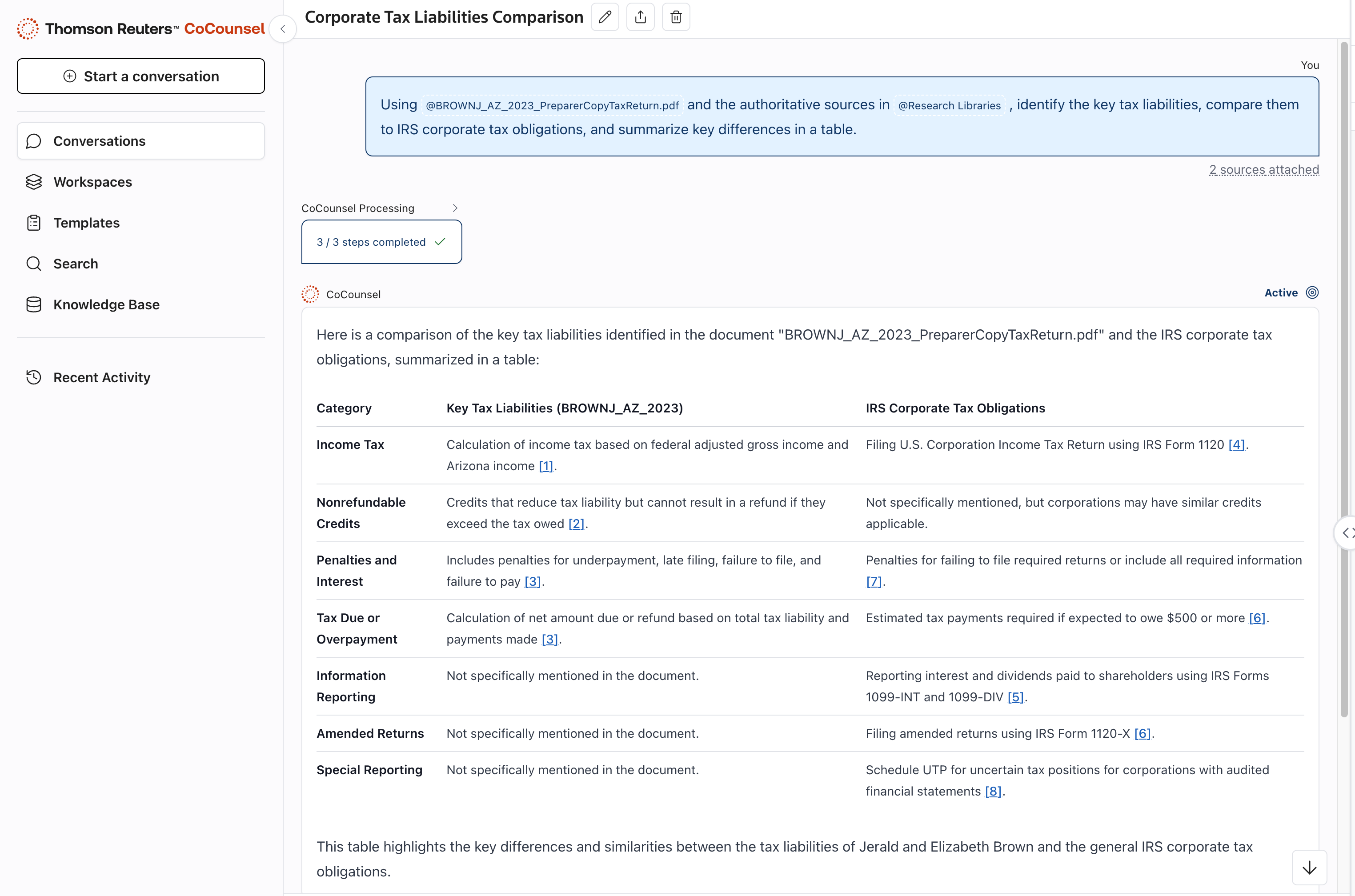
Use follow-ups and iteration
Refine your results by building on previous responses instead of starting over. Each step builds on the previous one, ensuring a layered, structured approach. There is no limit to the amount of back and forth, and you can always refer back to and prompt an older Conversation if new context is received.
The following steps demonstrate the effective use of follow-up questions and iteration. You can also follow along by copying and pasting the prompts below into a CoCounsel Conversation to see for yourself.
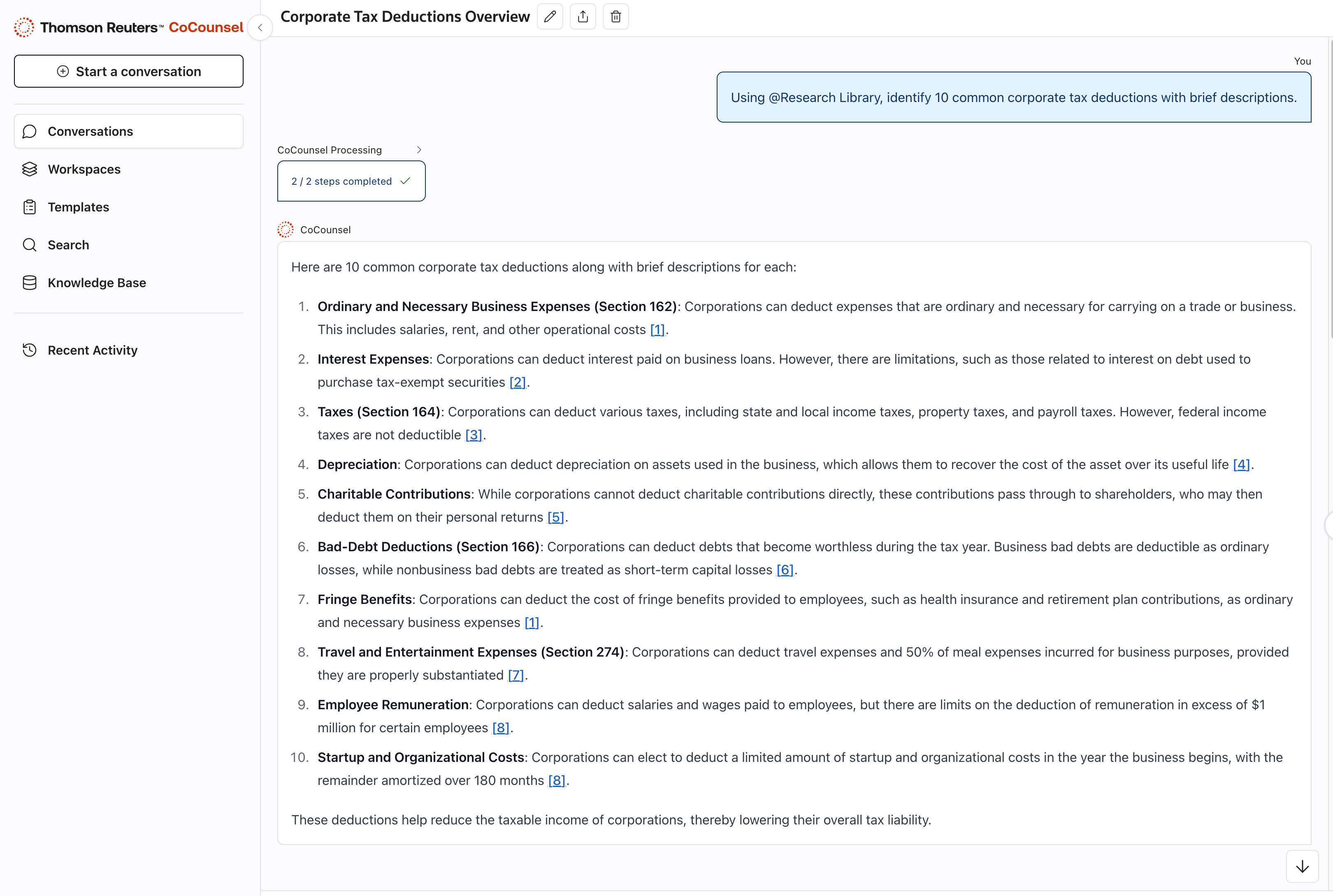
- Research corporate tax deductions. "Using @Research Library, identify 10 common corporate tax deductions with brief descriptions."
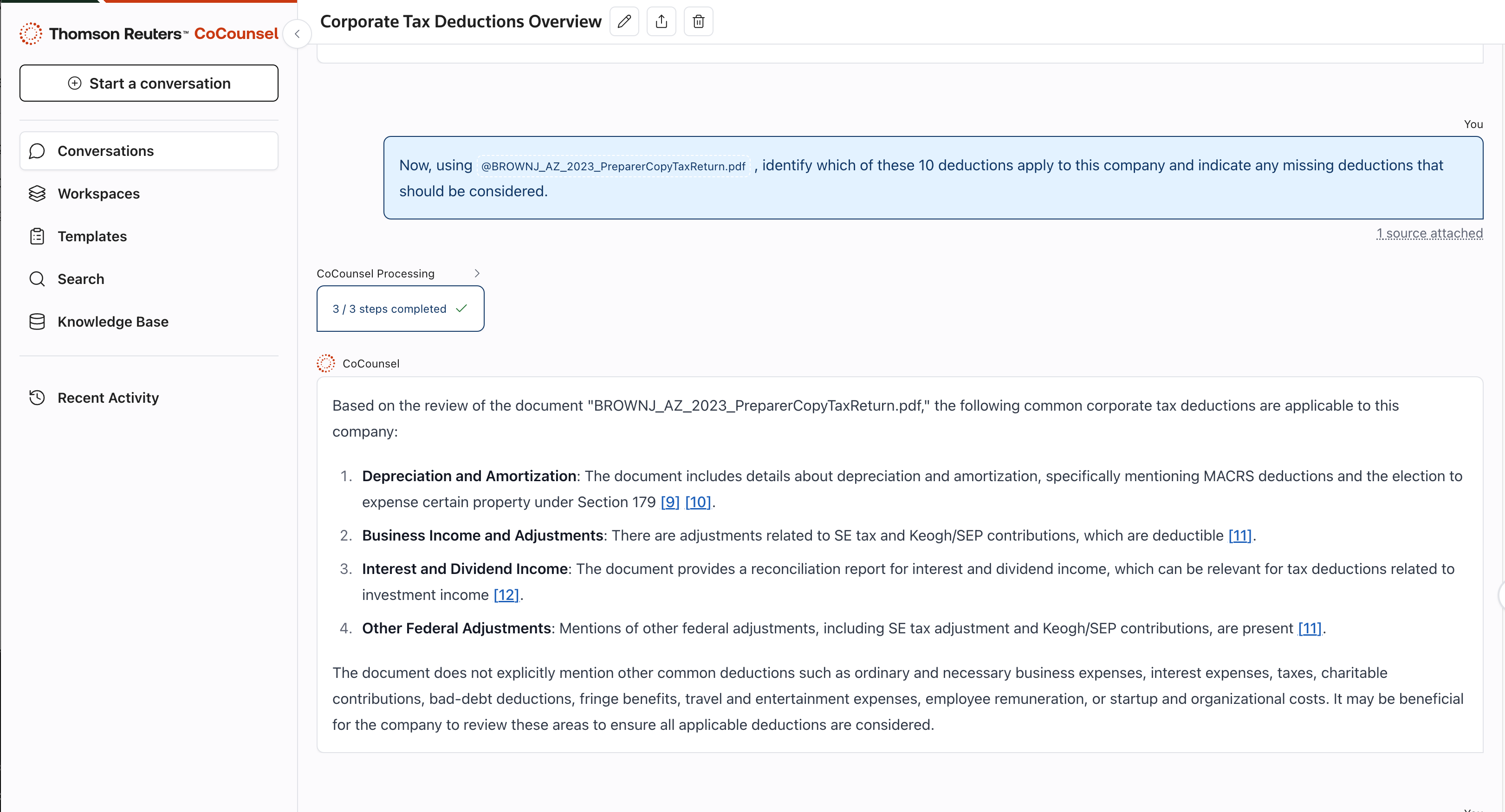
- Apply findings to a specific company and document. "Now, using @BROWNJ_AZ_2023_PreparerCopyTaxReturn.pdf, identify which of these 10 deductions apply to this company and indicate any missing deductions that should be considered."
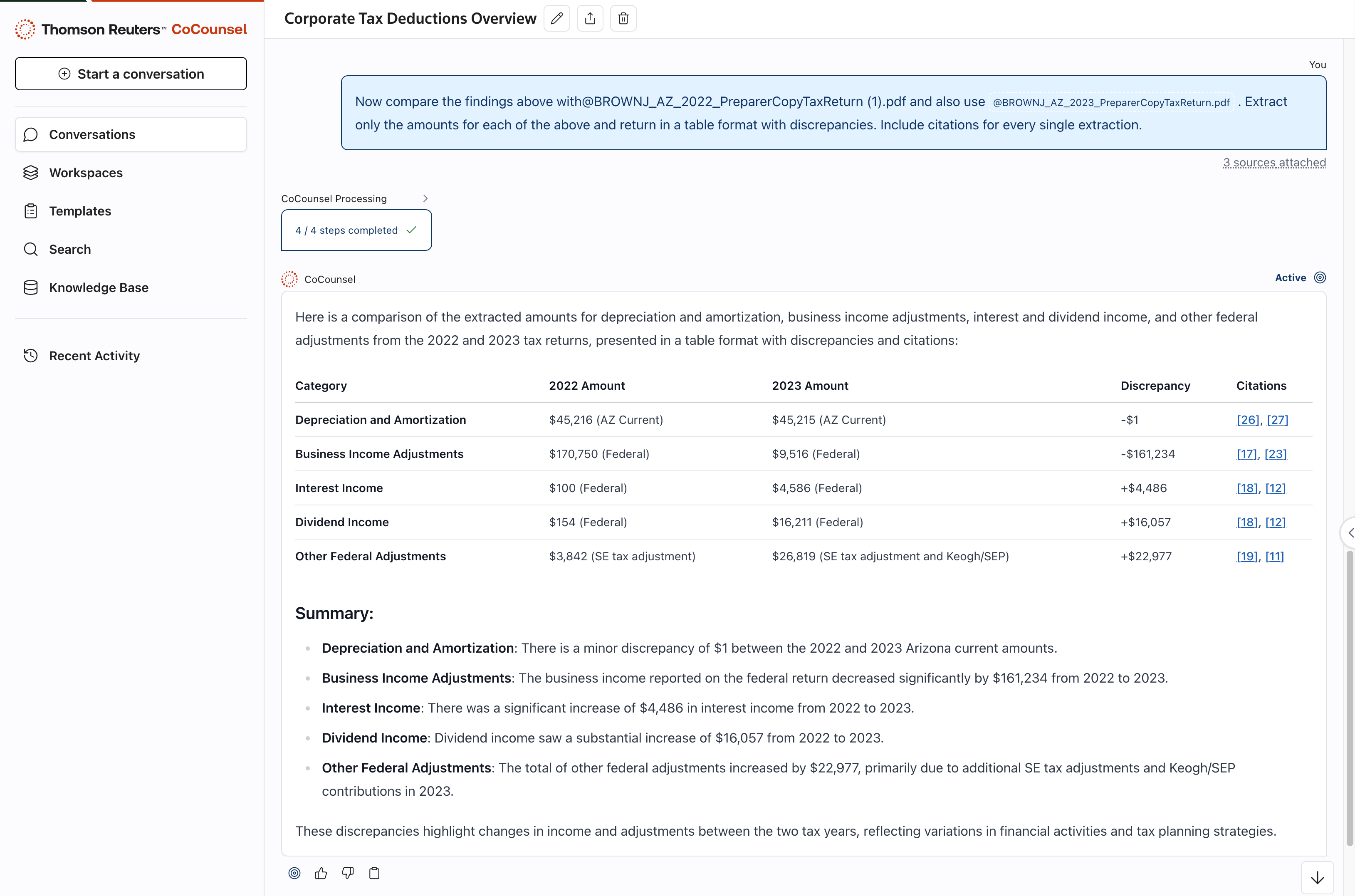
- Compare the findings with another document. "Now compare the findings above with @BROWNJ_AZ_2022_PreparerCopyTaxReturn (1).pdf and also use @BROWNJ_AZ_2023_PreparerCopyTaxReturn.pdf. Extract only the amounts for each of the above and return in a table format with discrepancies. Include citations for every single extraction." Note that it's important to be as specific as possible to ensure you receive the output in the desired format, for example, "table format."
Why this works
- Ensures document-specific analysis while incorporating authoritative research: By referencing specific documents and the@Research Library, CoCounsel integrates comprehensive analysis, extracting tax liabilities specific to the entity while ensuring the response includes authoritative sources such as Checkpoint Content, IRS corporate tax regulations, and SEC filings.
- Format the output for clarity: Requesting a table format makes the response easy to review, with clear distinctions between document reporting and IRS standards.
- Prevents incomplete analysis: Without explicitly stating that both the uploaded document and the research library should be referenced, CoCounsel might only analyze the document, potentially missing key regulatory context.
- Iteration ensures integration of research and real-world application: The use of multiple data sources allows for progressive refinement of findings, ensuring the final response integrates both research and practical application.