
Knowledge Base
Knowledge Base is a central repository for all the information you've integrated and downloaded into CoCounsel. This data can be accessed and utilized throughout the platform.
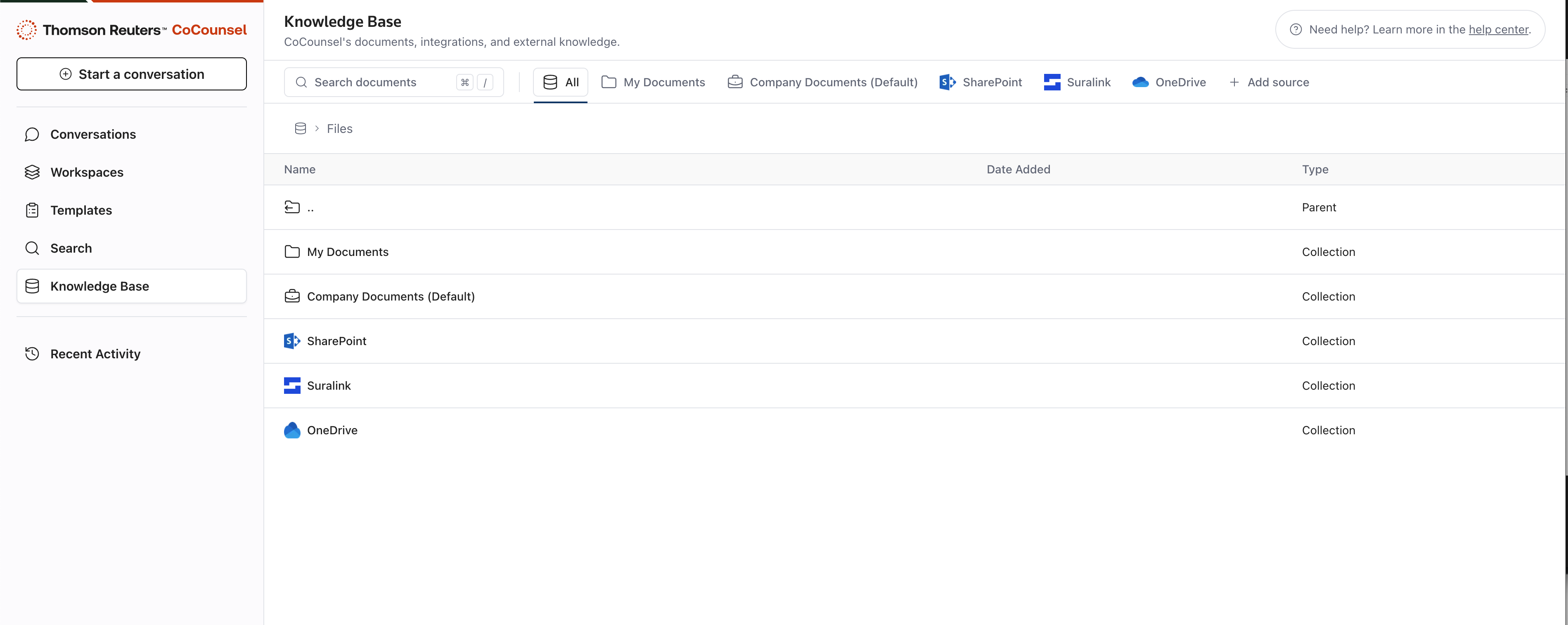
File explorer
In File Explorer, you can search documents by folder structure as follows:
- My Documents
- Company Documents
- Integrations (Suralink, Sharepoint, Box, OneDrive)
In “My Documents” and “Company Documents” you can do the following:
- Upload folders and files.
- Create a folder.
- Select multiple items toMoveorDelete.
- Rename files/folders (to be released shortly).
- Search across all.
note
For administrators, be sure to upload Research Content to your “Company Documents” for the entire team to gain access to the content.
Source viewer
Similar to our Search Citation Viewer, you're able to dive into your own sources and do the following:
- Use the new PDF viewer experience.
- Chat with document (fast follow after release).
- Source info/metadata.
Best practices to keep Knowledge Base organized
- Integrate your Knowledge Base:By ensuring that as much information as possible is stored within CoCounsel, you gain more data to leverage in Workspaces, Conversations, and Search, enhancing your ability to access and utilize relevant information effectively. Direct integrations are the most efficient way to achieve this. Visit this page to learn more about our direct integrations.
- Keep it organized:Create folders and use your Knowledge Base to securely store documents in a centralized location, enabling them to be synthesized by AI.