
Prepare returns for e-filing
Enable e-file for returns
Before you can e-file a return, you must enable e-filing for the specific jurisdictions and filing types:
- Go to thePreparetab in your tax return project.
- Go toE-File, thenEnable/Create.
- Check theEnablecheckbox for each jurisdiction and filing type you want to e-file:
- Federal return (Form 1040)
- State returns
- Extensions
- Estimated tax payments
- The system will indicate which returns are available for e-filing.
important
If there is not a checkbox in the
Enable
column, e-filing may not be available for that filing or it is automatically included with the return electronic file. 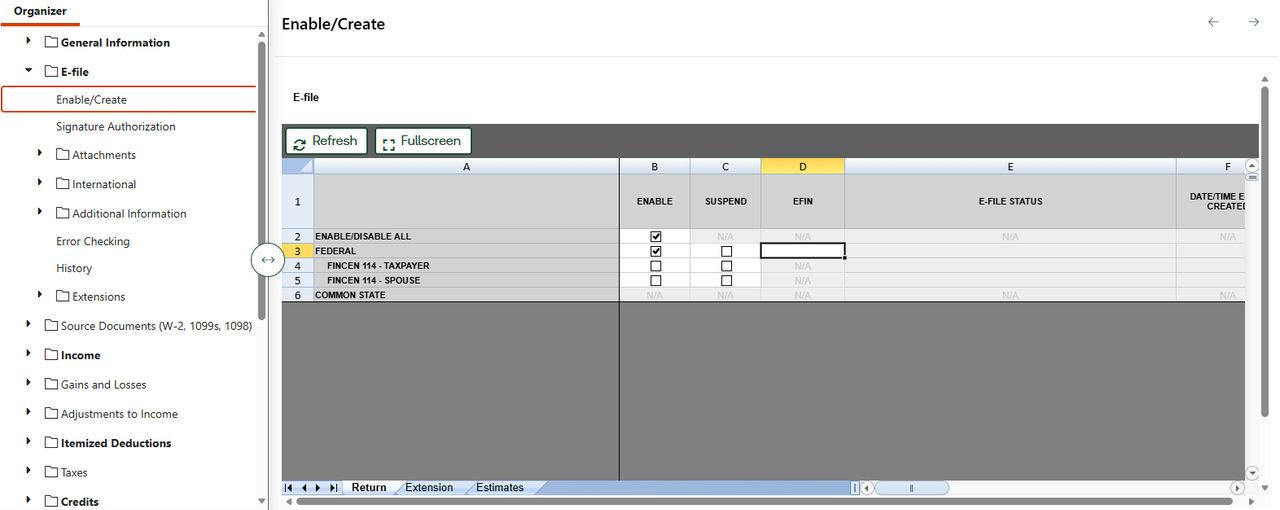
Attach PDF documents to e-files
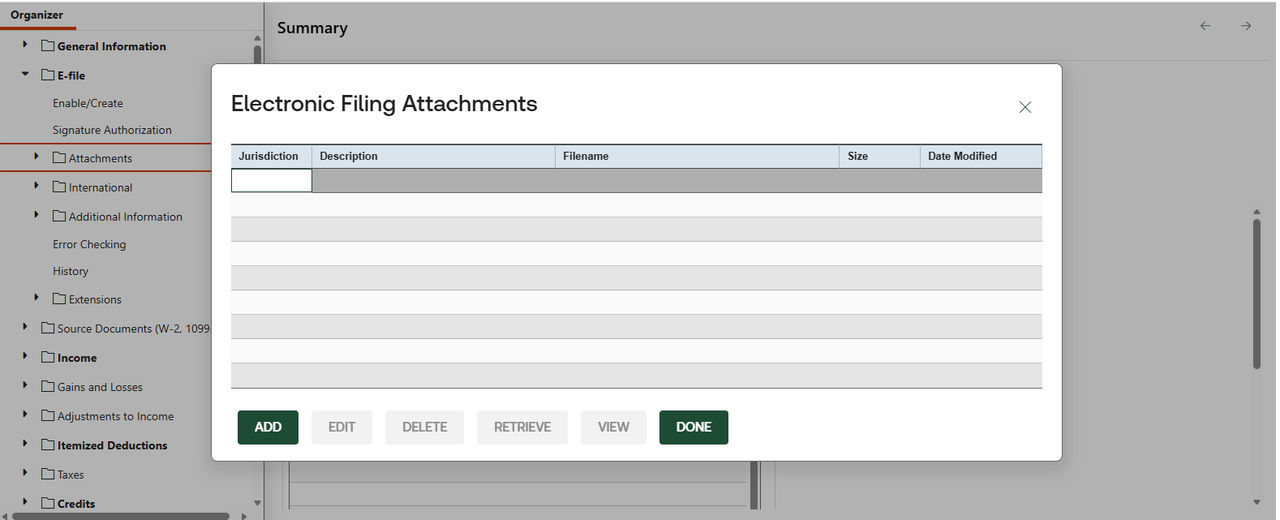
You can attach supporting PDF documents to your e-filed returns:
- Go to .
- SelectAttach PDF.
- Select the PDF file you want to attach.
- Choose the jurisdiction for the attachment.
- Select a predefined description or create a user-defined description.
- Save the attachment.
Attached PDFs will be included when you transmit the return electronically.
Related Content
-
E-filing in Ready to Review
Format: Article