
Refresh diagnostics
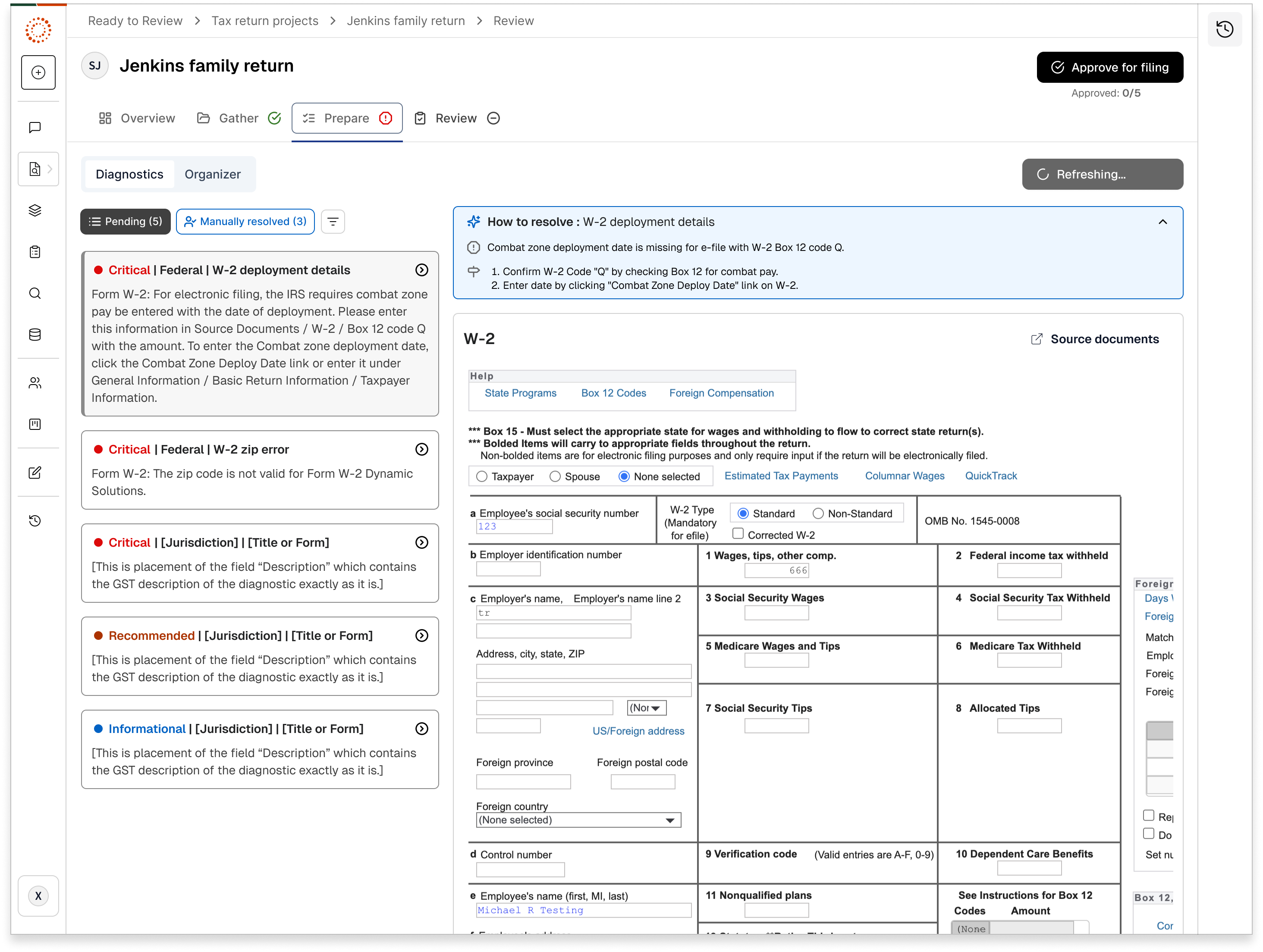
After making corrections or additions to the return, refresh diagnostics to update the status.
- Go to thePreparetab and selectDiagnostics.
- SelectRefresh diagnosticsor similar button.
- Wait for the system to re-run diagnostic checks.
- Review any new or remaining diagnostics.
tip
Refresh diagnostics frequently as you work through the return to catch issues early and ensure nothing is missed. Always refresh after resolving critical diagnostics to confirm they are cleared before attempting to e-file.
note
Auto-refresh capabilities will be introduced in a future release, eliminating the need to refresh manually and ensuring diagnostics stay up-to-date automatically and faster resolution of diagnostics.
Related Content
-
Tax preparation: Diagnostics
Format: Article