
Convert template in Author Online
Author Online now allows you to convert templates that use traditional character-based markup into a content control–based format.
By default, when you open a template that uses character‑based markup, the system automatically prompts you to convert it to content‑based markup, ensuring you are working in the correct authoring tool for your template and helps prevent confusion.
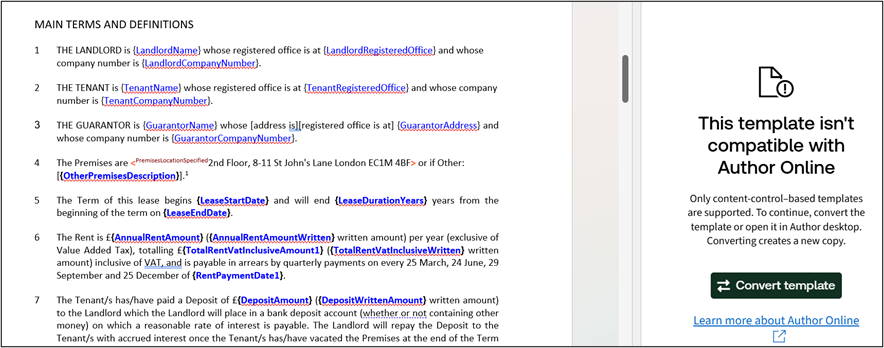
Converting the markup early avoids misleading variable information and reduces the risk of introducing incorrect or unsupported markup into your template.
You can also convert any existing template that uses character-based markup manually, by navigating to the hamburger menu, and selecting
Convert template
from the drop-down list.
When you select
Convert template
, a pop-up window will appear, prompting you to select either convert
or cancel
the conversion.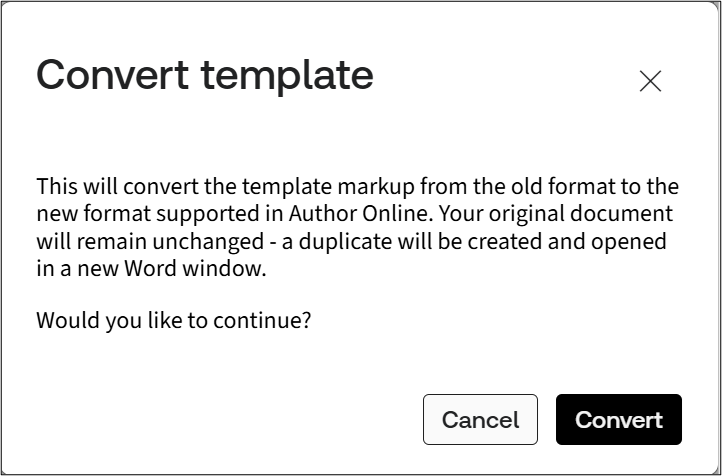
This tool can be used on most files that use character-based markup that can be opened in a browser. The converter will analyse the syntax and apply the correct conversion logic.
The conversion will not affect the original document; instead, a new document will be created with the updated format.
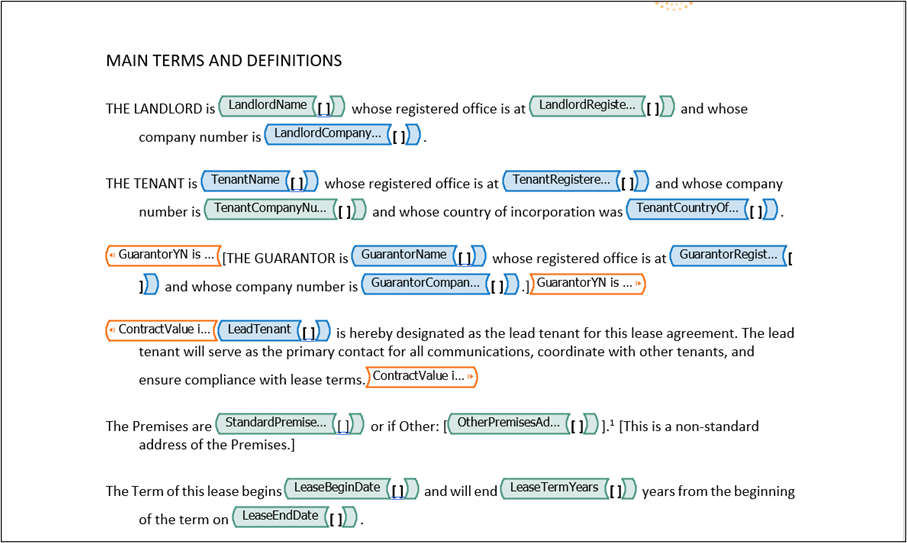
note
The converted template will not automatically name the file. This should be updated manually.
Once the conversion is complete, the variables will be automatically added to the questionnaire.