
Review template
Check issues
The
Check issues
feature in Contract Express performs a comprehensive analysis of your template to identify any issues that may affect the document generation or questionnaire functionality. It can identify sections not included in a generated template due to incorrect application of business rules, pinpoint irrelevant variables, and detect questions that appear out of order in the questionnaire. It categorises the issues into errors (amber triangle) and warnings (blue information icon). The issues are further categorised by type to provide context.

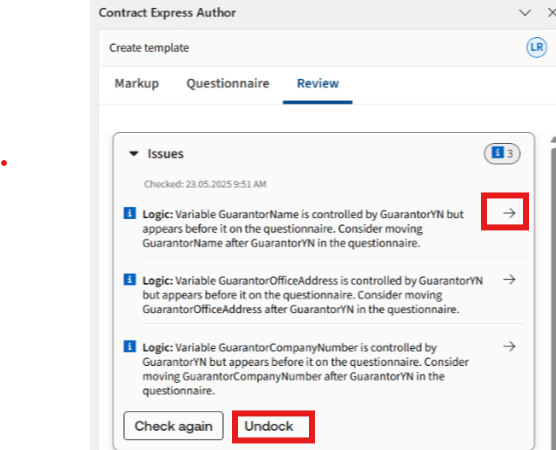
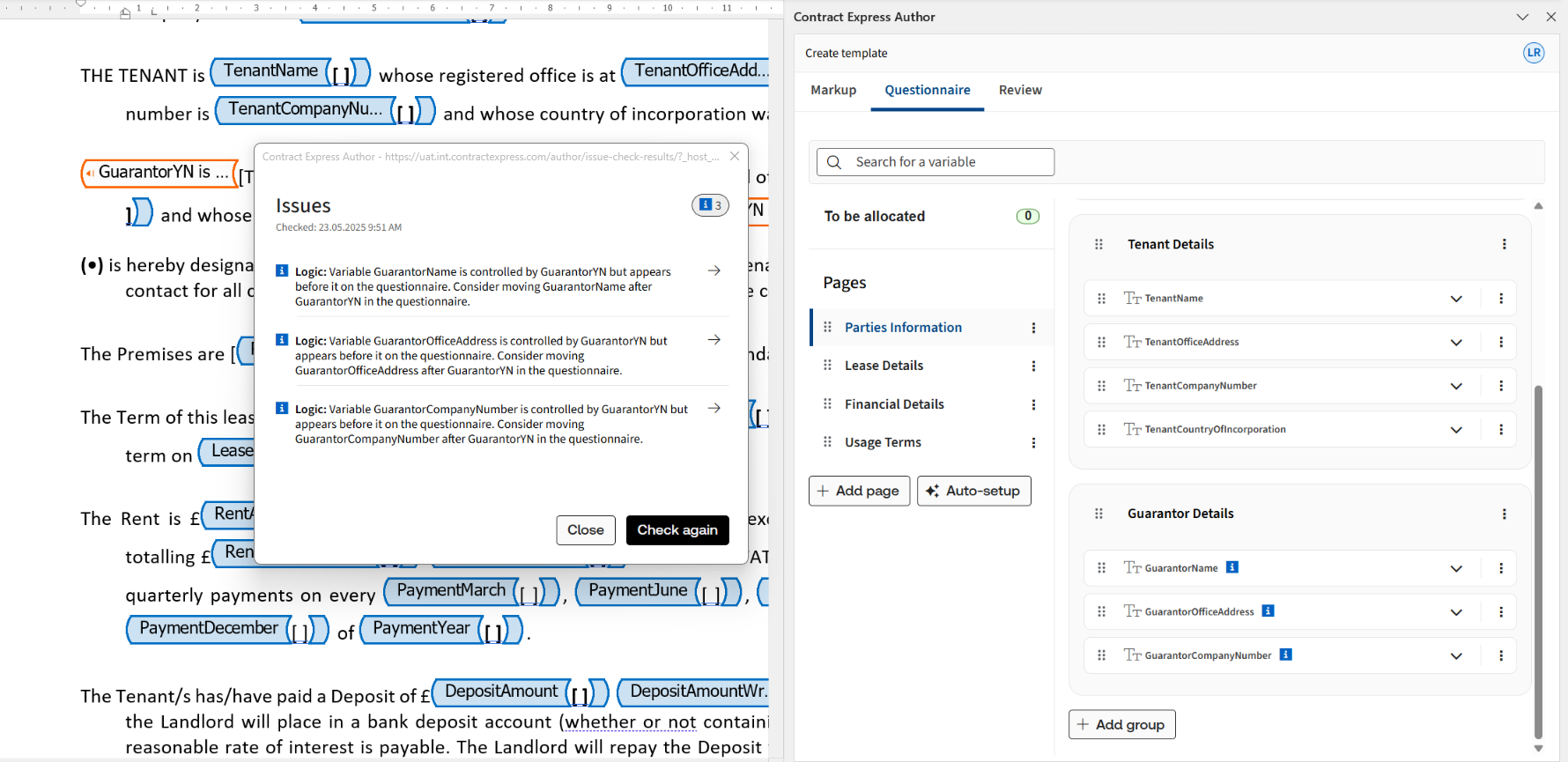
Any issues identified are displayed in the window section.
The direct navigation feature, marked by a  symbol, enables users to swiftly access the location of specific issue.
symbol, enables users to swiftly access the location of specific issue.To keep the list of issues in view while checking the details in the Markup or Questionnaire tab, select Undock and move the issue list to the side or to another screen. Close the pop-up to return to the docked view.
For more on the issues reported in the list, please refer to the article Troubleshooting.