
Template properties and Upload settings
Manage template properties and uniquely identify the template using the settings available in the Upload and test section of the Review tab.

Template name
The template name is a required field that uniquely identifies the template upon server upload and will be shown to the end users when they search for the relevant template. There is no restriction on characters used in a template name, however the inclusion of certain characters will mean that the name needs to be surrounded in single quotes when being referenced in other templates.
note
Escape character \
If you include a single quote as part of the variable Name, the Variable Editor will automatically add a backslash character to escape the quote: \'
Similarly, if the name includes a backslash, the variable editor will prefix this with a further backslash character \\
If you add fields into the template as you type, you must remember to escape quotes and backslashes where necessary.
note
Reserved words
There are a number of reserved words which variable names cannot contain such as AND and NOT.
Below is the full list for reference:
alt, and, answered, as, attach, attribute, authornote, by, capitals, cell, cloaked, collect, collectvalues, committed, datatype, deferred, definite, doctitle, document, else, every, exists, export, expressiontext, false, foreach, format, from, hyperlink, if, ifknownelse, include, is, isatleast, isatmost, islessthan, ismorethan, isnot, known, knowntrue, label, list, lower, mark, nonmutualand, nonmutualor, nonrepeated, not, note, now, occurrence, onlyoninput, onlyonoutput, onlyother, or, other, otherselections, picture, prefix, prescribedselections, proper, punctuation, ref, reference, relevance, repeat, repeatcontext, repeatcounter, select, selectionoptions, sensitive, simplify, spanrelevance, style, sure, template, templaterelevantce, textfile, then, to, today, true, unrepeated, upper, using, value, where, with, xor
Additionally, you cannot use the following symbols as the variable name (but they can be included as part of the variable name if quoted):
+ - * / // , ( ) # ? .
Version
A template version is a saved copy of a template uploaded to Contract Express. Versions are typically identified by a version number, such as 1.0, 1.1, or 2.0. The
Version ID
field determines how uploads are stored on the server:- If the field is left blank, each upload is saved as a separate, automatically generated version. This creates a complete version history and makes it easy to restore an earlier version if required.
- If a version number is entered, each upload to the same unpublished version overwrites the existing content instead of creating a new version entry. This keeps the version history shorter but does not preserve earlier states, making it more difficult to revert to a previous version.
Additional settings
Additional settings
Generated document name
The generated document name appears on the questionnaire's compiled document page and describes the document that was created. This name can include dynamic information using active text in curly brackets, allowing values such as variables or functions to be inserted, for example: "Contract Lease for {LandlordName} – {today}".
Description
Use this field to provide additional information about the template, which are visible to users when they select the template.
Keyword
Use this option to store keywords that help uniquely identify the template when it is reused for different use cases.
note
The values entered in these fields are automatically saved; no additional action is needed.
Upload and test
After reviewing the template properties and resolving any identified issues, test the template by uploading to the Contract Express server. Two upload options are available:
- Upload and test- Uploads the template and immediately opens the questionnaire for testing.
- Upload only- Uploads the template without launching a test session.

However,
Upload and test
is the recommended approach as it allows changes to be verified immediately without leaving Word. By default, Author Online automatically determines which test document to use when Upload and test
is selected. If a test document has already been created during the current session, it is reused. Otherwise, a new test document is created. In most cases, simply selecting Upload and test
is sufficient. If more control is required, the Upload and test
dropdown provides more options:- Continue with an existing document- Reuses the test document from the current session, preserving previously entered answers. This makes it easier to verify automation changes without completing the questionnaire again. This option becomes available after at least one test has been run during the session.
- Start a new test document- Launches a new questionnaire with no saved answers. Use this option when testing a template for the first time or when a completely different set of answers is required.
Manage template
The
Manage template
option will open a web browser and take you to the template details page within Contract Express. On this page, you have several options for managing your templates. You can share your template with other authors, assign the relevant profile and locale to ensure the correct customisation options and settings are applied.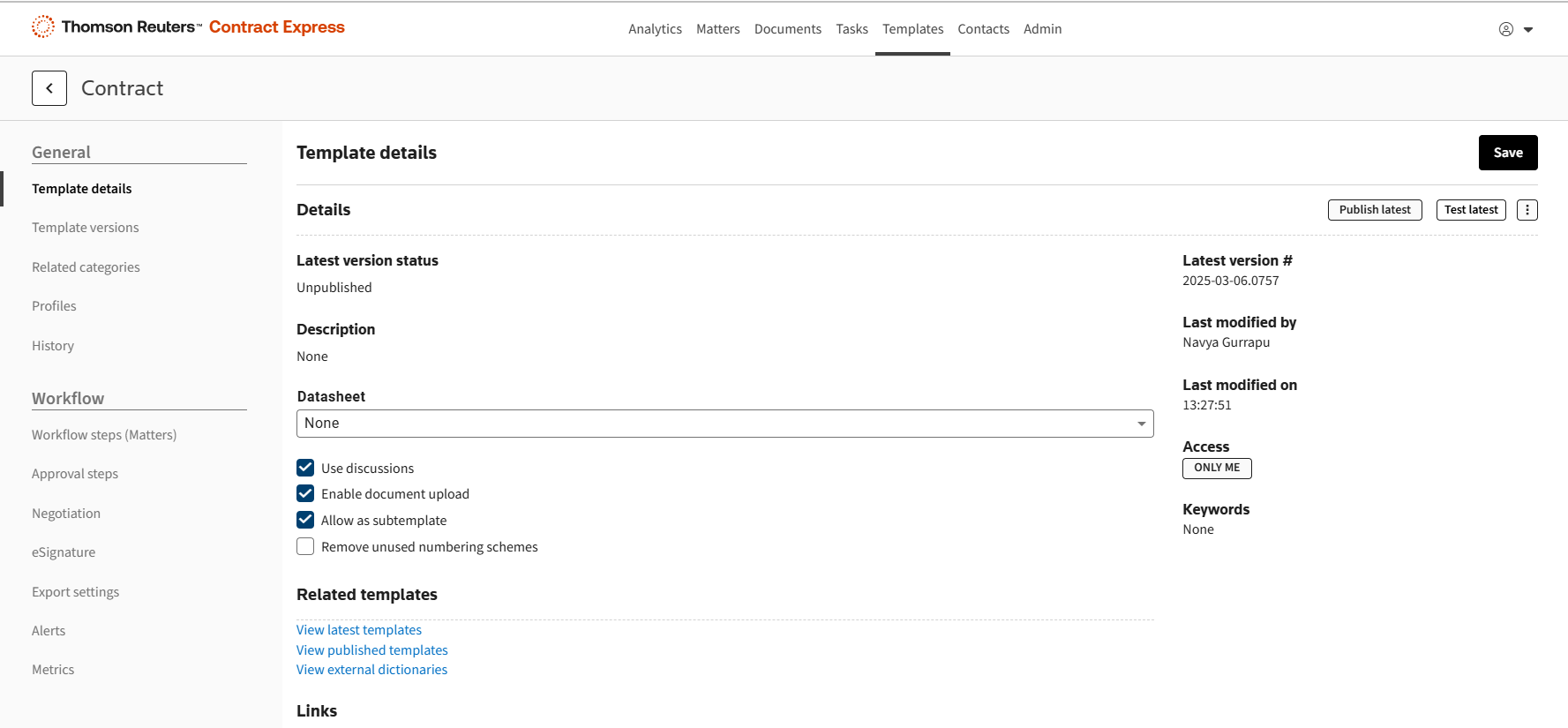
Once the template is ready, publish and share it with the end users.
If you need automation logic that isn't available in the new author add-in, switch to the original author add-in and convert your template from content-control markup to character-based markup.
note
- More functionality will be added to this add-in every month. Look out for our release announcements!
- For more help on other topics, please refer to Contract Express help and support page https://www.thomsonreuters.com/en-us/help/contract-express