
AI Markup Suggestions
The
Suggest Markup
tool is engineered to help you reach a first draft of an automated template faster than ever before.Here's how it works: The tool analyses the contents of your document, identifying points of variable information that are likely to require automation. Where an insert point is detected, it then creates a corresponding variable for each identified data point and replaces it with a field in the document. For optional text identified in your precedent document with brackets, a span will be created with an appropriate variable controlling it. The variable name, question prompt and data type will be automatically added for you to review in the dictionary. If markup suggestions are run on a
non-English document
, the language will be detected and the question prompt will be created in the language of the document.Most importantly you, as the Author, are in complete control so you can decide whether the AI’s suggestions are accurate. The AI Markup Review panel allows you to navigate to the field or span in the document, go to the definition of the variable in the Dictionary Editor and accept or reject each AI suggestion. Our goal is to make novice users confident with automation and give expert Authors back time to focus on what matters most.
To give you a better understanding of how this works, here's a step-by-step explanation:
- Open the document you want to create a template from. We have built this tool to work on both model and executed documents. To maximise the accuracy of the tool, make sure your document doesn’t contain any existing Contract Express markup and that it has fewer than 15,000 words.
- In the Contract Express ribbon, click the new “Suggest markup” icon.
 This will open the AI Markup Review panel. Click the “Suggest markup” button in the panel.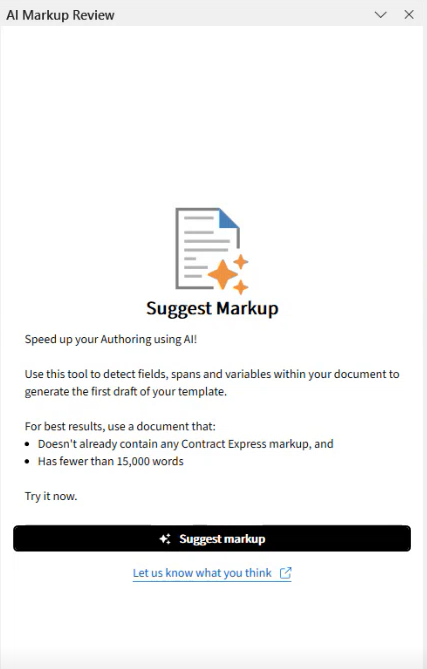
- This will begin to analyse your document. It will take a couple of minutes to do so, you can continue to work in other Word documents in the meantime. Once complete, the suggestions will be inserted to your document with track changes enabled and the detected fields and spans will display in the Review panel.
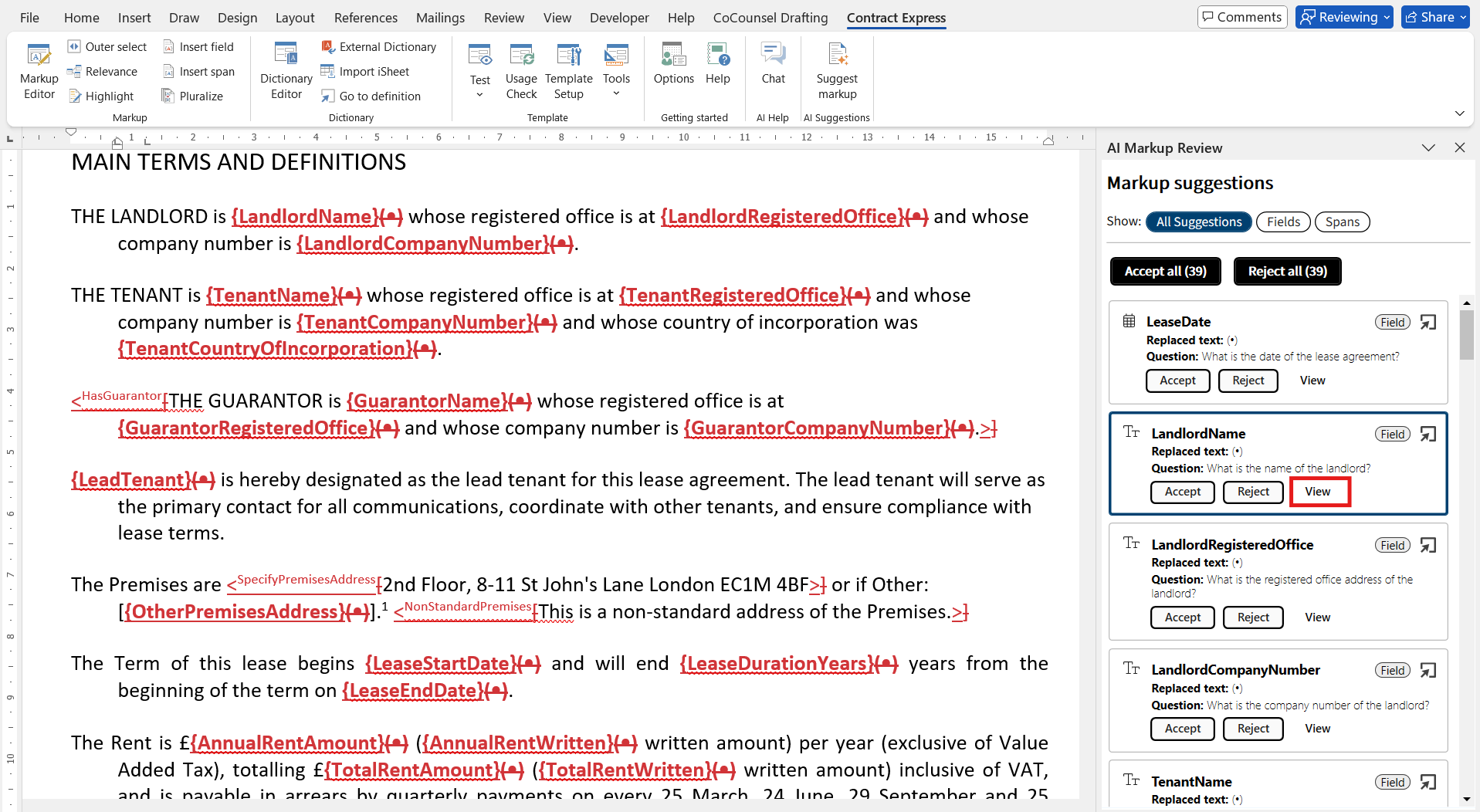
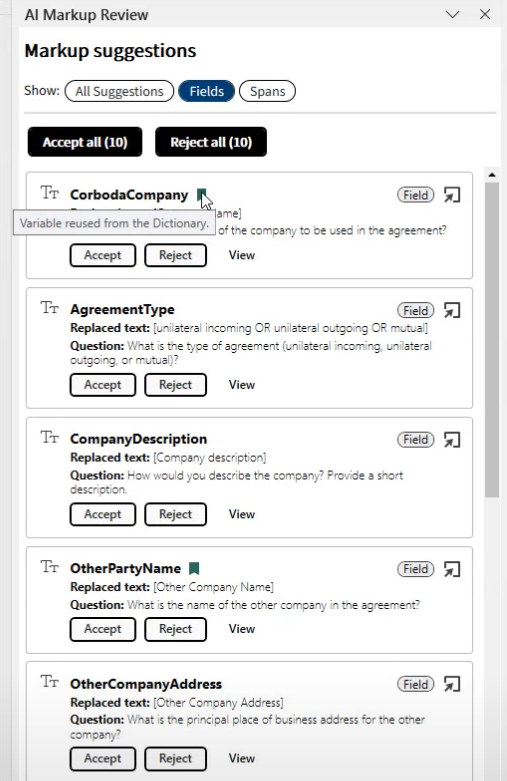
- Stay on All Suggestions tab to review all suggestions in the order of appearance in the document or switch to Fields tab to review suggested fields before checking the spans on the third tab. Click View to navigate to the field or span in the document.
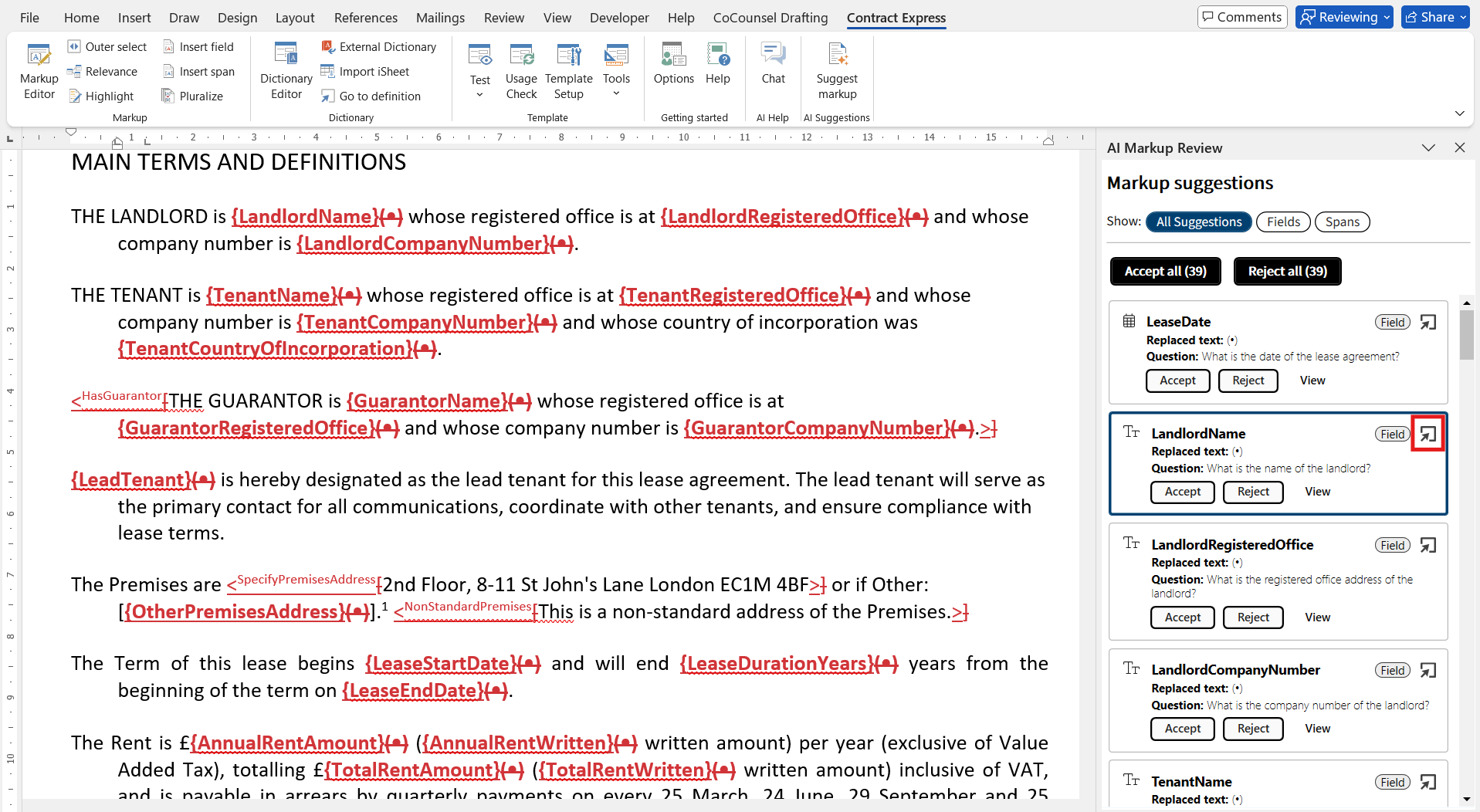
- Click the Go to definition
 icon to open the definition of the variable in the Dictionary editor and make any necessary changes.
- Click Accept to accept the insertion of the field in the document and Reject to reject the insertion and return the original text. Fields that are accepted or rejected will appear in a summary list in the panel:

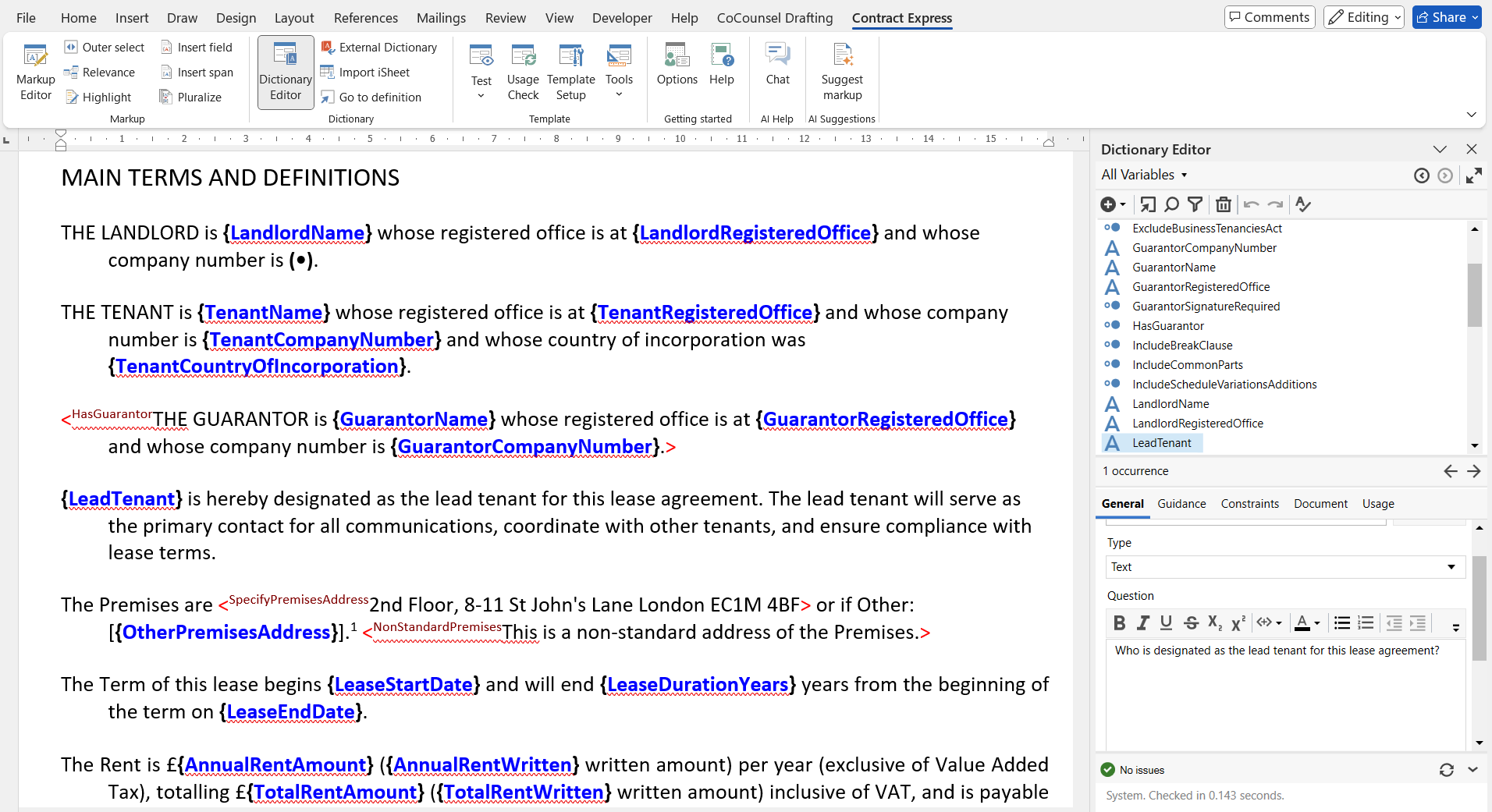
- Once you have reviewed all the suggestions, you can carry on with the automation of the template as usual:
Importing and reusing variables in AI Markup
Variables can now be imported from a library of predefined variables from an existing template before initiating AI markup suggestions. During the markup process, the AI markup analyses the imported variables and attempts to match them with the fields being created in the new template. When a match is found, the system reuses the existing variable instead of generating a new one.
This process enables the reuse of existing data, reducing the need to manually create new variables. These variables are extracted directly from the selected template.
One of the ways to import variables is by using external dictionaries. To do this:
- Navigate to theExternal Dictionarysection from the top ribbon.
- ClickAttachand select a document (e.g., a Non-Disclosure Agreement) containing relevant variables.
- ClickOKto confirm. The variables will be automatically imported into the current dictionary.
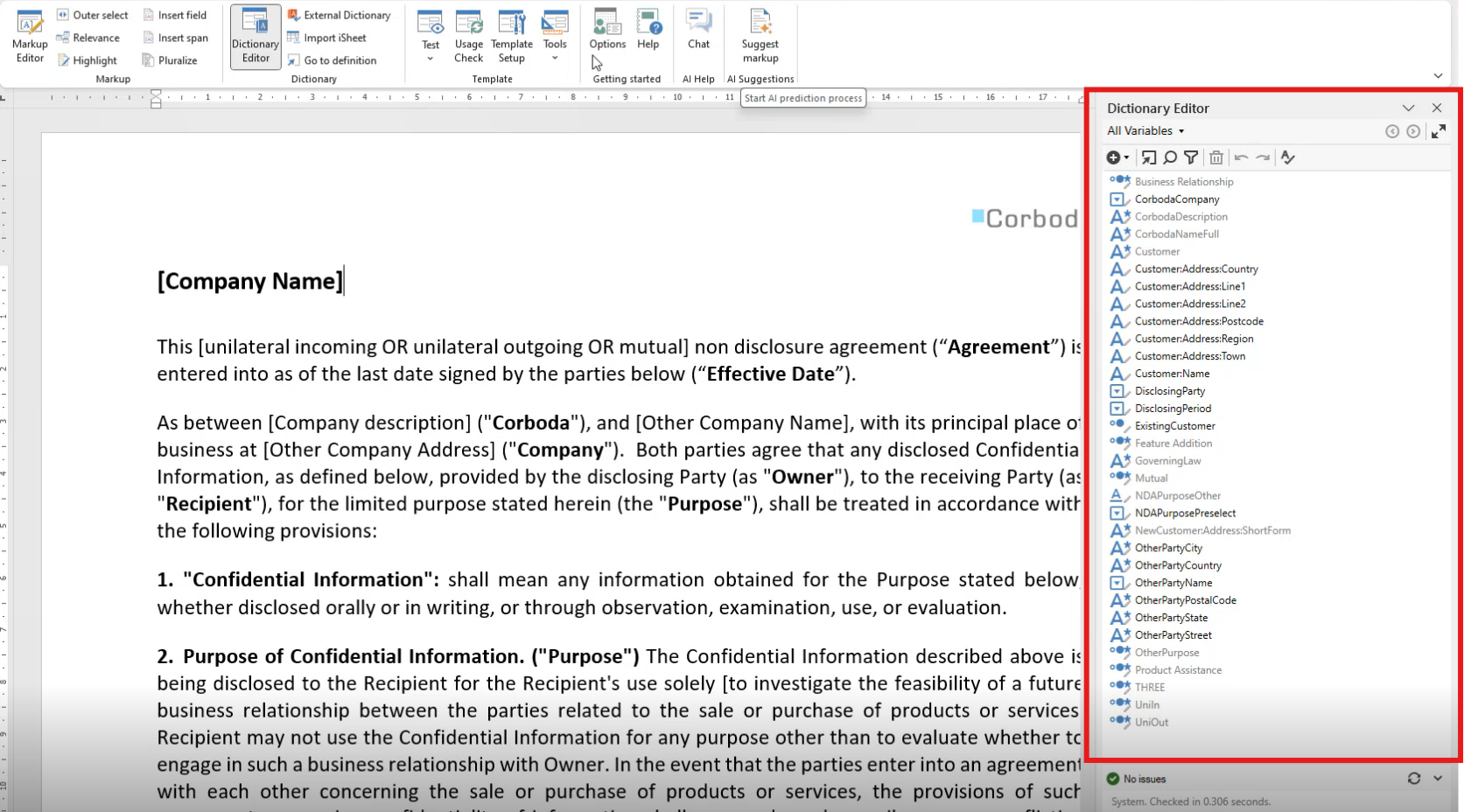
- After importing variables, you can run markup suggestions to automatically identify and tag relevant fields within the document. When the system detects a match with an existing variable, it highlights the match with a green indicator. This helps avoid duplication and ensures consistency across templates.
Span Detection in Model Documents
Span detection is available for model or precedent documents where optional or alternative text is indicated with a specific notation, typically brackets. These brackets will be replaced with span brackets as defined in the template settings. Span detection can add spans around text which contains field suggestions and identify nested spans (optional text within an area of text that is controlled by another condition).
When a span is created, a new yes/no question is added to the dictionary. The question prompt asks the user to confirm the condition on which this optional text should be included in the generated document.
Additionally, during the span review process, brackets that appear at the beginning and end of the paragraph, indicating unaccepted changes, are removed once the suggestions are accepted.
Span detection is currently not supported for generated documents where optional text is not indicated by the document owner.
We encourage you to try out this new feature and share your thoughts with us by filling out this quick survey. Your insights will be invaluable in helping us refine and enhance the tool. Together, we can create the future of document automation.
Find our more about Advanced AI Features here.