
Content and output
Controls how supplementary content, formatting, and automation behaviour are applied during document generation.
Template reference of answer file templates
Controls whether template references for answer files are included alongside generated documents. When enabled, it displays the template reference for any answer documents generated alongside the main documents, visible to authors and administrators only. To make an answer file visible to all users, it must be added using an
{Attach}
statement within the coded template suite.Update Word fields
Controls whether Word fields are refreshed in the generated document.
- Yes– Updates fields such as tables of contents and cross-references (recommended).
- No– Does not update Word fields automatically.
Enable smart spacing for spans
Controls how extra spacing within spans is handled during document generation.
- Yes– Automatically removes unintended spaces within spans to prevent double spacing.
- No– Retains spacing exactly as entered in the template.
Enable autotrim for text variables that have this property set to default in the template
Controls whether leading and trailing spaces in text variables are automatically trimmed by default.
- Yes– Automatically trims text variables unless overridden at the variable level.
- No– Does not autotrim unless configured per variable.
note
Variable-level settings override the profile setting.
Apply draft watermark to documents in progress
Controls whether a DRAFT watermark is applied to documents before they reach Ready status. Available options include:
- Do not apply– Does not apply a watermark.
- Remove automatically when document reaches Ready status– Applies a DRAFT watermark that is automatically removed later.
- Remove manually– Applies a DRAFT watermark that must be removed manually.
Include the repeat context when generating bookmark identifiers
Controls whether repeat context is included when generating bookmark identifiers for use with references.
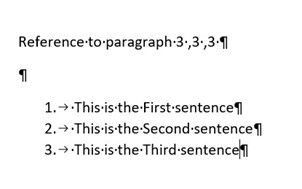
- Yes– Ensures paragraph references correctly include repeat context when using{Label}/{Ref}with repeated content.

- No– Generates bookmark identifiers without repeat context, which may result in incorrect references.
Related Content
-
Document
Format: Article